Getting Started
Turn the power switch OFF on your Nintendo® Game Boy® Advance. Never insert or remove a Game Pak when the power is on.
Insert Samurai Jack™: The Amulet of Time Game Pak into the slot on the Game Boy® Advance. Press firmly to lock the Game Pak in place.
Turn the power switch ON. The Nintendo logo should appear. If you don't see it, begin again at step 1.
Title Screen
When Samurai Jack™: The Amulet of Time introduction appears, it will automatically display the entire introduction before taking you to the Title Screen. If you prefer to skip the introduction, press START to jump directly to the Title Screen.
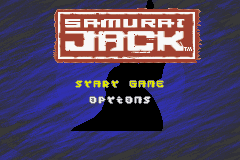
On the Title Screen, press START to display the Main Menu.
Scroll through the two options on the Main Menu by pressing the Up or Down arrows on the Control Pad. Press the A Button to select an option.
Start Game
This option will take you to the Game Slot Screen.
Save Game
You have two choices of saved game position, allowing 2 separate games to be played at the same time. Use Up and Down on the Control Pad to choose the save game slot and press the A Button to select.
•
If an empty slot is chosen, the player will be asked to confirm the creation of a new game. Press Left and Right on the Control Pad to highlight your option and press the A Button to select.
•
If a previous save is chosen, you will be asked to confirm that you wish to load that game. Press Left and Right on the Control Pad to highlight your option and press the A Button to select.
To delete a previous saved game, please refer to the 'Data Clear' section of the manual.
Unsaved Game or Guest
The player can start a game without creating a saved game. During a guest game the player cannot save.
Note: Samurai Jack™: The Amulet of Time Game Pak is for the Game Boy® Advance system only.
Status Screen
Magic Items change Samurai Jack's strengths. These items have a one-time use, but the effect can be permanent. For example, if a player finds a Light Up Orb, the strength of Samurai Jack's Light attribute will be increased by 20 points. Once used, the Light Up Orb will disappear.
When you select “equip” from the Main Status Screen, you are taken to the Equipment menu. Energy values and statistics information are displayed here so that the player can see instantly what effect an item has on Samurai Jack.
•
Pressing START will un-pause and return to the game.
•
Pressing the A Button will open the selected category's window.
•
Pressing the B Button will return to the Main Status Screen.
All equipment slots that you can assign equipment to are displayed on the right of the screen.
Equipment Slots
•
Armor: All armor will have an effect on defense, although some may have properties that increase or even decrease other statistics.
•
Gauntlets (2 slots): Gauntlets come in a variety of types and although most are used to raise attack statistics some may only affect a specific statistic or set of statistics.
•
Rings (2 slots): Purely magical objects, rings can bestow a variety of powers to the bearer.
•
Sword gems (3 slots): Like rings, gems are purely magical objects. Gems, however, are geared more towards combat and affecting damage against certain enemy types.
Character Interaction
While walking around the world, Samurai Jack can speak to certain people he meets. If Samurai Jack is able to speak with someone in the area, an exclamation mark will appear over the character's head as he approaches.
Some people will initiate the conversation with Samurai Jack. When this happens, you must follow the instructions for talking.
Talking
After the conversation begins, pressing the A Button will skip to the next section.
Choices
In certain situations, Samurai Jack will have the option to choose his response. To do this, you must press Up and Down using the Control Pad, and press the A Button when you have made your choice.
Special Items
As Samurai Jack goes around the world he will be given items as gifts or following successful battles. Each item will allow Samurai Jack to do something different and aid him in his bid to defeat the Evil Aku.
•
Bow: Arrows can hit enemies at long range. They can also hit switches out of reach and jam certain mechanical equipment.
•
Aiming the bow: By holding Down the L Button Samurai Jack will keep the arrow primed. While holding the bow he is rooted to the floor. Pressing the Control Pad in a direction will make Samurai Jack aim the bow in that direction. Release the L Button to fire the arrow. Samurai Jack returns to the stand position.
•
Shield: The shield has the ability to block almost any attack. While Samurai Jack holds the shield he is rooted to the floor and cannot move.
•
Hammer: The hammer has the ability to smash down weak walls. Weak walls are visibly worn and cracked.
Saving the Game
Certain rooms contain a save point. You will notice the saved points in-game as a stone plinth. To use a save point you must stand over the plinth and press the A Button (Samurai Jack will not attack).
On-screen prompts will appear asking you if you wish to save. Using the Left and Right on the Control Pad, press the A Button to confirm selection. The selected option is highlighted green and appears in bold text. When confirmed it flashes momentarily.
•
If you select the NO option, then Samurai Jack's health and special energy are


.png)
.png)
.png)
