Getting Started
•
Turn OFF the power switch on your Nintendo® Game Boy® Advance.
•
Insert the *Scooby-Doo and the Cyber Chase* Game Pak into the slot and press firmly to lock it in place. •
Turn ON the POWER switch. The credit screens will appear.
•
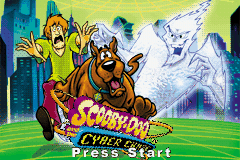
When the title screen appears, press START to proceed to the Main Menu.
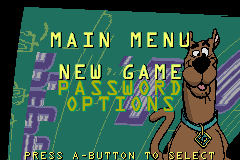
Main Menu
•
Start: Begin a brand new game from the beginning.
•
Password: Use a password to continue where you left off.
•
Options: Customize game settings before joining the Mystery Inc. gang.
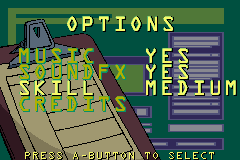
Options Menu
•
Music: Turn the game's music ON or OFF.
•
Sound FX: Turn the game's sound effects ON or OFF.
•
Skill: Set the difficulty level for solving the mystery.
•
Done: Return to the Main Menu.
Gameplay Overview
Your goal is to figure out who unleashed the Phantom Virus. You must solve the mystery by searching for clues, collecting items, and exploring rooms.
To escape each level, find the box of Scooby Snacks, which reveals the path to your next challenge. When you find a CD in the lab, take it to the laser to open a new level. Character Selection
All five members of the Scooby gang begin the game, but only one character can play a computer level at a time. You can select which character to play for each level by pressing the L Button at the laser.
If a character is caught by the Phantom Virus, they become unavailable, and you must choose another member of the gang to complete the level. This gives you five chances to get through the game.
Level Details
•
The lab contains a main corridor and three rooms: computer lab, chemistry lab, and robotics lab.
•
Each room contains two CDs that unlock other levels.
•
The laser is located in the robotics lab.
•
Level 5: Arctic Snow Chase
•
You cruise on a snowmobile while collecting Scooby Snacks and clues. •
Avoid giant snowballs, slalom poles, and bolts of electricity hurled by the Phantom Virus.
•
Use the up and down arrows to move across three lanes at a time.