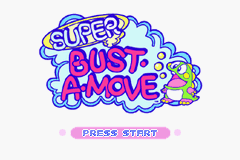
Language Select
Select the language you want with the Control Pad. The selected language is highlighted. To validate your choice, press the A Button.
1 Player Puzzle Mode
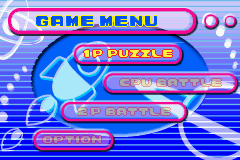
In the main menu, select the 1 Player Mode and follow the on-screen instructions. Clear all the bubbles in each screen: Aim carefully with your bubble launcher and start bustin' some bubbles.
CPU Battle Mode
Compete directly against a computer opponent. In the main menu, select CPU Battle Mode, then select Normal or Expert Mode. Some special bubbles are available for use in this mode.
2 Player Battle Mode
Link up...and challenge a friend! From the main menu, choose 2 Player Battle Mode. Then, select Normal or Expert Mode. First to win 3 rounds is the winner. You can change the amount of rounds from 1, 2, or 5 rounds in the Option Mode.
Option Mode
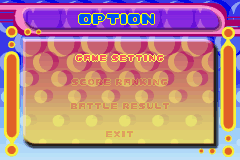
Select Option Mode from the Main Menu screen. In the Option Mode you can adjust various settings.
•
Match Point: You can adjust the match point for 2 Player and CPU Battle modes to 1, 3, 5, or 7.
•
Guideline: You can turn the guideline on or off.
•
Score Ranking: View the high score rankings from the 1P Puzzle Mode.
•
Battle Results: View your win loss records for each character from 2P Battle and CPU Battle Mode games you have played.
Caution: when the power is switched off, all records will be lost!
Bubble Types
•
Normal Bubbles: When three or more bubbles of the same color are joined together, they pop.
•
Mini Bubbles: Smaller than normal bubbles, these bubbles can pass through spaces where a normal bubble cannot. When a mini bubble lands on another bubble, it increases in size and becomes a normal bubble.
•
Star Bubbles: Firing a Star Bubble makes all similar colored bubbles pop. For instance, if a red bubble is shot at the star bubble, all onscreen red bubbles will pop.
•
Giant Bubbles: Seven times the size of a normal bubble. Giant bubbles pop in the same way as normal bubbles but they also turn all other giant bubbles into normal ones.
•
Rainbow Bubbles: If you burst a bubble connected to a Rainbow bubble, all similar colored bubbles will pop.
•
Metal Bubbles: Metal Bubbles cannot stick to other bubbles. If a Metal bubble hits a step point, it will be destroyed.
Blocks
•
Reflection Block: Bubbles cannot stick to Reflection Blocks, they will bounce off.
•
Fulcrum Block: When all the bubbles surrounding a Fulcrum Block are gone, the block will vanish.
•
Obstruction Block: These blocks obstruct the direct path to a bubble. You may need to bounce your bubble off a wall or two in order to get around them.
•
Dampa Block: Hitting these blocks with a bubble will move the launcher in the direction indicated. This may give you better positioning and allow for an easier shot at the bubble you are trying to target.

 (En,Fr,De,Es,It).png)