MAIN MENU
•
Quick Bowl - Starts a new game using predetermined bowler and lane.
•
New Game - Starts a new game and brings up the Game Setup Menu.
•
Load - Loads previously saved games and stats.
•
Save - Saves your current stats and games.
Game Options
•
SFX Volume: Controls In-Game SFX
•
Ambient Volume: Controls In-Game Ambient
•
Difficulty Level: Choose from 3 different difficulty levels for computer-controlled characters
GAME SETUP MENU
After choosing New Game, you begin setting up your game by going to the Alley Selection screen.
ALLEYS
You have the choice to bowl in four exciting and unique bowling lanes. To select an Alley, press the directional buttons Left or Right to cycle through the alleys.
•
Press to go back one menu.
Alley Descriptions
•
Rockin' Lanes - Bowl in the classic atmosphere which is Rockin' Lanes.
•
Hula Bowl - Imagine bowling in a tropical setting, the wind in your hair, sand on your feet, the ocean breeze behind your back.
•
Starlight Bowl - Bowling with a cosmic décor. Neon lights and the appearance of stars and spaceships make this alley spacey indeed.
•
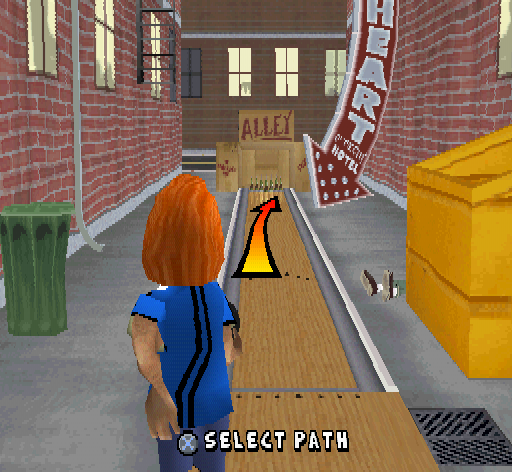
Alley Alley - Bowl a game in a back alley knocking off bottles instead of pins. Make sure your ball doesn't get swept into the gutter!
GAME MODES
After selecting a bowling alley, you'll choose what type of bowling match to enter. Press the directional buttons Left or Right to go through the games.
•
Press to go back to the Alley Selection Menu.
Open Game
Challenge your friends or the computer in a Ten-Frame contest to determine who is the master of the lanes. Up to six players, in any combination of human and CPU players, can join in a Ten-Frame game of bowling.
Team Game
Pit two teams of bowlers against each other for bragging rights. Teams of two or three bowlers can participate in this grudge match in any combination of human or CPU bowlers. Show your team spirit with several team logos.
Progressive Play
A single player bowls head to head with a series of 16 CPU opponents. Winning Progressive Play mode earns you money to purchase various items for your character. Can you defeat all challengers to become the champion of the lanes?
Tournament
Tournament Mode pits up to six players against each other and dozens of CPU opponents, totaling 32 competitors in the opening round of a grand bowling tournament. The players are entered into the competition so that they will not confront each other until the latest possible round.
Rounds between CPU characters not part of the original six are not shown, although they will post results at the end of the first round. The deeper you go into the tournament, the more difficult opponents become.
The 32 competitors play a single game each to determine the entrants for the next round. The 32 are reduced to 16, then to 8, 4, and finally 2. The last two survivors of the tournament play a one game match to determine the winner.
In case of a tie, there will be a "Roll Off" until the tie is broken. A Roll Off consists of individual frames played head to head. Winning the Tournament mode earns you money to purchase various items for your character.
BOWLER SELECTION
Once you've selected your alley and what game mode you want to bowl in, you can decide on whom you're going to bowl as. The Bowlers Screen allows the player to assign up to 6 bowlers to controllers 1 and 2, as well as assign CPU players.
•
Press the directional buttons Left or Right to select the player.
•
Press L1 or R1 to assign the player to a controller.
EDIT BOWLER
In the Bowler Selection Menu, press to go to the Edit Bowler screen. Here you can change the character for each of the players involved in your game.
Edit Bowler Options
•
Character - Change your character model by pressing the directional buttons Left or Right.
•
Shoes - Change your shoes by pressing the directional buttons Left or Right.
•
Shirt - Change your shirt by pressing the directional buttons Left or Right.
•
Pants - Change your pants by pressing the directional buttons Left or Right.
•
Ball Cover - Change bowling ball cover by pressing the directional buttons Left or Right.
•
Skin - Change skin color by pressing the directional buttons Left or Right.
•
Hair Color - Change hair color by pressing the directional buttons Left or Right.
•
Hair Style - Change hairstyle by pressing the directional buttons Left or Right.
•
Name - Edit the name of your bowler. Press to go to the edit name screen.
•
Stats - View the stats of this bowler. Press to go to view stats.
•
Cash - Displays the amount of money you have.
PURCHASING ITEMS
You can earn money by competing in Progressive and Tournament Modes. Money earned can be used to purchase items to customize your character.
When changing shoes, shirt, pants and the ball cover, a price tag will appear next to your character. If you do not own the item, then there will be a price tag showing you how much the item is. Press to purchase the item.
The more money you earn, the more secrets you can discover and unlock.
PLAYER STATS
You can view your character's progress and stats by selecting the Stats option in the Edit Bowler screen. These stats can be saved on your Memory Card.
•
Average - Your character's average score per game
-
.png)

.png)
.png)
.png)
