Single Player Game
Select Character
Before playing, choose one of the Scratch Cats from the "Select Character" screen. Use the LEFT and RIGHT Directional buttons to highlight a cat.
Each cat is rated by:
•
Amount of Bonus Coins required before the cat can perform its special move
•
Range of their Eraticator
•
Strength (stronger cats daze rats longer with swipe attacks)
Press the [X] button to select your cat. Question marks conceal hidden characters unavailable at the start of the game.
Theme Select
The first time you play, only the house theme is available. After completing all rooms in a location, you can skip that theme in subsequent games.
Use the LEFT and RIGHT Directional buttons to choose where to begin the game, then press the [X] button to proceed.
Your Mission
Before each level, Professor Julius provides a short briefing. Listen for information on hazards and new gadgets.
Press the START button to continue or the [X] button to speed up text.
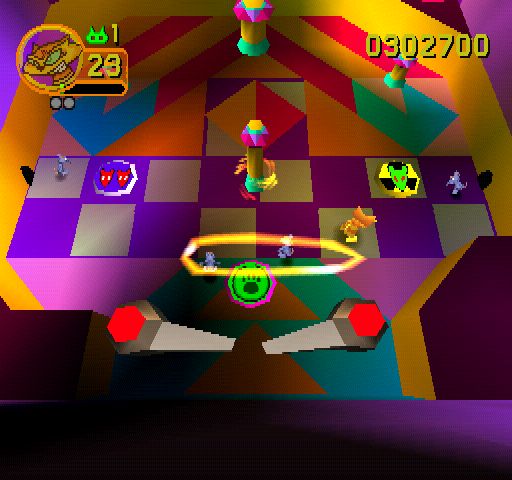
Each mission involves protecting a room from rat attack. Rooms contain items that rats will try to destroy, which are indicated by falling into place at the start of the level. Rats will gather around an item, causing it to shake and wobble.
Unless you intervene, the item will be destroyed (it flashes red just before falling apart). To complete a level, eliminate a certain number of rats before they destroy all room contents.
Your "CATCH" quota appears onscreen at the start of the level. The number of rats outstanding is shown on your Onscreen Display.
The Onscreen Display
•
The number of lives remaining.
•
The number of rats that must be destroyed before you can exit the level.
•
Room damage gauge. As the room gets trashed this begins to fill up. When it reaches maximum the room is destroyed and you will have to redo the level.
•
Bonus Coins. The white circles show the number of Bonus Coins required by your particular cat before they can perform their special move. Every time you pick up a Bonus Coin (it looks like a spinning gold cat head) one of these discs turns yellow.
Capturing Rats with the Eraticator
Professor Julius has equipped each Scratch Cat with an Eraticator for rat containment.
To use the Eraticator:
•
Press and hold the [X] button.
•
Move around to the other side of the rat so it is within the loop of the containment field.
•
Release the [X] button to suck the rat into the Eraticator's storage tanks.
You can store as many rats as you like. If you accidentally touch a free rat while doing so, all captured rats will escape, but you will not sustain any damage.
Emptying the Eraticator
To permanently eliminate rats held within your Eraticator, dispose of them in the Destructor. Simply walk over the Destructor, and captured rats will be banished.
The more rats you drop off at once, the larger your points bonus will be. However, the longer you run around with a full Eraticator, the greater your risk of losing your catch if you touch another rat. As a reminder, the more rats you have stored, the faster the Destructor pad spins.
Other Ways to Deal With Rats
The Eraticator is a clean and humane method. If you prefer to see your enemy suffer, there are alternatives. Many levels contain everyday objects that can be used.
Use your swipe attack to knock rats into nearby hazards. Look for floor switches that can transform household appliances into agents of feline retribution.
Finishing a Level
When you eliminate the required number of rats, Professor Julius will beam down a Scratch Door. You can then choose to continue catching rats for a better score or walk into the Scratch Door to exit.
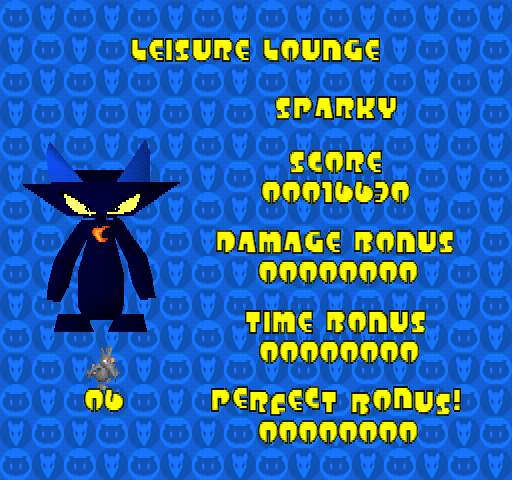
Any rats caught after the exit door appears are worth double points. You must leave through the door before the countdown reaches zero. After finishing a room, a listing shows your points and performance.
Losing Lives
You have nine lives. Touching a rat or getting hurt in any other way will cost one life. Losing three lives means restarting the level. The game is over if you lose all nine lives.
Time Limit
If you take too long clearing a room, "Hurry Up" will display, and rats will become super speedy.
Game Over
If you score particularly well, you can enter your initials into the high score table.
•
Use the LEFT and RIGHT Directional buttons to select a letter.
•
Press the [X] button to confirm.
•
Use the [A] button to remove a letter.
•
Press the [X] button again when finished.
Saving a Game
After playing through every room at a particular location, save your progress to a Memory card.
•
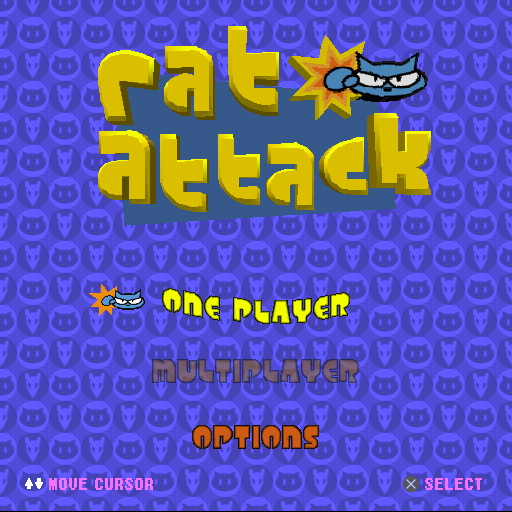
From the Main Menu, select "OPTIONS".
•
Then select "MEMORY CARD".
•
Then select "SAVE GAME".
Your progress will automatically load when you start Rat Attack, allowing you to begin from the last location you reached.
Floor Pads
These are the different floor pads you will find in the rooms.
CAT PADS
This is where you take your Eraticated rats for disposal.
These act as switches to activate doors and other equipment. Experiment to discover their exact purpose.
These always appear in pairs: walk into one and you re-appear from out of the other.
Rat Chase
In "Rat Chase", each player has their
.png)








 (Es,It,Pt).png)
.png)