Console Top View
Console Front View
Starting the Game
1. Set up your PlayStation® game console according to the instructions in the Instruction Manual. 2. Make sure the power is OFF before inserting or removing a disc.
3. Insert the Robopit 2 disc and close the Disc Cover.
4. Insert game controllers and turn on the PlayStation game console. It is advised that you do not insert or remove peripherals or memory card(s) once the power is turned on.
How to Play the Game
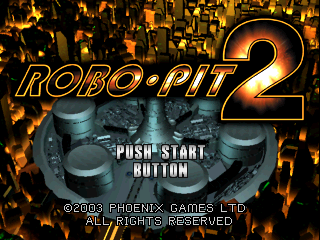
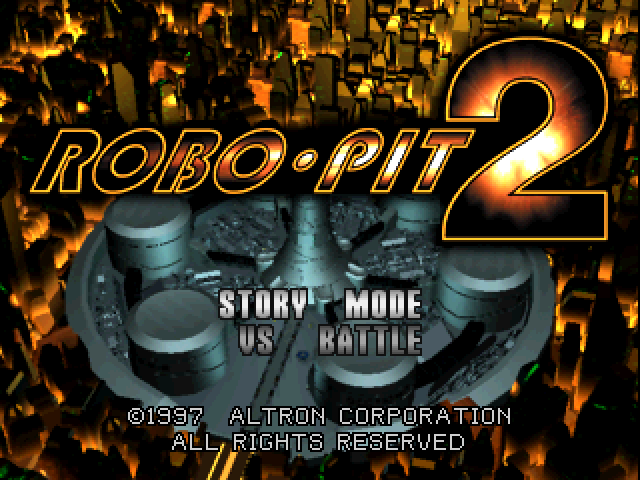
Title Screen
Story Mode
The player will make their own robot to fight with enemies along a set storyline.
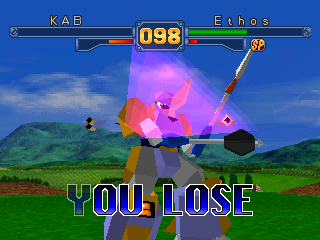
VS Battle
Two-player battle mode. Choose from 15 different robots, and fight.
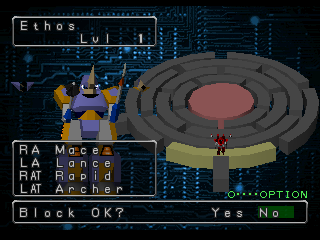
Robot Making Screen
•
Select Story Mode, and this screen will come up.
•
The player can make up his own robot to use.
•
Choose between head, body, right arm, left arm, leg, right AT, left AT parts; press the button to choose, and then use the DIRECTIONAL button to switch between them, and press the button to confirm.
•
Use the R1 and L1 buttons to rotate left and right, and the R2 and L2 buttons to rotate up and down.
On the Robot Making screen, press the START button to move to the next item. After you complete parts select, finish character modification, and name entry, to complete your robot.
In Robopit 2 there are 146 different parts to choose from, each with their own offensive and defensive capabilities.
Combinations
By pressing the attack buttons in the right order, you can form chains of attacks.
Example
Try using attacks other than Jab, using the left and right equally.
Finishers
When your SP Gauge is full, input the command below to be able to deliver a finishing move.
•
Attack Finisher: + buttons
•
AT Finisher: R2 + L2 buttons
After inputting a combination, while the player's body is shining, input the following command to deliver the finisher.
•
Consecutive attacks (After combination): + buttons
•
Giant Swing (After combination): DIRECTIONAL button or + + buttons
•
Downed Attack: button + + buttons
While facing a downed opponent, you can deliver supplemental attacks.
Just before you touch your opponent, press or button, and your attack power will increase.
How to Start a Link Battle
Connect the Link Cable (sold separately) to a second PlayStation, and you can have a Link Battle in the same type of screen as story mode. •
Choose VS mode on each PlayStation, then select Link Battle. •
Go to the VS Main Screen of VS Mode.
•
If you select Link Battle first, it will be 1P.
•
Load data and make your entry, then begin the battle.