Console Top View
Console Front View
Setting Up
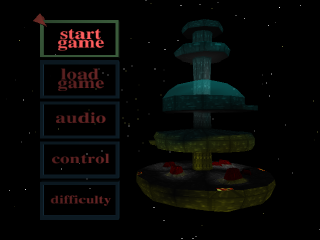
Set up your PlayStation™ game console according to the instructions in its Instruction Manual. Make sure the power is off before inserting or removing a compact disc. Insert the Sentient disc and close the CD door. Insert game controllers and turn on the PlayStation™ game console. Follow on-screen instructions to start the game. Load Game Menu
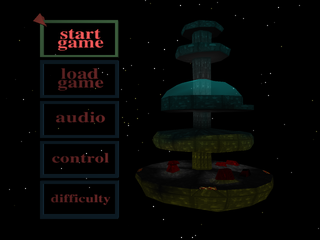
Use the Directional buttons to highlight your chosen option. Use the X button to confirm.
Load
To load a previously saved game, make sure you have a Memory card fitted according to the system instructions. If you have 2 Memory cards fitted, use the Directional buttons to switch between Memory cards.
Press the X button to confirm the Memory card of your choice. Use the Directional buttons to select the game slot you want to load and press the X button to confirm.
Delete Game
You can delete a saved game from within the LOAD GAME screen, but only saved games from other titles (e.g., Formula 1, Destruction Derby). Use the Directional buttons to highlight the previously saved game that you wish to delete and press the X button to confirm.
A CONFIRM DELETE prompt screen will appear featuring a choice of YES or NO. Choose YES and the game will be deleted. Choose NO and you will be allowed to make another choice.
Difficulty Menu
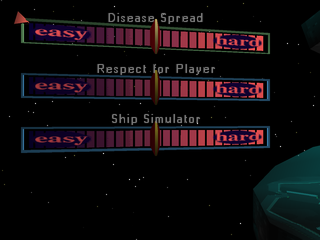
Use the Directional buttons to highlight your chosen option. The areas listed below can then be scaled in terms of difficulty. Use the Directional buttons to move the marker along a sliding scale.
You may adjust the difficulty level in terms of the ship's handling, the rate of spread for the radiation disease, and finally for the attitude of the Icarus staff towards Sherova.
When you have made your choices press the TRIANGLE button to return to the MAIN MENU.
Playing the Game
You are in control of Garrit Sherova from the moment the intro sequences end and the game begins. Garrit can be maneuvered forwards, backwards, left and right with the Directional buttons on your Controller.
While on the move the amount of turn is gentle which lends a fluid, realistic feel to his walk. When Garrit is stationary the Directional buttons can be used for quick turns on the spot. Use the up and down Directional buttons with the R1 button to look up and down.
The Cursor
Press the Circle button on your Controller. This will bring the cursor up on screen. Move the cursor around using the Directional buttons and you will soon notice that any areas of interest on the screen are outlined by a green box.
When the green box is on screen, press the X button and a menu will appear in the top left of the screen that tells you what the object is. Use the Directional buttons to move the highlighting effect through the menu. When you have constructed your choice press the X button to confirm and implement it.
Carrying Objects Around
All objects that you pick up are stored in the inventory. To access the inventory press the Triangle button.
To use an object you need to go into the inventory and pick an object by using the Directional buttons to highlight the choices and then pressing the X button to confirm. You will then be given a choice of things to do with that object: Use, or Use on...
How to Talk to the Crew
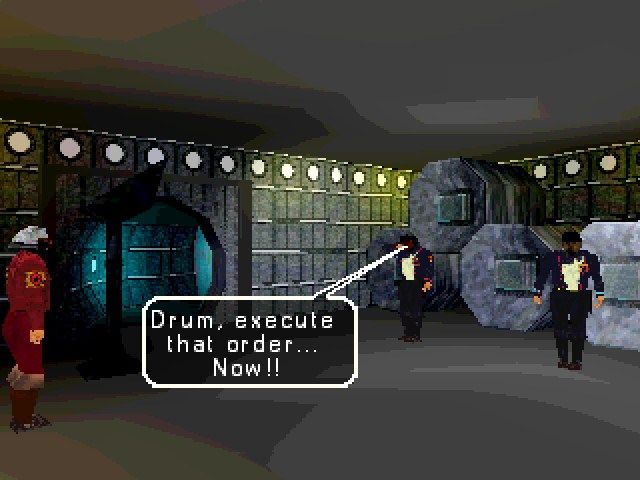
You can talk with every character in the game. It is essential that you do, otherwise you'll never find out how to complete the game.
It is advisable to return and talk to characters again during the course of a game, as they may have some new information for you. When you are standing near to a crew member you can start a conversation by pressing the X button.
You will be shown a text menu with multiple choices which you can highlight by using the Directional buttons. Press the X button to confirm the speech item of your choice. You will find that this leads to further text menus. When you have constructed the sentence of your choice press the X button to confirm and Sherova will speak.
To move around the menu you can use the Directional buttons. For example, if you decide that you don't want to "ask a question", but want to "make a statement" you can use the left or right Directional buttons. These allow you to easily move around the text menu screens.
To look around a scene while you are in a text menu hold down the R1 button and use the Directional buttons to move Garrit's point of view.
Mood
Each piece of speech that you construct can be given a tone of voice. The small picture of Garrit that appears in the bottom left of the screen is the indicator of mood.
After you have selected your sentence construction (but before pressing the X button to confirm), use the L1/L2 buttons to scroll through the full range of Sherova's facial expressions. When you have reached the appropriate mood press the X button to finally confirm your speech item and Sherova will deliver the speech item according to the mood selected.
Numbering System
There are four decks on the Icarus: Geodome, Auxiliary, Research, and Engineering. These decks are each divided into OCTANTS and RINGS. In order to navigate the corridors successfully you must learn this system.
Pillars
The pillars at the intersections have 8 numbers on them. To read the numbers correctly you
.png)




.png)

.png)


.png)







 (Es,It,Pt).png)
.png)