Goaltending
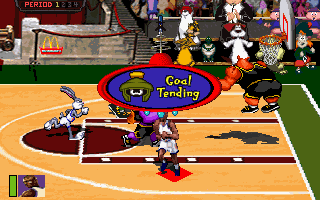
Choose to have goaltending ignored (OFF) or penalized (ON). Goaltending is called when a defending player blocks a shot on a downward arc towards the basket.
Difficulty
Choose between Easy, Medium and Hard settings. Easy is the default.
Sound
•
SFX: Choose to play with the in-game sound effects ON or OFF.
•
Music: Choose to play with the in-game music ON or OFF.
Controller Configuration
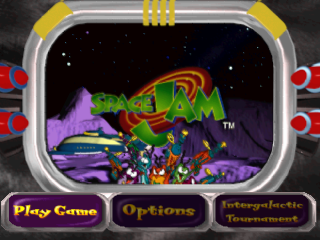
You can choose among 4 different controller setups. To do so, toggle LEFT or RIGHT to the desired setup, then press the X or ▲ button to return to the Main Menu.
Playing Space Jam
There aren't many rules in outer space, especially when the Looney Tunes are taking on the Monstars. There are no fouls, no out of bounds, you don't even switch sides at half time. Almost anything goes!
Default Controls
Special Slam Dunks
Each character has unique special moves to foil an opponent and keep the ball rolling! It'll take plenty of practice to discover each one!
Reset
To RESET the game during gameplay, press the START BUTTON to PAUSE the game. You may then press START to continue the game where you left off, or press SELECT to bring up the QUIT menu.
Using the Directional Button, highlight YES to quit to the main menu or NO to return to gameplay then press the X BUTTON.
Game Screen
Team & Player Selection
Before you can get your hoop thing happening, you've got to choose which team you want to play on, and which character you wish to control. Up to 6 players can compete, 3 on each team (when using 2 Multi-Taps).
Choose your team with the Directional Button, then press the X or START BUTTON. A player portrait with attribute ratings will appear. Scroll through players with the Directional Button. Press the X BUTTON to select your character/player.
Continue until all players have chosen a character, then press the START BUTTON.
Substituting Players
In a regular (non Tournament) game, between quarters you may substitute a fresh player for a current one--even cartoons get tired! To do so, select Substitution and press the X BUTTON.
Then press LEFT or RIGHT at the substitution screen to highlight the player you wish to remove. Press the X BUTTON. Next, find the player you wish to bring in, and press the X BUTTON. Then press the START BUTTON to exit.
Note: Player 1 must select Substitute in order for other players to do so. So play fair, Player 1!
Player Attributes
Each player has differing amounts of the following attributes. The amount of each is shown by the number of basketballs.
•
Speed: rates a player's speed on the court.
•
Shooting: rates a player's shooting percentage.
•
Rebounds: rates a player's ability to grab the rebound.
Game Modes
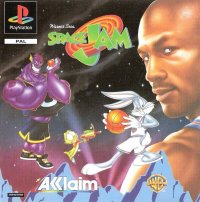
Space Jam features 4 quarters of hilarious hoop action between the Monstar aliens and the Tune Squad (with Michael Jordan)! You can also compete in up to 5 different games-within-a-game by choosing to play with the sub levels option ON.
Depending on whether you're playing as the Tune Squad or the Monstars, you'll be trying to help or hinder the toons. You can even compete in the Intergalactic Tournament, where you try to guide the Tune Squad to five straight wins! Here's the lowdown on all these great game modes.
Note: In a multi-player game, only the player with the lowest controller number on each team competes in Trophy Room, Locker Room and between quarter Sublevels.
Essence Roundup
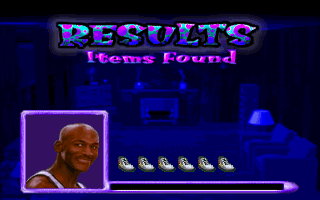
As a Monstar team member, you control a mysterious purple vapor trying to capture as much Super Essence as you can to turn up the Monstars' turbo in the next quarters! Every time you touch the basketball player in the locker room, you'll add extra ability to your Monstar squad.
As a Tune Squad member, you'll be trying to protect the basketball player from the purple vapor with various traps and tricks.
Monstar Hint
Watch out for anything that can dissipate or disrupt your vapor--the toons will use everything they can to turn the tables on you!
Monstar Controls
•
Move: Directional Buttons
Bugs' Controls (2 player only)
•
Open Locker: X or Button
Toon Sports Network
After every quarter, you'll get game commentary and have a chance to view game stats. In a 1 player game, press R1 to view Tune Squad stats and R2 to view Monstar stats. In a multi-player game, each team leader presses R1 to view his team's stats.
Power Up Sub Levels
After both the 1st and 3rd quarters, if Sub Levels is turned ON (see Options), the Toon Sports Network will appear, where you can select one of three crazy ability-enhancing games. They each affect different abilities. You can even choose to play the same game twice (after the 1st and 3rd quarter) if you want to. To choose a game, highlight it and press the X BUTTON. Speedy Gonzales' Crazy Space Race
.png)






 (Es,It,Pt).png)

.png)








.png)