Starting The Game
Do not insert or remove peripherals or Memory cards once the power has been turned on.
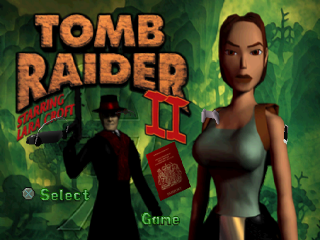
After a short introductory FMV sequence, you will see the Passport main game options.
Passport Main Game Options
The passport allows you to start a new game, load a previously saved game, or quit.
•
Press Action (Button) and the passport will flip open. •
Pressing Left and Right flips you through the pages of the passport.
•
The first page allows you to choose and load a previous save game.
•
The middle pages will start a new game.
•
The last page of the passport quits the game (In-game option only).
Polaroid Lara's Home
Choose the Polaroid to access the interactive training level. Lara will explain how the game controls work.
To exit the Assault Course, press the SELECT Button and use the exit options within the passport.
Sunglasses
This option allows you to re-centre the game screen on your TV.
•
Use the directional buttons and press the Button to select.
Personal Stereo
Press Action on the Personal Stereo, and you will be presented with two bars. The top bar sets music volume, the lower bar sets sound effects volume. •
Press Up and Down to toggle between sound and music.
•
Press Left and Right to adjust volume.
Controller Configuration
•
Use Right and Left to scroll through the three pre-set control configurations.
•
Press Action (Button) to select the one you want. Swimming Underwater
If Lara finds a deep pool of water, she can jump in and have a jolly good swim around. Lara can hold her breath for about one minute; if she is still underwater after that, she'll drown.
•
Pressing Up, Down, Left or Right makes Lara rotate in that direction.
•
Pressing Jump (Button) makes Lara swim.
•
Lara can pull levers and pick up objects underwater. Position Lara as close as you can and press Action (Button). Swimming on the Surface
•
Left and Right will rotate her, and Up and Down make her swim in those directions.
•
You can also use the side step actions (R2 and Left or Right) to swim Left or Right when on the surface of the water.
•
Pressing Jump (Button) will make Lara dive under the surface again.
•
Pressing Action (Button) and Up when Lara is close to an edge will make her climb out. Wading in Shallow Water
Lara won't swim in waist-deep water; instead, she wades. The controls are basically the same as when she is on dry land, except it is slower going and she can only jump on the spot, not in a direction.
Attacking
Lara starts the game carrying two pistols and a shotgun. Later in the game, she may find some extra weapons. The pistols have unlimited ammunition, but the shotgun requires shells to be picked up to use.
Shooting
•
Press Draw (▲ Button) and Lara will draw her guns.
•
If she sees something she doesn't like the look of, she will point her guns at it.
•
If there are multiple enemies, Lara will lock on to different targets, choosing the best one as she sees fit.
•
Pressing Action (Button) while Lara is aiming at something will assign that enemy as the current target. •
It will remain as the current target indefinitely while the Action button (Button) is held down, regardless of whether or not Lara loses her lock. •
While the Action button (Button) is held, Lara will only fire at the current target, ignoring any other enemy in the vicinity. •
If Lara loses sight of the enemy, it will break her lock, but that enemy will still be assigned as the current target.
•
The camera will track the current target, so even if Lara loses sight of it, you can still see where it is.
•
To make Lara continue shooting the current target after she has lost her lock, simply point her in the right direction.
•
If you want to shoot a different enemy, simply let go of Action (Button), and Lara will pick a new target. •
While you have your guns out, Lara can no longer do anything that would involve the use of her hands.
Vaulting
If Lara is faced with an obstacle that she can climb over, pressing Forward and Action (Button) will make her vault onto it. Climbing
Some walls are climbable. If Lara comes across such a surface, pressing Forward and Action (Button) will make her jump up (if there is room) and catch handholds on the wall. •
She will only hang on whilst the Action (Button) is held down. •
She can then be made to climb up, down, left and right by pressing the direction buttons.
•
Pressing Jump (Button) will make Lara jump backwards away from the wall.
Grabbing Hold
If Lara is near to a ledge while she is jumping, pressing and holding the Action button (Button) will allow her to grab the ledge in front of her and hang there. If a wall is climbable, Lara can catch onto it anywhere (not just ledges). •
Press Left or Right, and Lara will shimmy sideways.
•
Pressing Up will make Lara climb up to the level above.
•
Let go of Action (Button) and Lara will drop. Picking Objects Up
Lara can retrieve objects and store them in her inventory. Position Lara so that the object you want to retrieve is in front of her feet. Press the Action button (Button) and she  (Rev 3).png)





.png)


.png)



 (Es,It,Pt).png)
.png)

_1.png)


.png)
_1.png)
