Game Overview
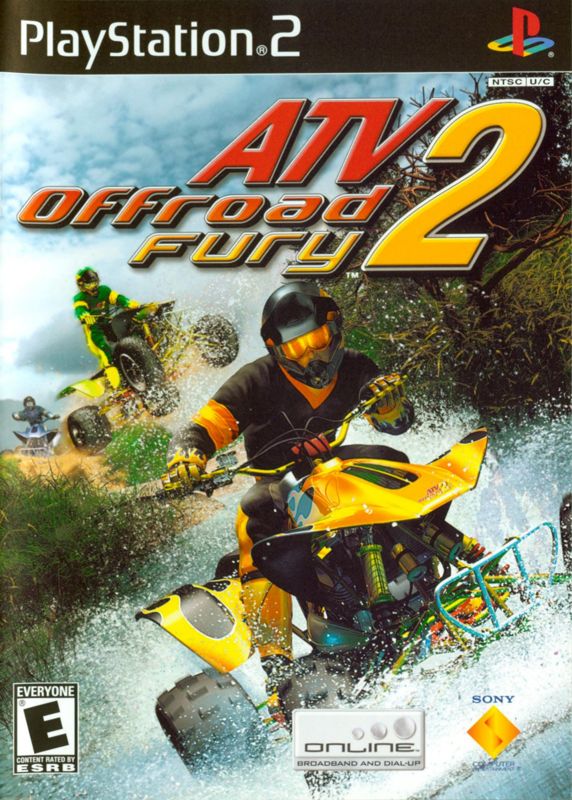
Get a tank full of ATV reality from punishing Enduro treks, extreme freestyle stunt face-offs, and glory-fueled Supercross showdowns. Roam endless integrated environments loaded with trails, killer stunt hills, and secret out of the way tracks.
The competition is endless with 14 championships in both Amateur and Pro events. Battle the elements as dirt and mud builds up on you and your machine. Slog through streams, slide through snow-slicked turns or saw your way through dense forest to get back in the race.
Want to get even closer to nature? Lose it on a hard turn and kiss a tree after going huge over your handlebars. Show some stuntman stardom pulling incredible trick combos off moguls and ramps in a packed stadium or blast off wilderness mountaintops.
If serious competition is wearing you out, lighten up with mini-games that add furious ATV horsepower to Tag, Hockey, King of the Hills, and Treasure Hunt. Clash with other riders going for the holeshot on one of more than 20 new machines including top sponsored team rigs.
Each bike rides to real-world specs responding to weather and terrain - and you can tweak the performance on every one. To make sure that every record breaking lap or incredible stunt combo goes down in history, a player profile tracks every event as you rack up points to unlock new ATVs, rider equipment, tracks, and games.
Multiplayer competition gets intense for up to four players including multitap and i-Link play. Or get wired for worldwide online competition and compete for international dominance. Dominate impossible wilderness, thrill thousands of cheering fans or just thrash for the fun of it. Ignite the fury!
Setting Up Your PlayStation®2 System
Set up your PlayStation®2 computer entertainment system according to the instructions in the manual. Make sure the MAIN POWER switch (located in the back of the console) is turned ON.
Press the RESET button. When the power indicator turns green, press the OPEN button and the disc tray will open. Place the ATV Offroad Fury 2 disc on the disc tray with the label side facing up. Press the OPEN button again and the disc tray will close.
Attach game controllers and other peripherals, as appropriate. Follow on-screen instructions and refer to this manual for information on using the software.
PlayStation®2 Diagram
Memory Cards
To save game settings and progress, insert a MEMORY CARD (8MB) (for PlayStation®2) into any MEMORY CARD slot in your PlayStation 2 computer entertainment system. You can load saved game data from the same card or any memory card containing previously saved ATV Offroad Fury 2 games. Multitap (for 3 or 4 Player Games)
For a 3 or 4 Player game, use a Multitap (for PlayStation 2) (sold separately). Each player will need a controller. Connect the Multitap to Controller Port 1 of the PlayStation 2 console. Then connect the controllers to the controller ports on the side of the Multitap. You cannot use the Multitap in Controller Port 2. When using the Multitap, insert the memory card into any MEMORY CARD slot on the Multitap. Memory Card Slot 2 is not used if a Multitap is used.
On-Screen Display
•
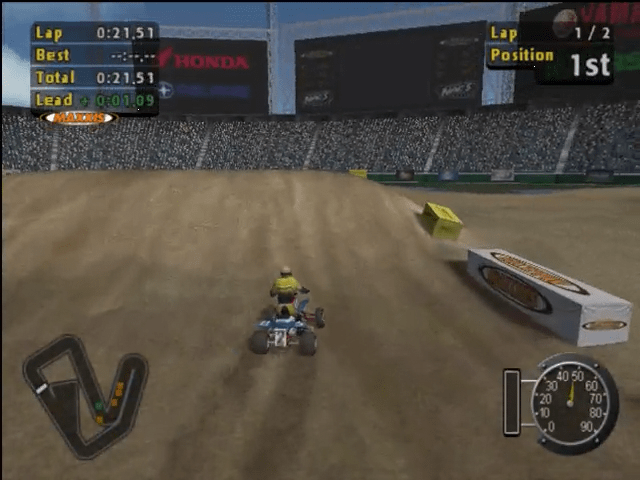
A red number means you are trailing the leader by the specified time.
Preload Meter
Watch the color of the meter to preload your ATV suspension and get huge air on hills and ramps. When you approach a jump the meter turns blue and preload is possible.
Press the left analog stick then snap it just as you hit the peak of the jump. The orange in the meter shows how much preload you achieved.
Speedometer
Shows your speed in miles per hour or kilometers per hour. To change this setting, select OPTIONS on the Main Menu and select GAME SETTINGS.
Radar
Displays rider position based on the selected event type in all events:
•
Grey dots - Computer Riders
In specific events:
•
Nationals, Supercross and Short Track - The radar displays the course layout and rider positions (dots).
•
Enduro - Waypoint Gates are white lines.
•
Freestyle Target Shoot - Dots are rider positions and targets during the Freestyle Target Shoot.
•
Games - Dots are rider positions and target locations.
Alerts
During a race the Off Track Alert appears when you are going the wrong way. An arrow will appear at the top of the screen to show you where to get back on track.
In some events, you have five seconds to get back on course or your ATV and rider will be automatically repositioned on the track. If you run into water that is too deep you have five seconds to get to shallower water or your ATV and rider will be repositioned on the track.
Direction Arrow
Points to the correct course direction.
Main Menu
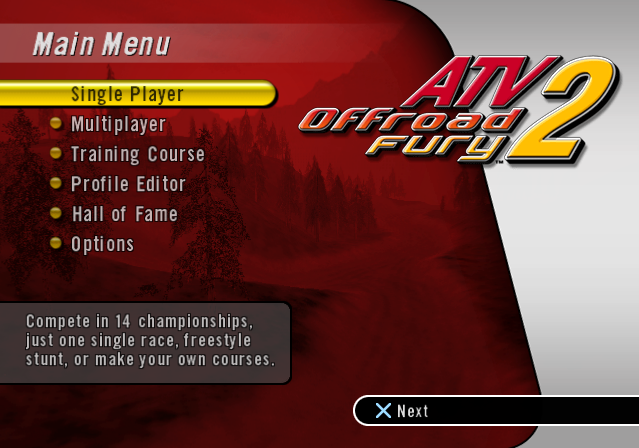
Access all of the competitions and modes from here. It is highly recommended that you create a player profile by selecting PROFILE EDITOR below before entering ATV events.
•
Press the directional button ↑/↓ to highlight an option.
•
Press the directional button ←/→ to change an option.
•
Press ✖ to confirm a setting or view more options.
•
Press △ to cancel or return to the