GETTING STARTED
PlayStation 2 Set-Up
Set up your PlayStation®2 computer entertainment system according to its instruction manual. Make sure the MAIN POWER switch (located on the back of the console) is turned on.
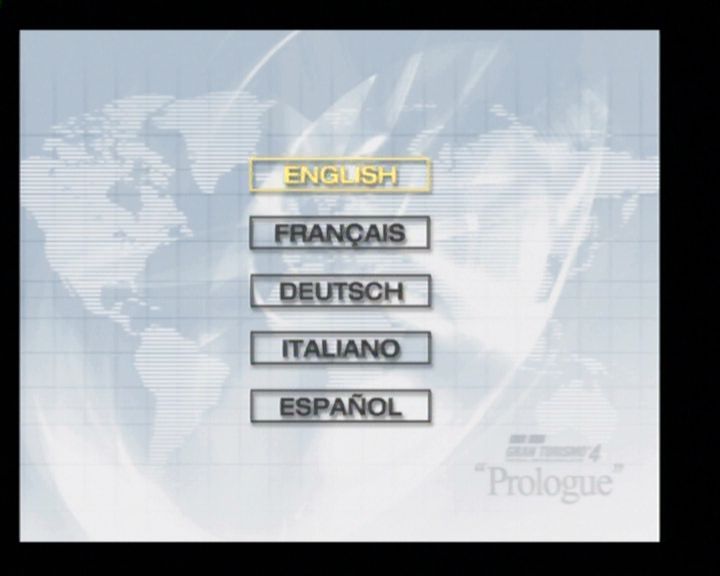
Press the RESET button. When the power indicator lights up, press the OPEN button to open the disc tray. Place the Gran Turismo 4 disc on the disc tray with the label side facing up. Press the OPEN button again to close the disc tray. Attach game controllers and peripherals as appropriate. Follow on-screen instructions and refer to this manual for information on using the software.
Note
Illustration may not match all PlayStation®2 console types. For owners of SCPH-70000 series PlayStation®2 systems, refer to the setup instructions supplied with your system.
SAVING AND LOADING
In Gran Turismo 4, you can save and load several types of data to your memory card (8MB) (for PlayStation®2) as you progress through the game. GAME DATA
Game Data tracks all game information, including completion percentage, best times, simulation mode data, records, and options. GARAGE DATA
Garage data allows you to access vehicles on your memory card (8MB) (for PlayStation®2). This is useful for racing Arcade Mode with cars earned in Simulation Mode or for using different cars stored on different memory cards. REPLAY DATA
After each race, you can save replay data for future viewing. Replays can be viewed in Replay Theater.
GHOST DATA
After each race, your performance can be saved as Ghost Data. When loaded on the same track, the ghost car will be projected during the race. The ghosted car helps you compare your current pace to the pace of the saved data (Time Attack and Free Run/Practice modes only).
PICTURE DATA
In the new Photo Mode, you can save your favorite pictures from your GT4 photo shoots. This information is stored within Photo Data.
FILM DATA
"Pre Developed data" is stored here.
PHOTO DATA
Once your Film Data is "developed", your hi-res Picture Data can be found here.
GAME MODES
In the world of Gran Turismo, there are various ways for players to enjoy the excitement an automobile presents. A boundless world awaits you. WANT TO RACE?
Players have a wide selection of cars to choose from. You can conduct simplified modifications/settings changes and save replays, making it suitable for test driving a range of cars. WANT TO LIVE IN THE GT WORLD?
In Gran Turismo Mode, players can enjoy the process of obtaining licenses or buying cars through this real-life car simulation. WANT TO MANAGE A RACE TEAM?
New to the GT franchise, B-spec mode allows players to be the director/manager. By giving commands to the CPU driver, players can participate in races without actually driving themselves. B-spec can be selected in both Arcade mode and Gran Turismo mode. WANT TO BE A PHOTOGRAPHER?
In "Photo Travel" located in the Gran Turismo Mode, players can take their favorite cars to places with beautiful scenery and conduct photo sessions. In "Photo Drive" or "Replay Theater," players can take photos of their car in motion. WANT TO COMPETE?
In Arcade Mode, players can enjoy split-screen "2P Battle," or by connecting their "PlayStation 2" via LAN connectivity, they can enjoy a competition of up to 6 players in "Multi LAN Race." ARCADE MODE
RACE FLOW
A race in the Arcade Mode will generally take place in the following flow. The flow of a race may differ slightly depending on the game mode.
•
1) Select level: Select the difficulty level of the race. The higher the level, the faster your competition.
•
2) Select Course: Select the course you wish to play. By bringing the cursor to a course, players can view information such as cleared difficulty levels, course maps, course length, and undulations.
•
3) Select Car: Select the car you wish to drive. At the top of the screen, players can choose how they wish to view the car selection. Once the car is selected, proceed to selecting the color of your choice. Then choose transmission type, driving assist (Y/N), and the type of tires to equip. •
4) Proceed to race from the race menu: A race menu is displayed before and after each race. Select from either "A-spec" or "B-spec" and proceed to start the race. In the race menu, the following are displayed:
•
A-Spec: Start the race in A-spec mode
•
B-Spec: Start the race in B-spec mode
•
Start Replay: Start the replay of the race that just took place
•
Save Replay: Save the replay from the race that just took place
•
Quick Tune: Players can conduct quick modifications to their car in Arcade Mode
•
Machine Setting: Players can conduct car settings in Gran Turismo Mode •
Load Ghost: Load the best lap replay and display as ghost car
•
Records: Review various records
•
Data Logger: Display logger data for best lap replays
•
Option: Change various game settings
**B-
.png)


.png)



.png)

_1.png)
.png)

.png)
