SETTING UP THE GAME
MAIN MENU
At the title screen, press the START button to bring up the Main menu. This is where the adventure begins.
NEW GAME
Highlight and press the button to begin Catwoman's adventure.
CONTINUE GAME
Highlight and press the button to load a previously saved game.
OPTIONS
Highlight and press the button to access a list of options.
Default options are marked in bold in this manual.
Game Options
•
SUBTITLES: Turn ON or OFF.
•
VIBRATION: Turn ON or OFF.
•
CAMERA LOOK: Choose between NORMAL and REVERSED.
•
CAMERA ROTATION: Choose between NORMAL and REVERSED.
•
LOAD GAME: Continue a previous game.
Audio Options
Choose from MONO, STEREO, and PRO LOGIC II.
Visual Options
•
WIDESCREEN: Turn OFF or ON.
•
SCREEN ADJUST: Adjust the position of the screen by pressing the D-button.
•
SCREEN BRIGHTNESS: Adjust the brightness by pressing the D-button.
COMIC
Highlight and press the button to take a look at the exclusive comic.
PLAYING THE GAME
Catwoman is sleek, sophisticated, and knows how to move. Master her skills and watch her dominate her environment.
GAME SCREEN
OBJECTIVES AND SCORING
Objectives are displayed at the beginning of each scene. They contain a number of moves Catwoman needs to perform in order to achieve 100% success. At the end of each scene, the score converts into diamonds that you can use to purchase new abilities. Every 1000 points converts into one diamond.
To bring up the Objectives at any time, press the START button to pause the game then press the D-button to highlight SCENE OBJECTIVES.
The Objectives are as follows:
•
Wild Cat Moves: Use the scenery to knock a bad guy out of the fight - breakable scenery, dumpsters, balconies and windows are a few examples.
•
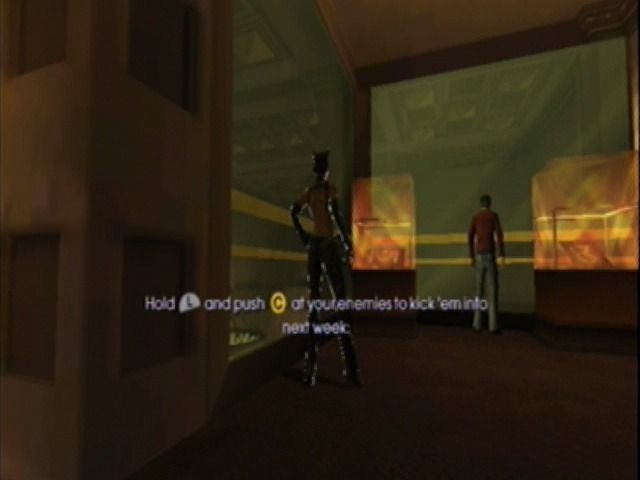
Kick enemies into each other.
•
Throw an item with the whip and hit an enemy with it.
•
Scaredy Cat Moves: Attack a scared adversary.
•
Pussycat Moves: Successfully execute a domination move (pose or taunt).
•
Alley Cat Moves: Get through an area using Catwoman's feline agility.
Roughing it up with the bad guys and fulfilling Objectives increases your score. When Catwoman performs a move that adds to your score, its name appears on screen.
When an objective is performed, its name appears on screen.
MIDNIGHT THE CAT
If Catwoman comes across this little feline, she's in luck. When she finds him, he gives her nine lives so she can be resurrected on the spot if she runs out of energy.
When Catwoman's in close proximity to Midnight, she can use Hunting mode to hear him meowing.
Midnight's paw prints and scent trails can also help guide Catwoman.
DOMINATION BAR
The Domination Bar represents Catwoman's health and power levels. When she is attacked, it depletes. The amount it decreases depends on the strength of the attack.
The Domination Bar increases every time the score hits a milestone (every 5000 points).
If the Domination Bar reaches 100%, it flashes to indicate that you can trigger Domination mode by pressing the L2 button. When Domination mode is activated, Catwoman's abilities are enhanced for a limited time. The strength and speed of her fighting skills become deadlier in this mode, giving her the chance to conquer her enemies more easily.
You can deactivate Domination mode by pressing the L2 button again.
END OF SCENE STATISTICS
When you complete a scene, statistics are displayed and your progress is scored. The Current score, Previous Best, and points awarded also appear. The score is then converted into diamonds so you can buy new moves.
•
SCENE OBJECTIVES: Details how she performed against the objectives set at the beginning of each level.
•
COMBAT BONUS: Shows how much Catwoman used the environment when fighting and measures how many times she attacked successfully.
•
MIDNIGHT BONUS: Shows whether she has discovered Midnight in the scene and how many times he has helped her out.
•
BLING FRAGMENTS: Shows how many pieces of 'bling' she has picked up. These particular treasures boost the points total for the scene.
•
SCENE SCORE: Displays the score in the current scene. Every 1000 points converts into one diamond.
Choose CONTINUE to go on to the next scene, or REPLAY SCENE to repeat the scene and try to improve upon your previous score. If you beat your previous high score, you are rewarded with more diamonds.
Choose DETAILED STATISTICS to see a breakdown of your scores. Press the D-button to toggle between each category.
PURCHASING MOVES AND ABILITIES
The Purchase screen allows you to buy new moves and abilities for Catwoman using the diamonds earned through the scenes. These include new whip skills, enhanced Cat Sense abilities, Domination mode, and even new combat moves.
On this screen, a green diamond means that you can afford the ability, a red one means you cannot afford it yet, and a white diamond you have already bought it.
REWARD SCREEN
At the end of each scene, you are informed of any comic book items you have unlocked. These can be moves that you have learned in the scene,
.png)




.png)
