Starting the Game
1. Turn OFF the power switch on your Nintendo® Game Boy® Advance. Never insert or remove a Game Pak when the power is ON.
2. Insert the Catwoman™ Game Pak into the slot on the Game Boy® Advance. To lock the Game Pak in place, press firmly.
3. Turn ON the power switch. The Legal screen appears.
4. Press the A Button to advance to the Title screen.
5. When the Title screen appears, press START to advance to the Main menu.
Playing the Game
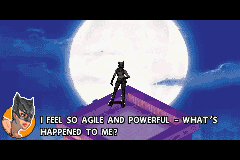
Empowered by the extraordinary abilities of Midnight, Catwoman is now ready to sweep aside all who would stand between her and her quest for vengeance. Guide her to drag those responsible for hiding a dark corporate conspiracy into the light of justice. Her mastery of the urban jungle is about to begin....
Gems and the Reflex Bar
Scattered throughout her urban environment are shiny blue treasures that Catwoman just can't resist. They're not only pretty, they also serve a purpose - collect them to boost her Reflex Bar.
As Catwoman collects gems her Reflex Bar appears in the bottom left of the screen. As the bar increases, so does her ability to withstand hits and falls. When Catwoman sustains damage, the bar decreases. Catwoman faints if it becomes empty and she loses all of her gems.
Valuable gold gems can also be found in the city. They're harder to track down, but they boost her Reflex Bar faster than the blue gems.
Power Mode and the Reflex Jewels
Once you unlock a special Power mode at the end of a level, a Reflex Jewel appears below the Reflex Bar. From then on, landing successful attacks on opponents gradually illuminates this Jewel. When it's fully illuminated, Catwoman can fly into a dominating Power mode for a short time, enabling her to hit twice as hard.
NOTE: Unlocking successive Cat States prolongs the amount of time Power mode lasts (see Cat States on p. 14).
There are three separate Reflex Jewel levels to unlock. When Catwoman and the Jewel are fully illuminated, press the L Button + R Button to unleash her focused fury.
Cat Sense
Catwoman instinctively employs her heightened Cat Sense to forewarn her of danger or hunt unsuspecting prey. When using her Cat Sense, a green filter covers the screen and the camera reveals the spot where Catwoman's attention is drawn.
NOTE: Cat Sense is activated automatically.
Sight
Piercing the darkness as if it were daylight, Catwoman's enhanced sense of sight not only enables her to master her environment when the lights are out, it can also reveal the path to a goal that is crucial to her objectives. Her heightened sight also helps her pick out objects that she may find useful.
Scent
Catwoman's unnerring sense of smell enables her to sniff out scent trails, indicating the likely location of potential bad guys.
Sound
Most adversaries really don't know how much noise they make, which makes it much easier for Catwoman to determine where they're lurking and what they're planning - they're not even safe behind brick walls.
Cat States
As Catwoman advances along her quest, she gets tougher. When unlocked, each Cat State bestows Catwoman with a permanent increase in the damage she dishes out. Each successive Cat State also prolongs the time Power mode lasts. Collect enough gems and progress far enough to unlock two more Cat States. Catwoman begins her quest in 'Kitten' Mode:
The Three Cat States
•
Kitten Mode (already available): Power mode lasts for 10 seconds
•
Minx Mode: Power mode lasts for 15 seconds
•
Panther Mode: Power mode lasts for 20 seconds
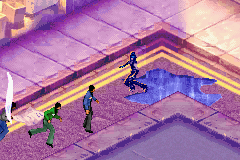
Catwoman's Cat Sense detects the direction of potential adversaries (indicated by arrows at the edge of the screen). Green arrows indicate it's safe to move. Red arrows mean that she's at risk of moving into an adversary's line of sight, or that she's already been spotted.
If Catwoman is heard or spotted, icons appear above the heads of adversaries:
•
If there's an exclamation mark, Catwoman has been spotted. Time to run or rumble.
•
If there's a question mark above a bad guy's head, Catwoman has been heard and the adversary is searching for her.
Lasers and Security Cameras
Lasers hinder Catwoman's movement and harm her or subdue her if she touches them. Patience and cunning are the best ways to get around them.
The easiest way to combat security cameras is to stay out of their beams in the first place. Setting off a security camera alarm makes life even more difficult for Catwoman.
End of Scene Summary
When Catwoman completes a scene, a rundown of the percentage and number of gems she collected in the scene appears.
If she's performed particularly impressively and collected enough gems, a new Power Mode, Cat State, Whip, or Capoeira move is unlocked.
Pause Menu
Press START to pause the game and access the Pause menu.
•
Resume: Back to the game.
•
Load: Load a previously saved game.
•
Options: Adjust game settings or roll the credits.
•
Controls: Lists game controls and choose from CLASSIC or ISOMETRIC controls.
•
Sleep Mode: Save battery power and resume a current game session later. Press and hold SELECT + L Button + R Button to recover from Sleep mode.
Climbing and Movement
•
Climbing a wall: Forget the elevator. Catwoman can easily climb one-story buildings. She can even cling to walls when her claws are out, which


 (En,Fr,De,Es,It,Nl).png)

 (En,Fr,De,Es,It,Nl).png)
.png)
