GETTING STARTED
Set up your PlayStation®2 computer entertainment system according to the instructions in the manual. Check that the system is turned on (the on/standby indicator is green).
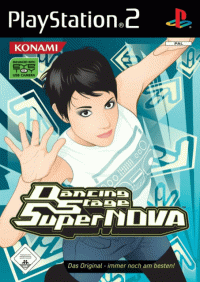
Insert the Dance Dance Revolution SuperNOVA2 disc in the system with the label side facing up. Attach game controllers and other peripherals, as appropriate. Follow on-screen instructions and refer to this manual for information on using the software.
MEMORY CARD (8MB)(FOR PLAYSTATION® 2)
To save game settings and progress, insert a memory card (8MB) (for PlayStation®2) into MEMORY CARD slot 1 of your PlayStation®2 computer entertainment system. You can load saved game data from the same card or any memory card (8MB)(for PlayStation®2) containing previously saved games.
Dance Dance Revolution SuperNOVA2 uses at least 175 KB of memory card data to save each game. Make sure there is enough free space on your memory card before starting play. Do not insert or remove a memory card while saving/loading games or after the power has been turned ON.
USING THE EYETOY™ USB CAMERA (FOR PLAYSTATION®2)
1. Insert the EyeToy™ USB camera (for PlayStation®2) into either the upper or lower USB connector on the front of the console. The LED power indicator (blue) should be on.
2. Place the camera on top of or immediately below your television and stand back between 5 to 7 feet.
3. Rotate the manual focus ring to focus the lens. Try to ensure that your body shape is clearly defined on the screen. If your television is positioned on the floor, simply tilt the EyeToy™ USB camera (for PlayStation®2) upwards. If the EyeToy™ USB camera (for PlayStation®2) is too high, tilt it downwards. You can also swivel the camera base left and right to reposition the camera.
Players of different heights should tilt the angle of the camera for extra convenience. DO NOT move the whole camera, just tilt it gently.
By all means find a waving style that suits you, but it is recommended to wave with your fingers apart as this creates more motion feedback.
Make sure that there is no movement in the background as background motion may hinder gameplay.
Make sure you have enough room to play. Consider the space around you and watch out for shelves, doors, walls, pets and above all, other people.
HOW TO PLAY
•
Silver Platform-I wanna get your heart-
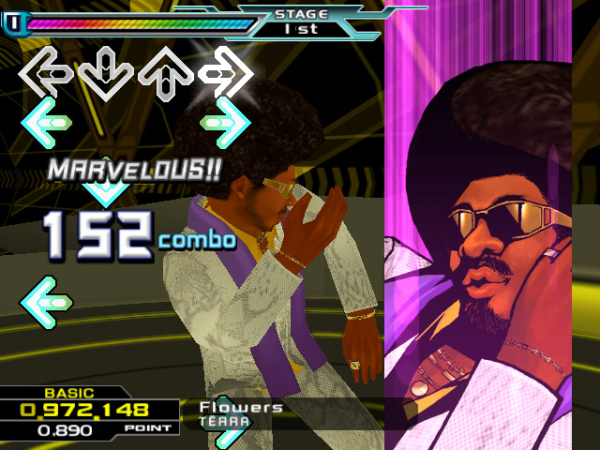
Dance Dance Revolution SuperNOVA2 is a game that combines quick reflexes and timing with dance music. All you have to do is press the correct directional buttons or Directional Arrows on the DDR Controller that correspond to the arrow(s) that appear on-screen.
The correct dance arrow must be pressed when it crosses the permanent arrows inside the Step Zone. The Step Zone for each player is located in the upper part of the screen.
Build up your dance meter and continue to the next stage by successfully completing the dance steps. However, if you continue to miss dance arrows, the dance meter level drops. If the meter drops to zero, the game will end.
Listen to the music as you play and press the arrows to the rhythm of the beat.
STARTING THE GAME
After the introductory logos are displayed, the Title Screen will appear. Press the ✖, ⬤ or START button to bring up the MODE SELECT Screen.
Use the directional buttons to scroll UP and DOWN to choose a mode and press the ✖, ⬤ or START button to confirm your selection.
There are many different songs and modes in Dance Dance Revolution SuperNOVA2. Some songs, modes, and characters cannot be played until specific mission targets are cleared. Do your best and try to unlock them all!
GAME MODE
This mode is similar to the game mode found in other versions of DDR®. If you have an EyeToy™ USB camera (for PlayStation®2) connected to your game system the Hands & Feet difficulty setting can be enabled in GAME MODE.
HYPER MASTER MODE
Prove your worth as a true dancing master by completing this mode. Clear difficult missions with good combinations of Custom Modules.
WORKOUT MODE
Have fun while burning off those calories! WORKOUT MODE allows you to count the number of calories consumed during play. Access WORKOUT MODE to change your personal Workout Settings and view your historical workout data.
ADVANCED MODE
A mode for advanced players to test their skills with different rule sets. There are modes for two players, a Battle Mode for one player to play against the computer or a friend and a Course Mode to play though multiple songs in a row.
When you start playing, only Battle Mode and Course Mode will be available. The remaining modes must be unlocked before playing.
TRAINING MODE
Having trouble with a particular song? Then this is the place to be! TRAINING MODE allows you to break down a difficult piece step-by-step so you can master the fanciest footwork.