GETTING STARTED
Set up your PlayStation®2 computer entertainment system according to the instructions in its Instruction Manual. Make sure the MAIN POWER switch (located on the back of the console) is turned on. Press the RESET button.
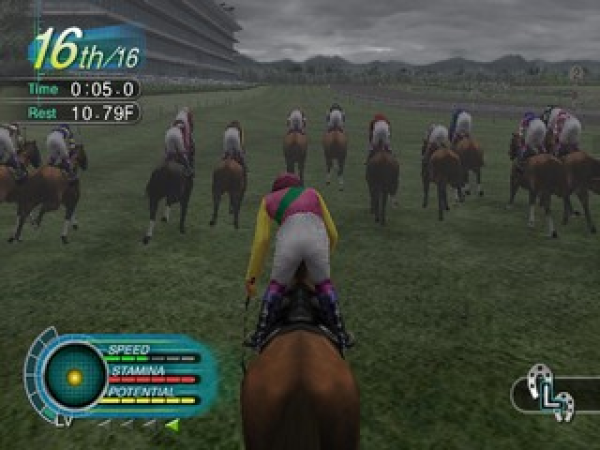
When the power indicator lights up, press the open button and the disc tray will open. Place the G1 JOCKEY™ 3 disc on the disc tray with the label side facing up. Press the open button again and the disc tray will close. Attach game controllers and other peripherals, as appropriate.
Follow on-screen instructions and refer to this manual for information on using the software.
SPECIAL FEATURES
1 Take it to the Wire
Adjusting the bit P31
By adjusting the depth of the bit in the horse's mouth, you have added control over its attributes such as Speed and positioning ability.
Detailed Controls
Various actions have been included, such as the ability to change the horse's Lead Leg P31 and a variety of whip techniques, P23 allowing for realistic and dynamic races.
Horse characteristics P18
Each horse has its own unique set of characteristics and mannerisms such as SPIRIT, OBEDIENCE and EXCITABLE. It is vital to keep these in mind while racing.
Stewards' Inquiries & falls ➡ P27
All jockeys can face Stewards' Inquiries for interfering with other horses in a race. Also, jockeys can even fall from their horses, making for even more thrilling races.
Stewards' Inquiries are only possible on the NORMAL and HARD difficulty levels. Falls are only possible on HARD.
2 Jockey's Life
"Workouts" P22
You can work out your horses during the week in order to improve their form and maybe even fix some bad habits before a race.
Riding better horses with “Request" P20
Try negotiating with a trainer to ride a certain horse, allowing you to race that thoroughbred you've had your eye on for a while.
Steeplechases P29
Steeplechases are a part of the main game, as well as the Training Mode. Additionally, there are several types of jumps to test your skills.
STARTING THE GAME
Title Menu
During the opening, pressing the START button takes you to the Title Menu.
•
NEW GAME: Start a new game.
•
LOAD GAME: Load a previously saved game. You can also load saved data from System in the Main Menu P12 or Paddock Menu. P26
•
You can save up to five games from the Main Menu.
•
A memory card (8MB) (for PlayStation®2) with at least 541KB of free space is required in order to save.
•
Insert the memory card in MEMORY CARD slot 1.
•
TRAINING MODE P43: Go to the Training Mode.
•
VERSUS MODE ➡ P43: Go to the Versus Mode.
•
TUTORIAL: Learn how to race and view the game screens.
•
OPTIONS: Adjust the settings for the game. You can also change the settings under System in the Main Menu within the game.
•
Vibration: Turn the vibration function on or off.
•
Messages: Change the message display speed.
•
Sound: Set the music to stereo or mono.
•
Race Meters: Turn the meter displays on or off.
•
BGM: Adjust the volume of the music.
•
SE: Adjust the volume of the sound effects.
•
REPLAY: View a replay of a race. P27 You may save up to 15 replays.
Initial Settings
Choosing New Game from the Title Menu will take you to the Initial Settings screen.
DIFFICULTY
•
EASY: Recommended for beginners. There are no Stewards' Inquiries or falls. P27 You should be able to earn a few victories quite easily.
•
NORMAL: Normal difficulty. There will be a Stewards' Inquiry if you interfere with other horses in a race.
•
HARD: For experts only, as both Stewards' Inquiries and falls are possible. It is also more difficult to negotiate for rides, making it hard to gather wins.
NAME
You can use up to 10 characters each for both your first and last names. When you are done, select FINISH by pressing the START button and then press the button.
GENDER
Select the gender of your jockey. There is no difference in ability between male and female.
MAIN STABLE (TRAINER)
You can select your main stable from a total of twenty different stables, each with their own horses.
A JOCKEY'S LIFE
Your life as a jockey includes many activities and preparation between races.
Main Menu
You can view an explanation of each command by pressing the START button on the desired command.
•
Riding Points (RP): Your current number of riding points. These are necessary for negotiating, requests, workouts and proposing races for your regular rides. Your RP increases slightly as you play the game and race. If you win races, your RP will increase quickly.
•
Current date: Jul. Week 2