Game Over
There are no 'continues' in this game. The game can only be played once in the EASIEST and VERY EASY GAME LEVELS. For this reason, STAGE SELECT and LOOP 01 modes are selectable.
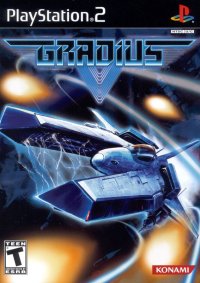
For Gradius IV, there are no 'continues' in the MEDIUM to HARDEST GAME LEVELS.
Option Mode
In this mode, various game settings may be changed.
Game Level
•
Gradius III: Choose from 6 difficulty levels. (EASIEST - VERY HARD)
•
Gradius IV: Choose from 8 difficulty levels. (EASIEST - HARDEST)
Extend
Select how many points are required to earn extra fighters.
Player
Select the number of fighters available at the start of the game.
•
Gradius III: Choose from 1-9 fighters
•
Gradius IV: Choose from 3-9 fighters
Power-Up
Select Power-Up method.
•
MANUAL: The Power-Up method is selectable
•
SEMI-AUTO: The Power-Up method is computer-assisted
Adjustment
Adjust the position of the screen.
Button Configuration
•
POWER-UP: Press to select Power-Ups
•
FIRE: Press to fire normal shots and lasers
•
RAPID FIRE: Press and hold for rapid fire normal shots
•
RAPID MISSILE: Press and hold for rapid fire missiles
•
DEFAULT: Returns changed settings to the default setting.
Sound Test
Listen to the music played during the game.
Save/Load
Save or Load games with a Memory Card (8MB) (for the PlayStation®2).
Exit
Exit the OPTION mode.
Special Options only for Gradius III
Wait Level
Controls game speed. (OFF/Level1/Level2)
Since the PlayStation2 processor is faster than the original arcade hardware, players may want to decrease the game speed. Choose from OFF (HARD game speed) to Level2 (EASY) settings.
Special Options only for Gradius IV
•
SOUND: Select Stereo or Monaural sound
•
SCREEN: Select Arcade or Full size screens
Power-Up Capsules
Power-Up capsules will appear after certain enemies are defeated. After getting a Power-Up capsule, the fighter's Power Meter will light up. Collect more capsules to cycle through the different types of Power-Ups. When the desired Power-Up is lit, push the Power-Up button to select it.
Power-Up Capsule
Grab the Blue Capsule in the middle of the screen to destroy all enemies and enemy shots on screen.
Power Meter
At the start of the game, choose 1 of 4 different Power Meters. There are 3 types of Shield Power-Ups.
Power Meter Settings (choose 1 of 4 types)
•
A: SPEED UP, MISSILE, DOUBLE, LASER, OPTION, MEGA CRASH
•
B: SPEED UP, SPREAD BOMB, TAIL GUN, RIPPLE LASER, OPTION, MEGA CRASH
•
C: SPEED UP, 2-WAY MISSILE, VERTICAL SHOT, CYCLONE LASER, OPTION, MEGA CRASH
•
D: SPEED UP, PHOTON TORPEDO, FREE-WAY SHOT, TWIN LASER, OPTION, MEGA CRASH
Shield Settings (choose 1 of 3 types)
•
A: SPEED UP, MISSILE, DOUBLE, LASER, OPTION, FORCE FIELD
•
B: SPEED UP, MISSILE, DOUBLE, LASER, OPTION, SHIELD
•
C: SPEED UP, MISSILE, DOUBLE, LASER, OPTION, FORCE FIELD
Edit Mode
Create a custom Power Meter in this mode. Some Power-Ups are not available in this mode.
Power-Up Explanations
Speed-Up
Speed can be increased up to 5 times.
Missile
Fires missiles that fly along the ground.
Spread Bomb
Drops bombs to the rear that explode in a wide blast.
Photon Torpedo
Fires torpedoes straight down to blast ground forces and penetrate small enemies.
2-Way Missile
Fires missiles straight up and down.
Control Missile
Manually move the missile up or down with the Directional buttons.
Upper Missile
Fires missiles that fly along the top of the screen.
Small Spread Bomb
Drops bombs to the rear that explode on contact.
Double
Fires shots straight ahead and up at a 45° angle.
Tail Gun
Fires shots straight ahead and straight back.
Vertical Shot
Fires normal shots straight up.
Free-Way Shot
Fires normal shots in multiple directions. Shots are controlled by the Directional button.
Spread Gun
Two Power-Up levels are possible, each with increasing firepower. Fires shots that fan out in front of the fighter.
Laser
Fires a penetrating laser beam.
Ripple Laser
Fires wide ring diffusion lasers.
Cyclone Laser
Fires a powerful, twisting laser.
Twin Laser
Fires twin lasers.
Energy Laser
Fires a laser ball.
Option
A maximum of 4 extra phantom fighters can join in the attack! The phantom fighters mirror the main fighter's movements.
Snake Option
.png)


_2.png)
_2.png)
.png)


_1.png)





_Front_Cover.jpg)