Getting Started
This illustration may not match all PlayStation 2 console types. For owners of SCPH-70000 series PlayStation 2 systems, refer to the setup instructions supplied with your system. Set up your PlayStation®2 computer entertainment system according to the instructions in its Instruction Manual. Make sure the MAIN POWER switch (located on the back of the console) is turned ON.
•
When the power indicator lights up, press the OPEN button and the display will open.
•
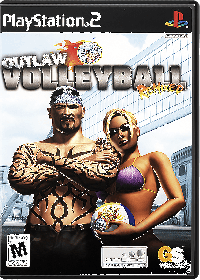
Place the Outlaw Volleyball™ Remixed disc on the disc tray with the label side facing up. •
Press the OPEN button again and the disc tray will close.
•
Attach game controllers and other peripherals, as appropriate.
•
Follow on-screen instructions and refer to this manual for information on using the software.
PlayStation 2 Console Components
Memory Card (8MB) (for PlayStation®2)
To save game settings and progress, insert a memory card (8MB) (for PlayStation®2) into MEMORY CARD slot 1 of your PlayStation®2 system. You can load saved game data from the same memory card or any memory card (8MB) (for PlayStation®2) containing previously saved games.
Loading and Saving Games
To begin, players must create a profile or load a saved profile.
Creating Games
•
To create a new profile, use the on-screen keyboard to name the profile.
•
Press the L1 button to shift the on-screen keyboard for uppercase letters/symbols.
•
Use the directional buttons or the left analog stick to move the cursor.
•
Press the button to enter a chosen letter and select Done to finish.
Loading Games
•
To load a game, select Load from the Menu and select a location from which to load a saved game. This location is now the default location and all auto-saves will go here.
•
Loading a game while another is loaded will erase all current progress unless that profile has been saved.
Saving Games
•
Choose where to save your game. You can select any available memory card (8MB) (for PlayStation®2).
•
Select the MEMORY CARD slot on which you wish to save your profile, then press the s button and confirm your action if necessary. •
Outlaw Volleyball Remixed saves automatically at various points, but you can save your current Tour whenever you choose by returning to the Sign-In Menu. •
If you choose to save manually, pick a memory card (8MB) (for PlayStation®2) and save your game. This location is now the default location and all auto-saves for this profile will go here.
General Volleyball Rules
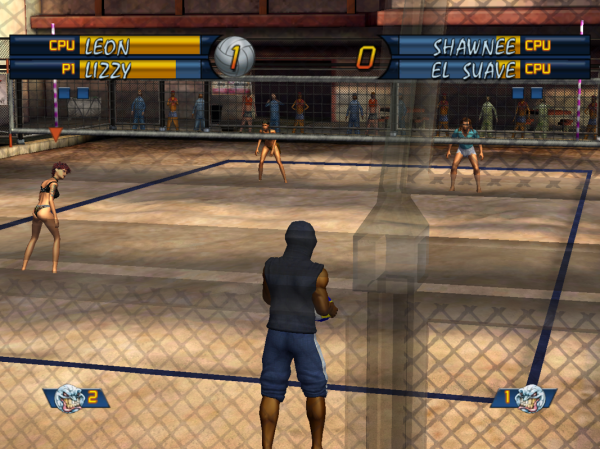
The main goal in volleyball is to avoid having the ball hit the ground on your side of the net. You want to hit the ball over the net in such a way that it will land on the ground of the opposing team. At the same time you want to prevent it from landing on your own side.
Once the ball is in play, it's called a "volley." A volley continues until the ball touches the ground or lands out of bounds.
•
Each team gets up to three hits to get the ball over the net.
•
The same player cannot hit the ball twice in a row, except in certain situations—after a block or if it hits the player and bounces off the net. The next contact must be immediate.
•
After a serve, the opponent may not block or spike on the first hit.
•
The ball is out of bounds if it crosses the net outside of the red and white antenna extending upward at either side of the net.
Advanced Controls
If you press the button to hit the ball SLIGHTLY BEFORE the ball gets to your player, you will hit the ball with more control. Ideally, you want to be under the ball so you have maximum control of any bump, set or spike. This is even more important as your players improve and advance in their class.
Always try to keep your players positioned across the court to keep as much of the playing area covered as possible.
Two Scoring Modes
•
Rally - Every time the ball hits the ground someone scores, no matter who has the serve. The team that scores the point gets control of the next serve.
•
Side Out - A team can only score a point if they served the ball.
Switching Serves
A player will continue to serve the ball until the other team scores a point or wins the volley. Teammates take turns serving only after control of the serve switches to the opposing team then back to their team.
Game Modes
Exhibition
Designed for casual play and multiplayer games. All unlocked characters and courts are accessible—unlock others by completing Tour events. See p.16 for Exhibition modes of play.
Random Play
Want to jump in and just start playing? In Random Play the game automatically picks 4 characters. Choose your own court and game options and get going right away.
Tour
Consists of 50 events divided among 10 courts. Only 3 courts and 4 characters are unlocked initially. Completion of these Tour events lets the player unlock more courts, events, characters, outfits and drills. See p. 18.
Drills
Drills gives you practice in the finer points of play and are necessary to build up character skills. This lets you get better partners and