GETTING STARTED
Set up your PlayStation®2 computer entertainment system according to the instructions supplied with your system. Check that the system is turned on (the on/standby indicator is green).
Insert the Persona 3 disc in the system with the label side facing up. Attach game controllers and other peripherals as appropriate. Follow the on-screen instructions and refer to this manual for information on using the software.
Memory Card (8MB) (for PlayStation®2)
To save game settings and progress, insert a memory card (8MB) (for PlayStation®2) into MEMORY CARD slot 1 of your PlayStation®2 system. You can load saved game data from the same memory card or any memory card (8MB) (for PlayStation®2) containing previously saved games.
Starting the Game
Start Menu
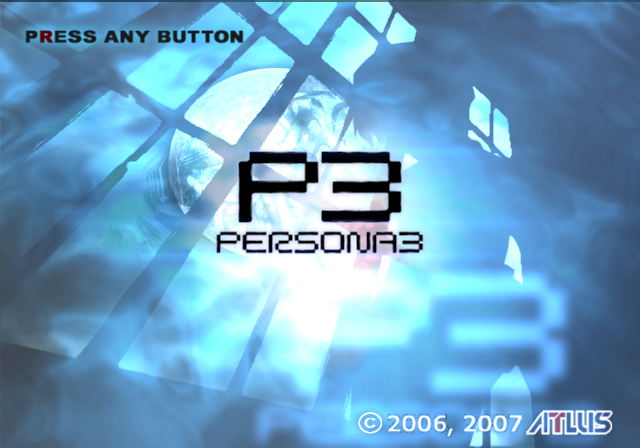
Once the opening movie ends, you will be taken to the title screen. Press any button to move to the Start Menu screen. From here, you can select NEW GAME, LOAD GAME, or CONFIG.
New Game
If you would like to start from the beginning, select NEW GAME. Next, select the difficulty of the game. Please be aware that you cannot change the level of difficulty once the game has begun.
•
NORMAL: This mode is for players who are familiar with the game.
•
EASY: In this mode, battles are easier, and you will have ten chances to continue your game following a Game Over.
Entering Your Name
Before the game starts, you will have to provide a name for the main character. Move the cursor using the directional buttons and press the X button to confirm. Use the L1 and R1 buttons to change fields and the O button to delete.
Load Game
To continue a previously saved game, insert a memory card (8MB)(for PlayStation® 2) with a save file into MEMORY CARD slot 1 and select LOAD GAME. Use the up and down directional buttons to highlight a save file and press the X button to continue your game.
Configuration
Here you can adjust various options of gameplay, such as turning vibration ON/OFF. You can bring up the same screen during gameplay by selecting System from the Command Menu (see p. 22).
Saving the Game
You can save your progress by accessing either the student list located in the lounge or the clock located in the entrance to Tartarus. Use the up and down directional buttons to highlight a save file and press the X button to confirm.
Lounge
There is a student list located on the counter, near the dormitory entrance. Press the X button while standing in front of it to save, return to your room, etc.
Tartarus
There is a save point located at the entrance of Tartarus for you to use before or after an exploration. Stand in front of the clock and press the X button to confirm and save.
•
In order to save, you must have at least 67KB of free space on your memory card (8MB)(for PlayStation ®2) while saving or loading.
•
Only MEMORY CARD slot 1 is used.
Flow of the Game
The Basics of School Life
The school year in Japan begins in April. You will play as the main character, a typical high school student who attends classes during the day. The following is a brief description of an average school day.
Early Morning
You will enter school through the main gate. Here you can talk to other students and learn the latest gossip.
Morning
You will attend classes in the morning. There may be times when you will be called upon to answer questions from your teachers.
Lunch Hour
During lunch you can talk to other students and learn about after-school activities and holiday events.
Afternoon
After School
You can spend your time after school any way you choose. Venturing into town or participating in an after-school activity may trigger a special event to occur.
Holidays
You will be completely free on holidays. However, you may receive an invitation from a friend to spend time with him or her. All events will take place in real time, just like a normal school day. In the evening you will have the option of exploring Tartarus.
The Dark Hour
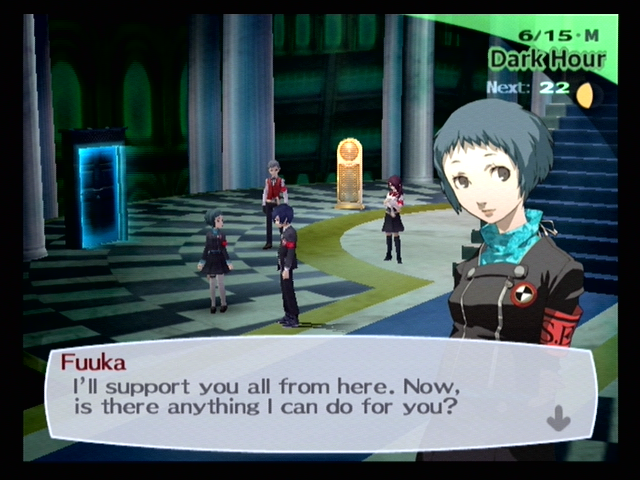
You can automatically go to Tartarus at midnight by informing Mitsuru that you want to explore the tower. The day will end after you have returned.
Late Night
If you choose not go to Tartarus, you may either go to bed early or study before sleeping.
Early Evening
If you participate in an after-school activity, you will automatically return to the dorm when you are finished. You can also return to the dorm immediately after school. You can choose to explore Tartarus by talking to Mitsuru, or leave the dorm until late night.
School Life
Classes will be held on days without special school functions in both the morning and the afternoon. You may either take a stealth nap to restore your strength or stay awake to improve your Academics. On days when the teacher gives a pop quiz, answering correctly will raise your Charm.
Improve your skills during class
Classes will be held on days without special school functions in both the morning and the afternoon. While this phase can be skipped, there will be times when you will have to respond to a teacher's question. If