Starting the Game
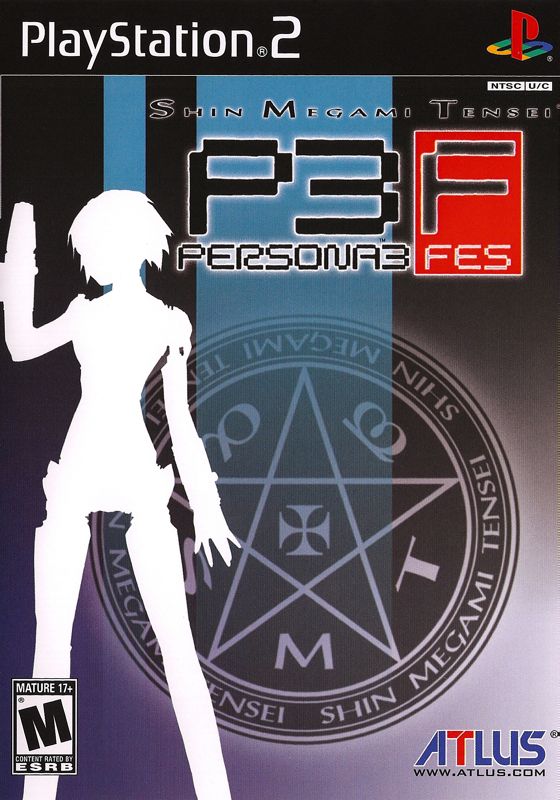
In Persona 3 FES, you can play either The Journey or The Answer. After selecting an episode, you will be taken to the Start Menu screen.
The Journey
Step into the shoes of a newcomer to Gekkoukan High, who gets swept up in the adventures of the Specialized Extracurricular Execution Squad. Each night, SEES battles the sinister Shadows during the Dark Hour, a span of time only Persona-users experience. Divide your time between making friends at school and vanquishing enemies in Tartarus, a massive tower whose halls are never the same twice.
If this is your first time playing Persona 3, you should start with The Journey. However, even if you have already played Persona 3, there are many additions to this episode to make the experience fresh again.
The Answer
This new chapter, exclusive to the FES edition, shows the rest of the story. A month after the finale of Persona 3, the group finds itself in another deadly situation as they're trapped inside the school dorm, as the same day repeats over and over. The only way out of the time loop is to follow the mysterious Metis into the chasm that's opened under the dorm-but how much can they really trust her, and what does all this have to do with their adventures during the school year?
It is not recommended that you play The Answer until finishing The Journey. The Answer does not use the saved data from The Journey, and its difficulty is equivalent to the Hard mode of The Journey.
Additions to The Journey
This game follows the same basic story as the original Persona 3, but with many additions. Both those new to the game and those who have already played the original will be able to enjoy this version.
The additions include:
•
New events with friends and SEES allies
•
New difficulty mode (Hard)
•
New fusion system (Weapon Fusion)
•
New requests from Elizabeth
Carrying Over Saved Data
If you have saved data from the original Persona 3, you will be able to use this data when playing The Journey. The memory card (8MB) (for PlayStation®2) must be inserted into MEMORY CARD slot 1.
You will be asked if you would like to carry over the data. Select "Yes", and load the game just as you would have in the original Persona 3.
Data that may be carried over:
•
The main character's Academics, Charm, and Courage stats
•
Items gained from MAXed Social Links
Hard Mode
This mode is for people who are thoroughly familiar with Persona 3's battle system, and are masters of combat strategy. It is more difficult than Normal mode.
About Weapon Fusion
In The Journey, you will have a new fusion option: the ability to combine your Personas with weapons. This option is available from Shinshoudo Antiques in Paulownia Mall. The raw materials needed to fuse weapons are obtained from rare Shadows in Tartarus. How strong a weapon can you make?
Start Menu
Once the opening movie ends, you will be taken to the title screen. Press any button to move to the Start Menu screen. From here, you can select NEW GAME, LOAD GAME, or CONFIG.
New Game
If you would like to start from the beginning, select NEW GAME. Next, select the difficulty of the game. Please be aware that you cannot change the level of difficulty once the game has begun.
•
NORMAL: This mode is for players who are familiar with the game.
•
EASY: In this mode, battles are easier, and you will have ten chances to continue your game following a Game Over.
•
HARD: Only for those well-versed in the battle system. (The Journey only)
Entering Your Name
Before the game starts, you will have to provide a name for the main character. Move the cursor using the directional buttons and press the X button to confirm. Use the L1 and R1 buttons to change fields and the O button to delete.
Load Game
To continue a previously saved game, insert a memory card (8MB) (for PlayStation®2) with a save file into MEMORY CARD slot 1 and select LOAD GAME. Use the up and down directional buttons to highlight a save file and press the X button to continue your game.
Configuration
Here you can adjust various options of gameplay, such as turning vibration ON/OFF. You can bring up the same screen during gameplay by selecting System from the Command Menu (see p. 24).
Saving the Game
You can save your progress by accessing either the student list located in the lounge or the clock located in the entrance to Tartarus. Use the up and down directional buttons to highlight a save file and press the X button to confirm.
Lounge
There is a student list located on the counter, near the dormitory entrance. Press the X button while standing in front of it to save, return to your room, etc.
Tartarus (The Journey only)
There is a save point located at the entrance of Tartarus for you to use before or after an exploration. Stand in front of the clock and press the X button to confirm and save.
Desert of Doors (The Answer only)
There are save points past each door in the Desert of Doors. You should use them wisely when investigating.
•
In order to save, you must have at least 78KB of free space on your memory card (8MB)(for PlayStation
.png)


.png)
.png)
.png)



_1.png)


.png)

_1.png)
 (Disc 2).png)
.png)