SETTING UP THE GAME
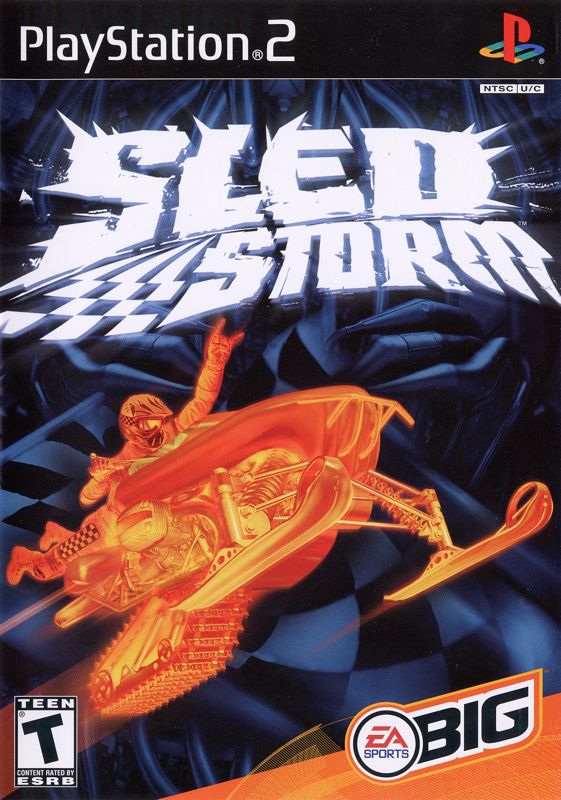
Strap on your helmet, pull-start your sled, and get ready to weather the storm. Whether you're racing for pride or gunnin' for medals, the stage is set from the Main menu. •
To access the Main menu, press the START button after the Sled Storm intro video.
MAIN MENU
The Main menu is Sled Storm central. From here you can select your game mode, check out the Hall of Records, or adjust your game options.
•
SINGLE PLAYER: Be bold and take on the field by yourself in a Single Player race.
•
MULTI-PLAYER: Two players race Head-to-Head in a Multi-Player race.
•
CHAMPIONSHIP: Unlock new sleds and earn sweet medals in Championship mode.
•
RIVAL CHALLENGE: Race "for keeps" in Rival Challenge.
•
HALL OF RECORDS: View the Sled Storm Hall of Records—Is your name on the list?
•
OPTIONS: Adjust the game options to fit your racing style. NOTE: Default options are listed in bold in this manual.
STARTING A SINGLE PLAYER QUICK RACE
Race against the field in a Single Player race for snow superiority.
To start a Single Player Quick Race:
1. From the Main menu, highlight SINGLE PLAYER and press the button. The Mode Select screen appears.
2. Highlight QUICK RACE and press the button. The Character Select screen appears.
3. From the Character Select screen, press the D-Button to highlight the character you wish to choose and press the button to continue. The Sled Select screen appears.
4. Here's where you pick your "ride." Press the D-Button to highlight the sled you wish to ride and press the button to continue. The Track Select screen appears.
5. From the Track Select screen, press the D-Button to highlight your venue and press the button.
6. Press the D-Button to select the number of laps and then press the x button to begin the race.
CHARACTER SELECT SCREEN
Own the course as you race with style with one of the most dominating riders of the snow-pack. Sled Storm offers eight different riders for you to choose from—all have bad attitudes and will do anything it takes to win.
•
Press the D-Button + to scroll through the other riders.
•
Press the button to select
NOTE: When you first play Sled Storm only Tracey, TJ, and Zoe are available. You can add the rest of the funky cast to your roster by earning points in Championship mode but it's not going to be easy.
SLED SELECT SCREEN
Sled Storm delivers a wide variety of sleds for every rider. Choose your beast wisely.
•
Press the D-Button to scroll through the different sleds and press the D-Button → to scroll through the classes for each sled.
•
Press the button to select
NOTE: Similar to the Character Select menu, only one sled is available per rider. Redline Revolution is available for Tracey, TJ can only ride on Blacktip, and Bone Buster is the only sled for Zoe. Place at the top of the standings on various courses throughout the world to unlock the rest of their sleds.
TRACK SELECT SCREEN
There's a wide variety of challenging terrain on a number of different courses. It's up to you to conquer each and every one of them.
•
Press the D-Button to scroll through the different tracks
•
Press the button to select
NUMBER OF LAPS
Select the number of laps for the upcoming race. You can race 1 to 9 laps—the default is 2.
•
Press the D-Button to select the number of laps and then press the * button to begin the race.
NOTE: When first selecting a track in Championship mode, only Canada's Cedar Canyon is available. You can only race on the other "locked" tracks by winning medals at the available venues.
NOTE: Championship mode races are 3 laps.
ON THE SLED
This is your mountain. Ride it. Live it. Own it. Just don't eat it!
GAME SCREEN
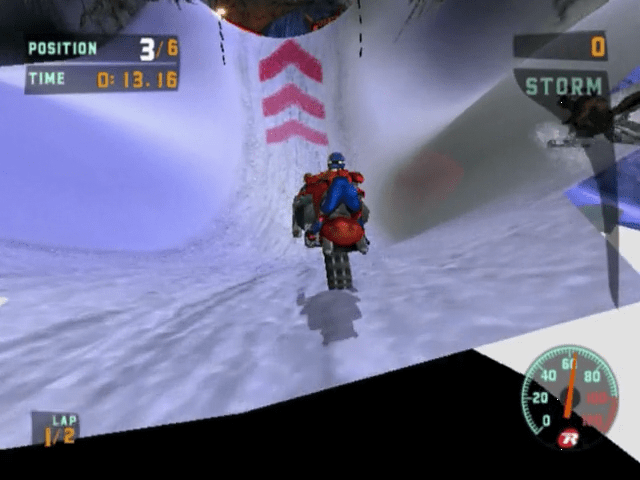
The storm begins with all of the riders lined up at the starting gate. When the starting clock counts down to zero, the game starts and the fun begins.
•
Current position/ Number of players in the race
•
Current lap/Number of total laps
SCORE
It's not just a race to the finish; it's a race for points as well. Pick up some trick points along the way by pulling off some wicked stunts or add to your score by hitting smashables on the course. The more points you earn, the quicker you unlock some new goods.
STORM METER
Watch your Storm Meter rise with every acrobatic trick you pull off. The more successful tricks completed, the quicker the Storm Meter rises to the top. Be sure to ride aggressively near the pack when activating the Storm Boost. You'll be able to knock the other riders off their sleds a lot easier when ramming them.
The Storm Meter can be used to give you extra acceleration at any point during the race (press the ■ button for a Storm Boost). However, Storm Boosts decrease the power in the Storm Meter.
The Storm Meter also increases after running through smashables and hitting objects on the course. Holding the Storm Boost longer increases your chance of smashing through the other riders.
.png)


.png)



_1.png)






_1.jpg)


.png)

.png)


_1.png)