PlayStation 2 Setup
Set up your PlayStation 2 computer entertainment system according to its Instruction Manual. Ensure the MAIN POWER switch (on the back of the console) is turned on. •
When the power indicator lights up, press the OPEN button to open the disc tray.
•
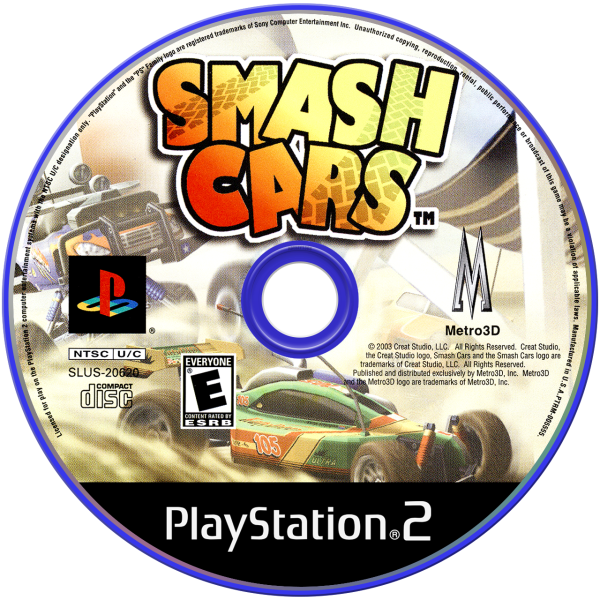
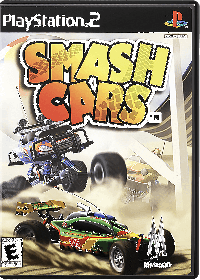
Place the Smash Cars™ disc on the disc tray with the label side facing up.
•
Press the OPEN button again to close the disc tray.
•
Attach game controllers and other peripherals as appropriate.
•
Follow on-screen instructions and refer to this manual for information on using the software.
Console Ports
New Game
After the opening movie, press the START button to access the Save menu. This menu has 4 save slots and offers three options: NEW, LOAD, and DON'T SAVE.
•
Select NEW to create a new game in an empty save slot or overwrite an existing game.
•
Select LOAD to load a previously saved game.
•
Select DON'T SAVE to play the game without the autosave feature. Your stunt points, championship earnings, and stars will not be saved.
You can access the Save menu again later in the game if you decide to save your details.
Creating a New Game
To create a new game for the first time, select a save slot with the directional button, then select NEW with the directional button. The save slot will store your settings, game progress, and records.
You can now enter a name for your game. Use the directional button to select uppercase and lowercase letters or numerals.
•
Press to select a character.
•
Press to erase the last character.
•
When finished, select ACCEPT with the directional button.
Heads-Up Display
Some heads-up display elements are optional. You can hide them by pausing the game and choosing the appropriate options from the menu.
Main Menu
TUTORIAL
To access Single Player for the first time, you must first pass the Tutorial. In the Tutorial, you will learn the game basics, including how to handle your car and race in your first competition.
You have the option to quit the Tutorial and go straight to Single Player gameplay by pressing START to bring up the PAUSE screen. Select QUIT with the directional button ▲▼ to quit the tutorial.
Quitting the Tutorial means you'll miss out on important hints for handling your car and extra cash that will be useful for entering events later on.
SINGLE PLAYER
After completing the Tutorial, you will be able to enter Single Player mode.
MULTIPLAYER
Challenge your friend to races and other special events.
OPTIONS
Modify the game settings and options to your preference.
SAVE MENU
Save, load, or create a new game.
RECORDS
View detailed stats of your victories.
Single Player Menu
From the Single Player menu, use the directional button to highlight a mode or option and press to select it. Press to return to the Main menu.
SINGLE PLAYER MODES
QUICK RACE
Run a single race on any of the unlocked tracks with any unlocked car. Drive fast to be first.
CHAMPIONSHIP
Compete in a series of stages to win money, ranks, cars, and unlock new tracks.
STUNT RACE
Run a special stunt mode where you can earn scores for tricky jump & flip action.
SPECIAL
Choose from several game modes like Smash Drive, Dark Horse, Hot Pot, and Time Attack.
Time Attack
Time Attack is a race against the clock. After you complete one lap, try to beat your best time by racing against a ghost image of yourself from the previous lap.
UPGRADE SHOP
Buy or sell new upgrades for your car.
Track Selection
From the Track selection screen, press the directional button to highlight the track icon. Only 3 beginner tracks are initially available. Locked tracks become available after winning races in Championship mode.
Use the directional button to change the difficulty and weather conditions on the track. You can select a difficulty from Easy, Normal, Hard, or Ultra and a weather condition of Rain or Sunny with .
Press to move on to the car selection menu and to return to the previous menu.
Car Selection
Model
Press the directional button to highlight "Model", then use the directional button to highlight your RC car of choice. Initially, only three vehicles are available. You can unlock other cars in the course of Championship.
Smash Cars have a number of essential characteristics:
•
Top Speed: How fast your car is
•
Acceleration: How fast your car can achieve the maximum speed
•
Stunt Ability: How well your car performs tricks & flips in the air
•
Weight: How your car stands up to damage from opponents
You can upgrade your car to perform better on the track. Press to check your upgrade status and to buy or sell upgrades.
Paint job
Press the directional button to highlight "Paint Job", then use the directional button to change your car's appearance.
Press to make your selection and continue to the event.
Championship
Championship is the main game mode in Smash Cars™. It is a