PLAYING THE GAME
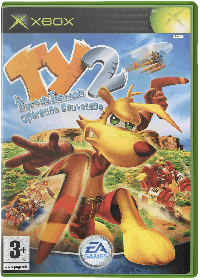
After Boss Cass's daring escape from prison, spirits are low and anxiety is high. Just in time, Dennis the Green Tree Frog opens the Burramudgee Bush Rescue Head Quarters.
As a member of the Bush Rescue, you have access to a network of friends and resources that could prove invaluable in your mission to send Boss Cass back behind bars. We're all counting on you, TY!
GAME SCREEN
DUNNIES
These little shacks are a real lifesaver. When you get clobbered by Boss Cass's henchmen too many times or otherwise lose all your health, you wake up at the last dunny you passed. Woosh, what a relief!
•
When an exclamation mark appears, press the Action button (button)
MINI-MAP
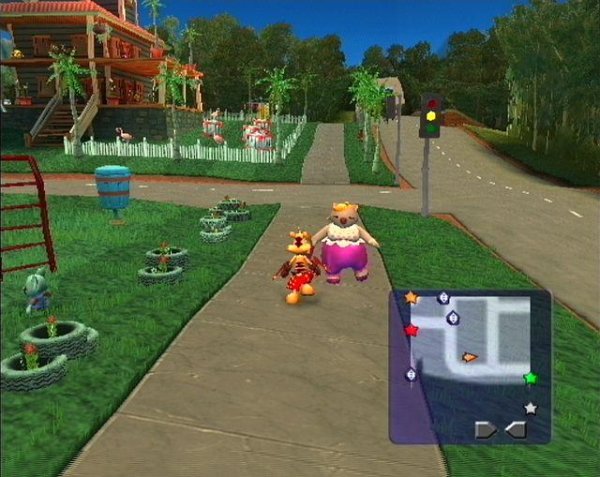
The Mini-Map is a handy little gadget that can help you find out where you are and where you need to go. Missions, Shops, and Race Carts appear as special icons on the map.
•
Press the D-button to zoom the Mini-Map in/out and to turn it on or off.
BOSS CASS
Let's see: plans for world domination, breaks out of Currawong Detention Center, forms own country so he can establish immunity and wreak havoc with impunity-yep, that's one evil cassowary.
DIGITAL RESCUE ASSISTANT
Besides Sly and Shazza, the Digital Rescue Assistant (DRA) can be your best friend when out in the bush. This is standard equipment for members of Bush Rescue. If you ever need information on your Rescue Missions or want to find out where in the world you are, just consult your DRA. •
Press the SELECT button at any time to access the DRA.
•
Press the L1 button/R1 button to switch screens in the DRA.
CALLSHEET
Access the Callsheet to find out what your Rescue Missions are.
•
Highlight a Rescue Mission to display more information.
GAME TOTALS
Find out the number of bilbies you've saved, opals you've collected, and platinum cogs, kromium orbs, Frill Spies, and picture frames you've found, as well as how many times you've come across Gooboo Steve. This screen also shows your Bunyip licenses, how long you've been playing, and what percentage of the game you've completed.
BOOMERANGS
•
Press the D-button to see a description of which 'rangs you have at your disposal.
OPTIONS
Change your Sound, Screen, Controls, and Camera options.
•
You can also access the Options screen from the Main menu.
SAVE GAME
For information on saving your game, see Saving and Loading on p. 11.
MAP
See your position in the current level. The small orange arrow on the map is your location. The pulsing colored stars on the map indicate objectives and other points of interest.
•
You can bring up the map directly by pressing the START button.
JULIUS'S SCIENCE FACTS
This holds all of the useful information you learn during the game. It's just like a built-in game manual, so refer to it whenever you need help.
•
Press the D-button to read each of the Science Facts.
EXIT
From the DRA you can return to the Main menu, or, if you're racing or playing a mini-game, exit the race or mini-game. You can also exit Overworld mission areas and head back to Burramudgee Town.