Getting Started
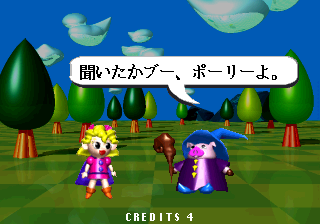
Following the Sega logo is the story introduction, followed by the Title screen, a short explanation of the game, and a game demo. Press Start to call up the Title screen, then press Start again to see the Main Menu.
Main Menu
The Main Menu offers the following options:
•
Arcade Mode: Play the original arcade version of Baku Baku Animal. This mode is for one or two players.
•
Ranking Mode: Win as many levels as you can to receive a ranking for your playing skills. This mode is for one player only and will challenge even the best players.
•
Options: Customize your game settings.
Ranking Mode
Points are received for the number of attacks, number of chain reactions, and the least amount of time elapsed.
Options
Before you enter the zookeeper contest, stop by the Royal Library and take a look at your options. Press Button A or C to choose an option and Button B to cancel or leave the screen.
Options Menu
Select using the D-Pad and decide with Button A or C.
Sound Test
Press UP or DOWN to select an option and LEFT or RIGHT to select a track. Press Button A or C to play the music or sound, and Button B to stop it.
•
BGM: Play background music tracks from the game.
Baku Baku Hall of Fame
This section shows records for various achievements.
•
Scoring: Shows the player with the highest score on record.
•
Attacking: Shows the player who created an attack with the highest number of blocks.
•
Chain Reaction: Shows the player who triggered the highest number of chain reactions.
•
Stage: Shows the player who cleared a stage in the shortest amount of time.
•
All Clear: Shows the player who cleared all stages in the game and the total time. If a player clears all stages in a shorter time than the current record holder, their name replaces the current holder.
•
Delete Records: Erases all current records so you can start again. Select this option and press Button A or C to confirm.
How do I get into the Baku Baku Hall of Fame?
Practice! For information on entering your initials, see “Entering the Hall of Fame” on page 13.
Movie Viewer
The Movie Viewer lets you view the computer animated sequences from the game. Once you complete all levels at a Normal setting, a new movie sequence becomes available. To view a movie, select it with the D-Pad and press Button A or C. Press Button B to exit the Movie Viewer and return to the Options screen.
Game Rules
Please Feed the Animals!
There are two kinds of blocks: animal blocks and food blocks. Each animal block eats a certain kind of food block:
Whenever an animal block comes into contact with its favorite food, it eats the food block. The animal eats all similar food blocks that are connected vertically or horizontally.
If a food block comes between two or more similar animal blocks, all of those animals will eat the food block.
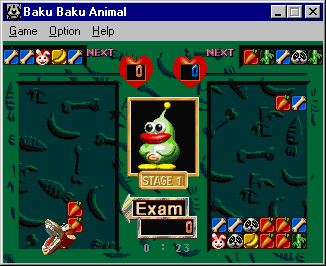
As blocks disappear, the blocks above drop down. Take advantage of this feature to create chain reaction combos that cause blocks to fall in your opponent's playing field.
BB Coins make any block they touch, and all similar blocks on the playing field, disappear. If they fall on two different types of blocks at the same time, both types disappear. Note: Blocks removed by the BB coin do not fall into your opponents' playing field.
How do I play with the Mouse?
In a default game, only four animals (Dog, Rabbit, Panda, and Monkey) are used. You can add the Mouse to your game by selecting 5 animals in the Settings menu (see page 12).
Screen Signals
•
Next Blocks to Drop: Use this to plan your moves.
•
Your (Player 1's) Playing Field: Don't let this field fill up all the way, or it's GAME OVER for you!
•
Time Elapsed: The more time passes, the faster the blocks fall!
•
Your Opponent's (Player 2's) Playing Field: Fill this playing field with blocks to win the game.
•
Your Attack: This shows the number of blocks that are about to fall into your opponent's playing field. There are two ways to make this happen:
•
Make three or more blocks disappear at one time (the more blocks the better).
•
Cause many chain reactions to happen at once.
•
Opponent's Attack: This shows how many blocks are about to drop into your playing field. Watch out!
Settings
This screen gives you a number of ways to modify your game. Make choices as in the Options screen.
•
CPU Difficulty: Choose the level of difficulty for a 1-Player game. Choose from Very Easy, Easy, Normal, Hard, and Very Hard.
•
VS CPU (1-Player Game only): Choose the number of sets (games) you want to play to determine your victory. Choose 1 Set (default), Best of 3 (win two of three games), or Best of 5 (win three of five games).
•
2P Match (2-Player Game Only): Choose the number of sets you want to play to determine your victory. Choices are
.png)

.png)
.png)





.png)



_1.png)
_1.jpg)
.png)


.png)












_1.jpg)