Starting Out
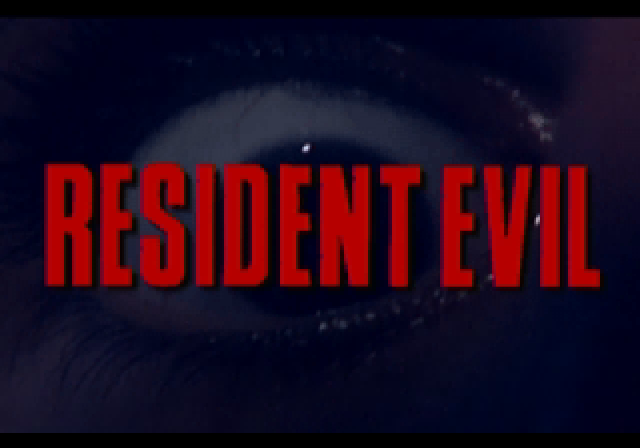
After the Sega and Capcom logos, the *Resident Evil* title screen appears, followed by a demo. To stop the demo and return to the Title screen, press Start repeatedly. Press Start on the Title screen to display your choices. If you are just starting out, only the NEW GAME and OPTIONS settings are available. Once you have saved an adventure, the LOAD GAME option also appears. To scroll through available options, press the D-Button up or down. To select an option, press Button A or C.
Options
In the Options screen, select one of three CONTROLLER options, and/or change the game SOUND (choose from Mono or Stereo).
•
Cycle between the CONTROLLER and SOUND options by pressing the D-Button up or down.
•
Cycle through the CONTROLLER and SOUND choices by pressing the D-Button left or right.
When you are finished, highlight EXIT and press Button A or C to return to the Title screen options list.
*Note: Options revert to the default (Controller type A, Stereo sound) when you turn off the Sega Saturn.* New Game
After selecting New Game, press the D-Button left or right to choose between Jill (easy level adventure) or Chris (hard level adventure).
As either Jill or Chris, you are a member of the S.T.A.R.S. Alpha Team. Alpha and Bravo Teams have been sent to Raccoon Forest to investigate reports of murders and cannibalism in the area. Your team sets down near the Bravo Team helicopter, only to be attacked by monstrous and deadly creatures. You manage to escape into a nearby mansion, which holds the secret to the murders and much more.
Events
At various points in your adventure, certain special events occur. At these times, the screen changes to a letterbox (wide screen) view. Pay close attention to the events and decisions made at these times.
They reveal important information about how to figure out what is going on in Raccoon Forest and, more importantly, how you can get out in one piece.
Action Screen
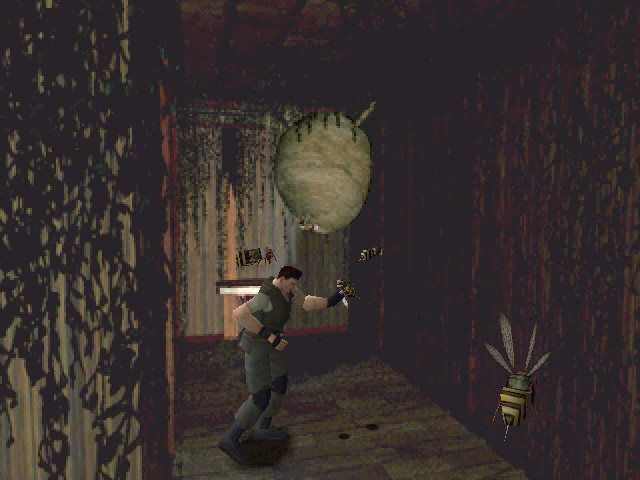
When walking around the mansion or other areas, make sure to keep an eye on your surroundings. Weapons, other items, and dangers are all around you. Pay close attention to any movement in the area because moving things are probably going to attack you at some point.
Movement
The first rule you need to learn is that standing in one place gets you nowhere, and in many cases gets your throat ripped out by hungry zombies.
•
Press the D-Button to turn and/or walk in a direction.
•
Press the D-Button and Button B simultaneously to run.
•
Press the D-Button in the opposite direction you are facing to back up.
In some spots, you need to move objects around. Walk up to the object, and if the object can be moved, your character automatically does so.
Items
•
To CHECK an item: Move the highlight box to the item with the D-Button and press Button A to open the Do window. Highlight CHECK in the Do window. A large image of the item appears in the Check window. You can examine it close up by pressing Button C to enlarge it, and look at it from various viewpoints by pressing the D-Button and/or Buttons L and R. Press Button A when checking items to display important information in the Message window. Press Button B once to return to the Do window and again to exit.
•
To USE an item: Position yourself in front of the area where you want to use the item. Open the Status screen, move the highlight box to the item with the D-Button, and press Button A to open the Use window. Highlight USE in the Do window and the item is used (where possible). If the item cannot be used, a message appears in the Message window.
Weapons/Defence
So you've got an undead dog-creature trying to eat your head. Your best bet is to shoot it many times until it stops moving. Make sure you are always armed and that the weapon is loaded (if you're not using the knife).
•
To select a weapon: Open the Status screen, move the highlight box to a weapon with the D-Button, and press Button A to arm yourself (the weapon appears in the Armed Weapon window).
•
To attack: Get ready by pressing and holding Button R, then attack by pressing Button A.
•
If armed with a knife, pressing Button A performs a stab.
•
If you have firearms, pressing Button A shoots a round.
•
Pressing the D-Button up or down adjusts the height of the attack.
•
Pressing left and right adjusts your aim.
Remember that weapons do not reload themselves. Keep count of the rounds you've shot and reload as soon as you run out.
Health
Feeling tired, poisoned by snakes and spiders, or bleeding out? It is probably time for some first aid. Healing plants can be found in the mansion and environs, and you may stumble across First Aid Spray cans left by Alpha Team.
Check your condition on the Status screen:
•
Green ECG ("Fine"): You are doing
.png)

.png)
