Help Text Instructions
The help text (Help Text) at the bottom of the screen shows you which buttons to press for the current menu. So, put this manual away and get ready to play!
Match Select
From the Match Select screen, select any of the game modes available in FIFA Soccer 97 or choose OPTIONS to customize your game. To highlight an option, use Control Pad ↑↓. To select the highlighted option, press START or B.
•
Friendly: A one-time game between two teams of your choice.
•
Leagues: Select a league from the 12 available, then take up to 8 teams through an entire league schedule.
•
Tournaments: Select 1-8 teams to play in a league Tournament. The teams with the best Tournament record go into a Playoff series to determine the champion.
•
Playoffs: If you like the options available in Tournaments mode, but don't have time for each round, Playoffs mode is for you.
•
Practice: Use any of the 6 practice scenarios to strengthen weak areas of your game—you choose the level of opposition.
•
Options: Go to the Options menu to set Half Length, Match Type, Field Conditions, and more.
Adjusting Options
You can select to adjust these options from the Match Select, Pre-game, Pause, and Half Time screens.
To set Options from the Match Select screen, use Control Pad ↓ to highlight OPTIONS and press B. The Options screen appears.
•
Fouls: Choose OFF and the referee doesn't call fouls. Select NORMAL, and a vicious tackle or push could result in the ref reaching for a yellow or red card. NO BOOKINGS means the ref calls fouls, but won't book players (assign a red/yellow card).
•
Injuries: With this option ON, all players are susceptible to injury.
•
Off-Sides: Select ON or OFF. The Off-Sides rule states that there must be at least two defending players (including the goalie) between an attacker and the goal when the ball is played to him in the opposition half. This only applies when the attacking player is in a position to interfere with the play. A player can't be Off-Sides in his own half of the field, or directly from a Throw-In or a Corner Kick. When a player is caught Off-Sides, the referee signals a free kick and the Off-Sides icon appears along with the offending player's name. (Note: When the Off-Sides option is ON, the ref awards a free kick for all Off-Sides, even if the Fouls option is OFF.)
•
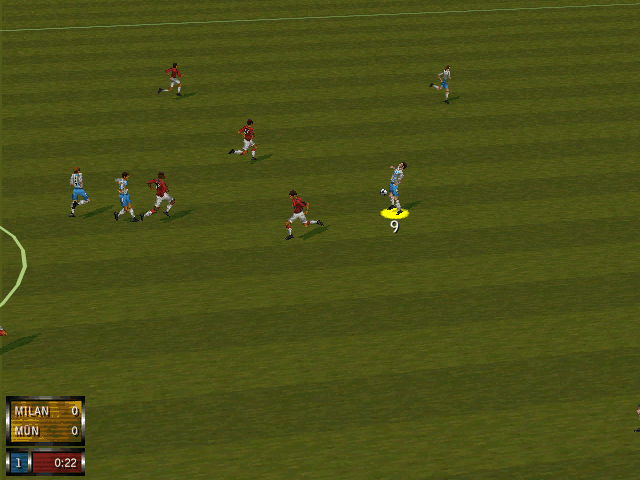
Passing Arrows: ON or OFF. When ON, off-screen teammates have an arrow pointing toward them.
•
Power Circle: ON or OFF. Allows you to view the amount of power applied to a shot. When you're on the field, hold the action button to increase your power.
•
Player Numbers: ON or OFF. Displays each player's jersey number.
•
Clock: CONTINUOUS or OUT OF PLAY. In Continuous mode, the clock keeps ticking even when the ball is out of play. However, to prevent players from intentionally killing time, the ref adds time that was wasted during free kicks and throw-ins to the clock. In Out of Play mode, the clock stops when the ball is out of play. This option can be changed only before the competition begins. (Note: The clock starts after the kick off.)
•
Time Display: The Time Display can be turned ON or OFF.
•
Auto Replay: When ON you view a replay of each goal, and with Fouls set to NORMAL, you also view a replay following each booking. When OFF the Scoreboard is displayed instead. (Note: You can only celebrate a goal with Auto Replay OFF.)
•
Keeper: This option is only available in INDOOR mode. You must pause the match in order to pull your keeper. With a keeper OUT, the intensity of the game is increased; an attacker is added and no player is assigned to protect the goal. (Note: You can only pull the keeper from the team you control.)
•
Pitch Texture: Displays the cut of the grass on the field. Select between CHECKERED, HORIZONTAL, and VERTICAL.
•
Sound: Toggle music and sound effects. SFX include crowd, ref, and menu screen sounds; MUSIC is audible only during menu screens. Select between MUSIC AND SFX, OFF, SFX ONLY, and MUSIC ONLY.
•
Erase League: (Appears only when there is a League saved.) Select YES to erase a saved league series in progress.
•
Erase Tournament: (Appears only when there is a Tournament saved.) Select YES to erase a saved Tournament in progress.
•
Erase Playoff: (Appears only when there is a Playoff saved.) Select YES to erase a saved Playoff in progress.
A Friendly Little Match
If you're interested in a single match between two professional teams, select FRIENDLY from the Match Select screen—exactly how friendly the match is, is up to you.
Stadium Select
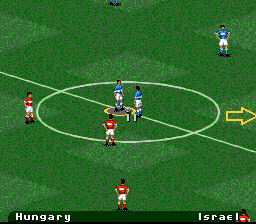
Imagine your favorite two teams in battle. Now confine that energy inside four walls—replacing "out of bounds" with rebounds, reduce the manpower to 6 per team, drop them on a wooden floor, and you have the frenzy of an indoor soccer match. New to FIFA Soccer 97, select between a standard OUTDOOR game and the fast-paced INDOOR. •
To toggle between OUTDOOR and INDOOR stadiums, use Control Pad ↑↓
 (En,Fr,De,Es,It,Sv).png)


 (En,Fr,De,Es,It,Sv).png)



.png)



.png)





 (En,Fr,De,It).png)

 (En,Fr,De,Es,It,Nl).png)