STREET FIGHTER COLLECTION: Getting Started
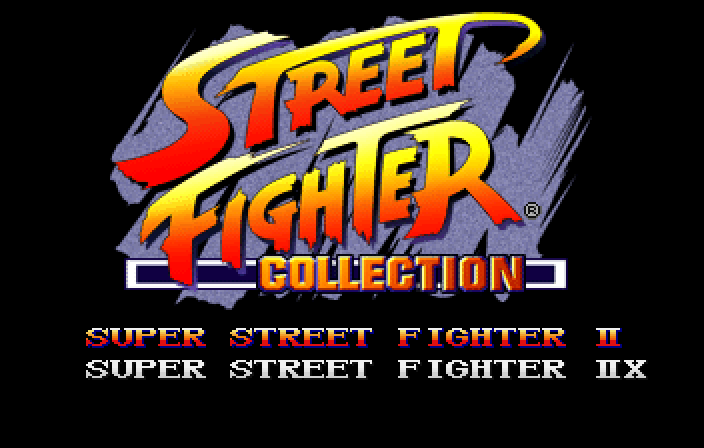
After loading Disc 1, press the Start button to bring up the STREET FIGHTER COLLECTION title screen. Press the Start button again to bring up the Game Select screen.
Highlight either game and press the Start, A, or C buttons to select the game. The intro sequence will start, followed by the game's title screen.
Press the Start, A, or C buttons again to bring up the Mode Select screen. To exit one game and play the other, hold A, B, and C buttons simultaneously from the title screen, then press Start to return to the collection menu.
Arcade Mode
Select this one-player mode from the Mode Select screen. Highlight a character and press a button to select it. You can choose a character color based on which button you use for selection.
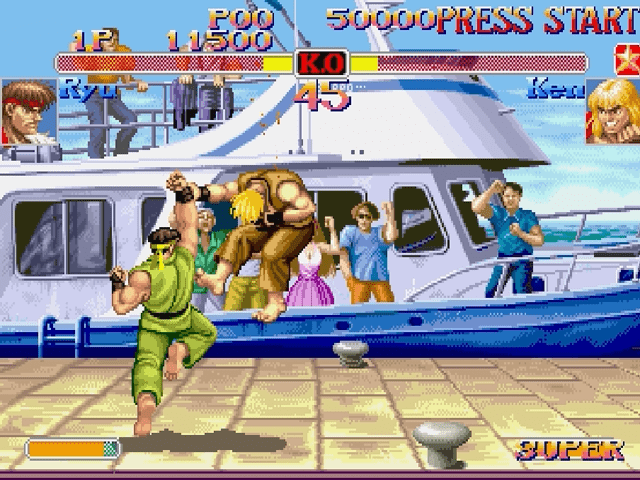
If SPEED is set to FREE in Super Street Fighter II Turbo, choose between 3 levels of TURBO speed after selecting your character. You will battle each character in the Super Street Fighter tournament, potentially reaching the finals if you are skilled enough. To join with a second player for a single match, press the Start button on the Player 2 controller and then select a character.
VS. Mode
This mode allows you to have single two-player matches. Select each character and color in the same manner as ARCADE MODE.
In Super Street Fighter II Turbo, you can choose between 3 levels of TURBO speed. After the match ends, you have the option to choose two new characters if desired. Option Mode Settings
The OPTION MODE is identical for both games, except for the SPEED option in Super Street Fighter II Turbo. •
Difficulty Adjust: 8 levels of difficulty, with more stars indicating higher difficulty. Level 4 is the default.
•
Time Limit: Turn the time limit on each round ON or OFF.
•
Speed (SSFII TURBO only): Choose between FREE (choose from 3 levels in game), T0 (slow), T1, T2, or T3 (fast).
•
Shortcut: Select ON or OFF. If ON, this acts as the quick start mode.
•
Sound: Choose between STEREO and MONAURAL depending on your system.
•
BGM Test: Use the Directional button to change the number, then press A to hear the Background Music theme. Stop the theme with the B button.
•
Button Config: Adjust your functions for gameplay.
•
Screen Adjust: Use the Directional button to adjust the location of the game on your monitor.
Backup Memory Card
This feature allows you to save your OPTION MODE settings and HI-SCORE data to your Saturn internal memory. STREET FIGHTER COLLECTION uses one memory file. To save your game, select BACKUP from the Mode Select screen, then press the Start, A, or C buttons. Highlight SAVE DATA and press the Start, A, or C button to select it.
Your game will automatically save your settings. Follow the on-screen instructions to return to the OPTION MODE.
Street Fighter Alpha 2 Gold: Game Modes
Street Fighter Alpha 2 Gold features 4 modes of play and 2 setup modes. After a battle, the win/loss screen appears. At the continue screen, press the Start button before time reaches zero to continue. To bypass the continue screen and end the game, press any button other than the Start button.
Turning SHORTCUT to "on" in the OPTION MODE bypasses the Mode Select screen. To adjust your button configuration during gameplay, press Start to pause, then A or C to bring up the Pause Menu. Select KEY CONFIG to adjust buttons, then EXIT when finished, or select QUIT to return to the Mode Select screen.
When configuring buttons, use the Directional button to highlight the function, then press the button you want to perform that function. You must perform all blocking functions manually, and Super Combos must be performed using the full instructions outlined in ALPHA WARRIORS.
Arcade Mode
Select a Street Fighter character and fight your way through 8 other computer-controlled opponents. ARCADE is a one-player game, but a second player can join in at any time by pressing Start on the opposite controller. From the title screen, press the Start button to see the Mode Select menu. Use the Directional Button to highlight this mode, then press Start, A, or C to select it. You will then see the Character Select screen.
Use the Directional Button to highlight a character. When selecting a character, you may also change the color of your character depending on which button you press.
Auto Mode Features
Auto mode offers two specific features:
•
Simple Command: Execute Super Combos by simply pressing 2 buttons simultaneously. Press Light Punch and Light Kick for Super Combo #1, Medium Punch and Medium Kick for Super Combo #2, and Hard Punch and Hard Kick for Super Combo #3. If your character has only 2 Super Combos, #2 is executed even if you enter the command for #3. Only Level 1 Super Combos are available in AUTO mode.
•
Auto Guard: Your character will block automatically unless you are attacking. The number of available auto guards is unlimited.
Note: Your opponent can block Super Combos in the air while you are in AUTO mode.
V.S. Mode
V.S. MODE is the classic two-player contest. Use the Directional button to highlight this from the Mode Select screen and press Start, A, or C to select it. You will then be presented with the Character Select screen.
Select character, color, game speed, and MANUAL/AUTO in the same manner as the ARCADE