Starting the Game
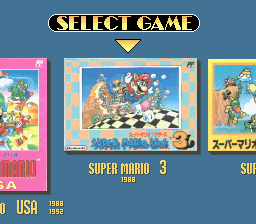
After you insert the Game Pak in your Super Nintendo Entertainment System, turn the power ON. After the title screen appears, press the START Button to go to the Game Select screen. Then use the + Control Pad to choose a game. After pressing the START Button to begin, you can choose from any of the four battery-backed game save files. The files marked as "NEW" are ones that have not been used yet. After you have chosen the desired file, press the START Button to play the game.
Pressing the X or Y Buttons on the file screen will take you back to the Game Select screen. To erase a file, choose it and press the A Button. You can also change the controller button configuration by pressing the SELECT Button.
Super Mario Bros. Setup
First, pick 1 PLAYER or 2 PLAYER mode. When you play the 2 PLAYER mode, controller 1 is for Mario and controller 2 is for Luigi. If one player clears a stage or loses a life in 2 PLAYER mode, it will be the other player's turn.
Super Mario Bros. Screen Display
•
Number of coins you have
Super Mario Bros. Goal
At the end of each stage, there is a flagpole and a castle. The higher you grab on to the flagpole, the higher of a score you get. When you begin a stage, the TIMER starts to count down. The more time you have left when you grab the flagpole, the higher of a bonus you receive.
Resetting High Scores
In Super Mario Bros. and Super Mario Bros.: The Lost Levels, the high scores are saved too. To reset the high scores, press the A, B, L and R Buttons at the same time. How to Defeat Enemies (Super Mario Bros. & Super Mario Bros. 3)
•
B Button: Punch the block that they are on.
•
+ Control Pad + Y Button: Knock them down with a moving object (like a koopa shell).
•
Y Button: Become Fire Mario and throw fire balls. Losing a Life (Super Mario Bros.)
•
An enemy touches you. (If you are hit when you are Super Mario or Fire Mario, you just turn back to small/normal Mario. After you turn back, you are invincible for a short period of time as long as Mario is flashing). •
You drop into a hole in the ground or a hole underwater.
Super Mario Bros.: The Lost Levels
Super Mario Bros.: The Lost Levels is a special version of the original Super Mario Bros. The play controls are the same as in the Super Mario Bros. game, but the game is much more difficult. This is why you can save at any stage instead of just at the start of each world. There is no 2 PLAYER Game. First, you have to choose from MARIO GAME or LUIGI GAME. Luigi can jump higher than Mario, but is harder to stop. After your game is over, you can try using the other character. You may find this useful in clearing some of the stages. In Super Mario Bros.: The Lost Levels, look out for the poisonous mushrooms! They are not very good for our heroes! Super Mario Bros. 2 Basics
Pull up vegetables, look out for the enemies and defeat the bosses at the end of each level. After you start the game, you can choose to play as Mario, Luigi, Toad or the Princess. The red hearts on the left of the screen are your life gauge. When all of the hearts turn white, you lose a life. When only one heart remains, your character will become smaller.
If you want to go back to the start of the stage you are in, press the START button, then press the L, R and SELECT buttons at the same time. You will lose one life by doing this.
Super Mario Bros. 2 Actions
•
Pull Up The Veggies (Y Button): Use the Y Button to pull vegetables out of the ground. When you press the Y Button when standing on the grass, you will pull it out and lift it up. On the surface of the desert, you can also dig in the soft sand.
•
Carrying A Mushroom Block (Y Button): When you stand on a mushroom block and press the Y Button, you can lift it up just like a vegetable.
•
Throwing Items (+ Control Pad + Y Button): If you are carrying something, you can throw it by using the Y Button. To throw it even farther, use the + Control Pad while you throw.
•
Using Bombs: If you reach a dead end, you may need to use bombs to blow a hole in the wall. Be really careful when you use bombs--they can hurt you!
Super Mario Bros. 2 Slot Machine
When you clear each area, a slot machine is waiting for you. You can play it once for every coin that you have found in the previous level.
•
[Cherry] [Cherry] [ ] : 2up
•
[Cherry] [Cherry] [Cherry] : 3up
Super Mario Bros. 3 Basics
You can choose a 1 PLAYER or 2 PLAYER game. In a 2 PLAYER game, player 1 (with controller 1
.png)

 (Wii).png)
.png)



_1.png)


 (En,Fr,De,Es,It) (NDSi Enhanced) [b].jpg)






 (En,Ja,Fr,De).png)

 (En,Ja).png)