Setting Up
1. Set up your PlayStation game console according to the instructions in its Instruction Manual. 2. Make sure the power is OFF before inserting or removing compact disc.
3. Insert the BLOOD OMEN LEGACY OF KAIN disc and close the Disc cover. 4. Insert game controllers and turn ON the PlayStation game console. Follow on-screen instructions to start a game.
It is advised that you do not insert or remove peripherals or Memory cards once the power is turned on.
Memory Cards
If you want to save your games, connect one or two memory cards before turning on the PlayStation game console. If a memory card is full, you will not be able to save games to it. Delete some data before starting play (See the hardware manual for instructions.) You can continue previously saved BLOOD OMEN: LEGACY OF KAIN games by loading them from the Main Menu. Warning
When using Memory cards containing multi-slot save games, always check that you have enough free blocks using the Internal Memory card manager before commencing gameplay.
Starting the Game
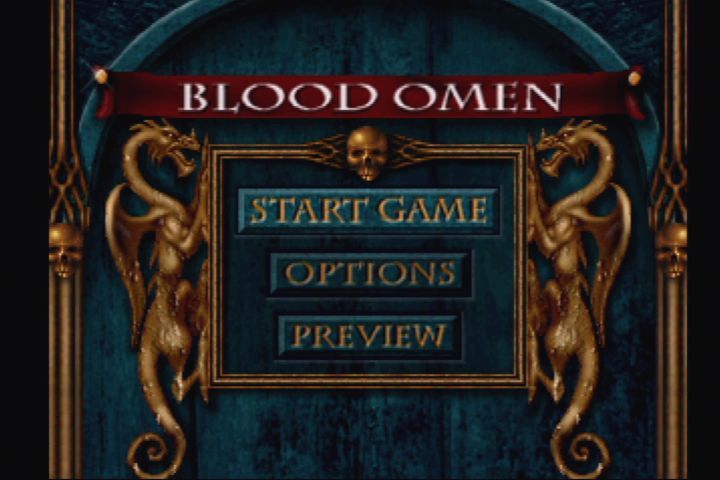
Main Menu
•
Press the Directional buttons up/down to highlight START GAME OPTIONS Preview.
•
Press X to confirm your selection.
Item Use
•
START GAME: Begin a game.
•
OPTIONS: Go to the Option Menu to make further selections and game.
•
PREVIEW: Check out the net by ittiom Crystal Dynama.
Options Menu
1. Highlight OPTIONS on the Main Menu and press X.
2. During game press Select to pause and display the Options Menu.
3. Press the Directional buttons left/right to highlight options.
4. Press to display submenus.
5. Press the Directional buttons left/right to change settings.
6. Highlight EXIT and press X to confirm selections and return to the Options Menu. If no EXIT option is available.
Option Use
•
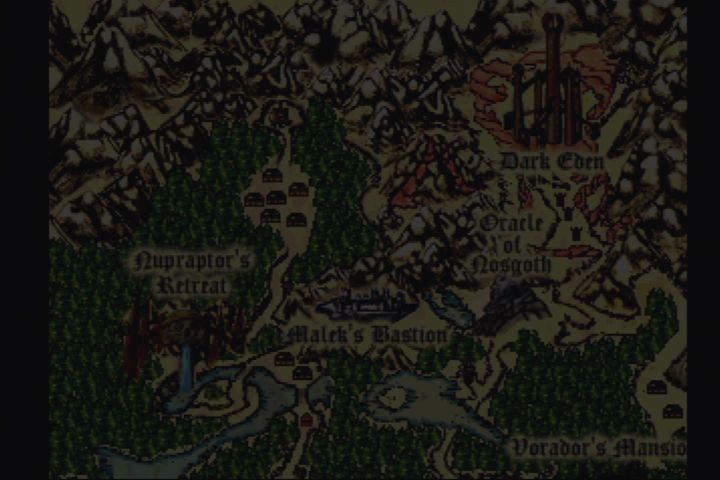
WORLD MAP: Examine the areas of Novgoth that you've explored.
•
DARK DIARY: Review the full motion animations you've experienced.
•
STATUS: Check your body count, muslaman appearing activities.
•
CONTROLS: Remap the controller by selecting an action and then pressing a controller button to link to that action. •
VOLUME: Adjust the SOUND and MUSIC volume by using the Directional buttons left/right to move the slides.
•
CREDITS: Stroll the Hall of Shame.
•
LOAD GAME: Continue a saved game by selecting a memory card port on the Load Game Menu, and then selecting a previously saved game.
•
EXIT: page Saying LACTIKAINDA.
Inventory
1. During a game, press Start to access the Inventory Menu.
2. Press the Directional buttons left/right to highlight an area: OBJECTS, ARMORY or SPELLS.
3. Press the Directional button down to display the highlighted area.
4. Press the Directional buttons left/right to scroll through the items.
5. Press A to hear a description of a highlighted item.
6. Press B or Directional button up to return to the Inventory Menu.
7. Press Start to return to the game.
Quick Menus
Both Spells and Objects have Quick Menus which allow you to load your four favorite spells and objects into fast-access menus.
To Load a Quick Menu
1. Press Start to access the Inventory Menu.
2. Highlight SPELLS or OBJECTS and press the Directional button down to enter the area.
3. Highlight a spell or object.
4. Press X to create a target box in the Quick Menu, use the Directional buttons to select an area on the Quick Menu, and press X again to load the item.
5. Press Start to return to the game.
To Use a Quick Menu
1. Press Rt (spells) or Ra (objects) to access the Quick Menu.
2. Highlight the item you wish to load into the Spell Bar, where it will be ready to use.
3. Press X to load the item and return to the game.
To Cast a Spell or Use an Object
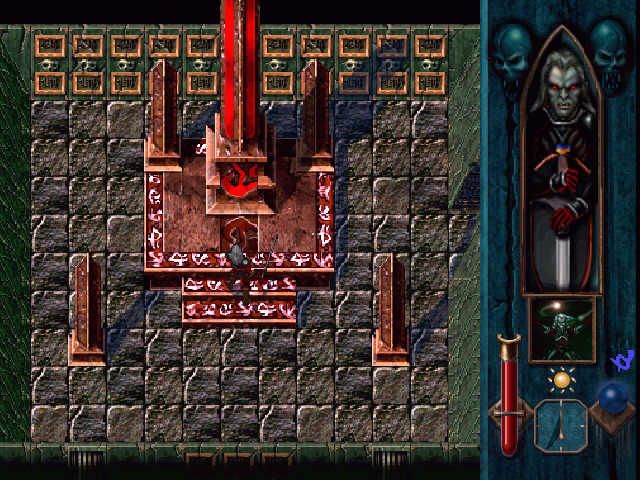
During the game, press X to cast the spell or use the item loaded in the Spell Box. You can only cast spells loaded in the Spell Box.
You cannot use spells or objects when Kain is equipped with a two-handed weapon such as Axes or Soul Reaver, or is in any form other than Vampire.
When the Spell Box icon is gray you cannot cast that spell or use that object (for example, when Kain is equipped with a two-handed weapon).
Humans
•
Villagers: In Disguise or Beguile form, you can talk to villagers by pressing when near them.
•
Chained Prisoners and Sleeping Villagers: Fast food. These "meals" don't have to be placed in Waver state before feeding.
Blood Fountains
Scattered throughout Nosgoth, Blood Fountains bestow various powers when you drink from them. You may drink once only from each fountain.
•
Three fountains bestow extra strength.
•
Three speed your Magic recovery.
•
One bestows protection from rain.
•
One bestows protection from snow.
•
One bestows an enhanced Disguise form, Beguile, which allows Kain to retain his Vampire form while appearing is a nobleman to humans.
Spirit Forges
Hidden throughout Nosgoth are Spirit Forges, where you can sacrifice some of your blood for important artifacts.
Feeding
Vampires must drink blood to
.png)





.png)







.png)

.png)

.png)

.png)

.png)