Traps and Battle
Use Traps to challenge attacking enemies. Defeat intruders by effectively using Traps and initially planted "devices" in respective areas. Players can also battle more effectively by taking advantage of "topography" like staircases and waterways.
Verify Trap Settings and enemy information by viewing the Battle screen.
Intruder Information
The indicated Life Gauge of an enemy declines as damage is inflicted. An enemy is defeated when his or her Life Gauge is depleted.
Player's Life Gauge
Each time a player receives a damaging blow, a piece of the stone tablet crumbles off. The game is over when the stone tablet is completely gone.
Trap Charge Meter
This meter indicates the status of each Trap, including which Traps are ready for activation.
Abnormal Conditions
When a player is attacked by an enemy or when an enemy is subjected to a Trap, an abnormal condition may result. This condition is only temporary.
•
POISON: Gradual loss of Life/HP
•
OIL: Catches on fire when lit
•
BLINDNESS: Far vision impaired
•
SLOW: Reduced movement speed
•
PARALYZED: Too stiff to move
•
CONFUSED: Can't move normally
•
ANGER: Continually charges toward you
Trap Usage
Traps cannot be activated until the Trap Setting and Trap Charge procedures are completed.
Trap Setting
Set a Trap on the map located in Camp Mode.
•
Press [O] to switch into Camp Mode.
•
The screen does not show the placement of Traps.
Charge
Charges Traps with magical powers. Traps cannot be used while charging is in progress.
When a Trap is set, charging begins automatically. A Trap cannot be activated while it is charging.
Trap Activation
Activate a Trap by pressing Ceiling Trap [Triangle], Wall Trap [Square], or Floor Trap [X] after charging is complete. Multiple Traps can be activated simultaneously.
Some Traps can be maneuvered by pressing the Activate button + [directional button].
Once a Trap is activated and used, it must be recharged before it can be used again.
Traps are ready to activate when charging is complete.
Ark and Dreak
"Ark" is the flame of the soul, which glows like an emerald. It appears when a Trap strikes an intruder. The goal is to collect as many "Arks" as possible, either by delivering multiple devastating blows or by setting a Trap Combination to cause many "Arks" to appear.
"Dreak" is the magical power applied to synthesize Trap Elements. You receive an amount of "Dreak" in accordance with the number of "Arks" acquired (up to a maximum of 99), which is determined in the Mission Evaluation stage.
Mode Select
•
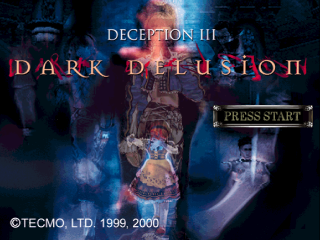
STORY MODE: This is the main mode in which you can play along with the story of "Dark Delusion-Deception III".
•
TRAP LICENSE MODE: This is the training mode for beginners.
•
FREE TRAINING MODE: This mode enables the Traps and "devices" in a particular room to be tested using a dummy.
•
EXPERT MODE: This mode enables you to attempt a difficult "puzzle mission".
•
OPTIONS: This mode enables you to change various settings and customize the game.
Story Mode
Players can become the heroine Reina, or any name they choose, and play out the story as it unfolds. Traps and devices in rooms must be used to defeat the enemy. How the game progresses and your responses to story selections will ultimately shape how the story unfolds.
When you select NEW GAME and then Story, a screen for entering the heroine's name will appear. Enter the desired name and the heroine's name will change from "Reina" to your choice.
Story Mode Progression
The Story mode progression follows five basic scenes, or sequences of events, called "missions."
1. Intermission: This mission appears in Story 2. This is the strategy part of the mission, in which information on the enemy, the room, Trap development, and equipment can be verified.
2. Lead-In Story Mission: Here, you can become acquainted with the story line of a particular chapter. Enemies will also be introduced.
3. Trap Battle: This is a battle sequence in which you can set a trap for the enemy and lure them into it.
4. Story-Ending Mission: This is the end of the story after the enemy has been defeated.
5. Mission Evaluation: Here, it will be evaluated how well you fought the "Trap Battle" segment, and "Arks" and "Dreak" will be awarded based on those evaluations.
Intermission
Intermission is a strategy segment in which players can verify Trap Development, Equipment, and various other data. Planning and preparation are keys to clearing the battle sequence in this segment. Players can make various game settings, including SAVES/LOAD.
The mode determines what can and cannot be done in the Intermission segment. The explanations below apply to the Intermission segment in Story mode.
•
Develops new Traps: (This appears as the story progresses).
•
Selects Traps: Selects Traps to be armed from among developed Traps.
•
INTRUDER DATA: Displays information on enemies appearing in this mission.
•
STATUS: Displays information on the current player.
•
MAP: Displays information on maps appearing in this mission.
•
SAVES & LOAD: Saves the mission on
.png)

.png)
_2.png)
.png)
.png)

_1.jpg)


_1.png)