PlayStation Game Console (Top View)
PlayStation Game Console (Front View)
Getting Started
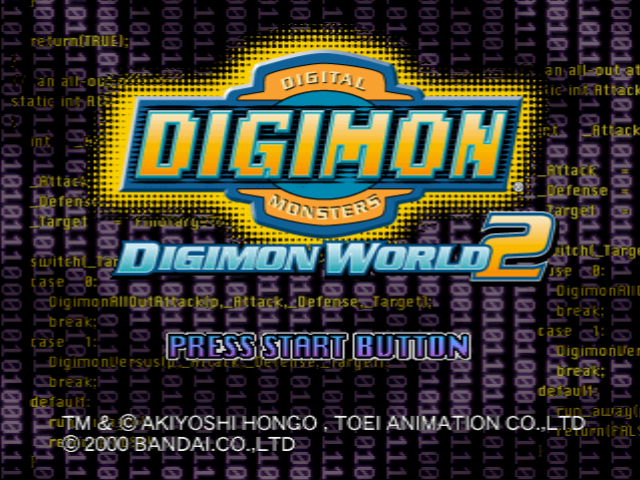
Press the OPEN button on the console to open the cover, then place the CD-ROM into the drive. Turn the unit ON. You will see an opening demo, then a TITLE screen.
Title Screen Options
On the TITLE screen you will be offered four modes to choose from. Use the Directional Buttons Up/Down to select, then press START button to confirm.
•
TO START A NEW GAME: Select "NEW GAME," press START button to confirm.
•
TO CONTINUE A GAME: Select "CONTINUE GAME," press START button to confirm.
•
TO DELETE AN ADVENTURE: Please consult your PlayStation game console manual for instructions on HOW TO DELETE A FILE, or simply save over your previous game. •
TO BATTLE AGAINST YOUR FRIEND: Select "BATTLE MODE" and press START button to confirm.
Memory Card
Don't forget to insert a MEMORY CARD. If you don't use a MEMORY CARD, you will not be able to save your game. Do not attempt to remove a MEMORY CARD from the console during a game.
Place the disk correctly into the PlayStation game console and push the POWER button. Menu Screen
By pressing the START button on the Title Screen, the Menu Screen will appear. Select from the Menu with the Directional Buttons and press the START button.
Saving Your Game
You can save a game in progress onto a MEMORY CARD. When you want to save a game, insert the MEMORY CARD into MEMORY CARD slot 1 or 2. Remember: You cannot make a record of your adventure without a MEMORY CARD.
Copyright Information
TM & © 2000 AKIYOSHI HONGO. TOEI ANIMATION CO.LTD
©2000 BANDAI.CO. LTD
Story Mode
Start Game
You start from the Story Mode. You will start out by creating a file on your MEMORY CARD, so please place your MEMORY CARD into MEMORY CARD slot 1 or 2.
Continue Game
This continues the game from the point of your last save. First, choose the slot that you have your MEMORY CARD plugged into, MEMORY CARD slot 1 or 2. Next, choose which file you wish to play from.
•
Press X button to choose file to load
Versus Battle Mode
To battle with a friend, select Battle Mode. (See p. 22)
Playing on PlayStation® 2
When playing on the PlayStation® 2 computer entertainment system, use the MEMORY CARD for PlayStation. Digital City
After your training session, you will listen to each Guard Leader in Digital City and choose which Guard Team you want to join. After listening to instructions from various people, a Guard Team Leader will ask whether you want to join his team or not. Once you become an official member of a Guard Team, you will be given your mission.
World Map & Domains
World Map
Select Digital City or a Domain with the Directional Buttons and press button to enter. This is the world map of Directory Continent. As the story progresses, the number of Domains you can go to will increase.
Domain
This is a Domain, where Digimon live. You go here with a Digi-Beetle. Due to a strange force, a Domain will change in form each time you enter. Domain Clear
At the end of each Domain, there is a Domain Boss. If you battle and defeat the boss, you will clear that Domain.
Save Method
When you press the button in Digital City, a status menu will appear. If you select "Save" here, the game you've played up to that point will be saved onto a MEMORY CARD.
Inside a Domain
You go to various Domains in your Digi-Beetle. There are many wild Digimon groups in each Domain, but only the strongest Digimon will be displayed on screen. By pressing the button, you will be able to see which Digimon are in that group. When your Digi-Beetle's Health Level (HP: Hit Points) or Energy Level (EP: Energy Points) goes to zero, you will be returned to Digital City. Auto Pilot
By pressing the button, a menu will be displayed allowing you to choose "Auto Pilot." By using the Auto Pilot, you will be able to go from any Domain back to Digital City at once.
Treasure Boxes
If you press the button in front of any Treasure Box in the Domains, they will open. Beware, they may be booby-trapped.
Domain Obstacles
•
Bug Nests: Bugs hide in Nests. If you run over a Bug Nest, a Bug will come down and stick to your Digi-Beetle. Bugs can be seen with a "Bug Sweep." When you find a Bug Nest, depending on its level, you can destroy it by shooting a "Bug Zap" into it. •
Bit Bug: If this Bug gets into your Digi-Beetle, you will lose Bit money with every move. When your Bit money level goes too low, your Digi-Beetle's equipment will fall .png)

_2.png)

_1.jpg)
_1.png)






.png)

