Game System
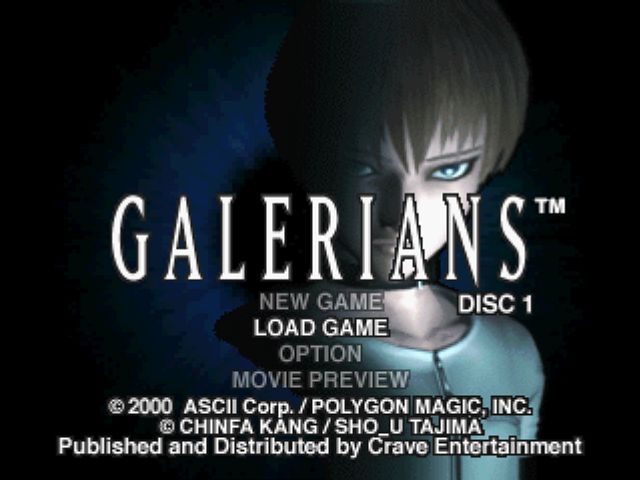
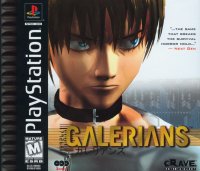
Place Disc 1 in your PlayStation, and then turn it on. The opening movie will play once the disc has loaded. You can skip the movie by pressing the START or X button. The title screen will appear after the movie ends or has been skipped. •
©2000 ASC Corp/POLYGON MAGIC INC
•
CHINFA KANG/SHO U TAJIMA
Starting a New Game
Select NEW GAME in the title screen, and then press the START button.
Loading a Saved Game
Select LOAD GAME in the title screen, and then press the START button. You will see the screen for loading saved games. Select a game to resume play.
Changing Options
Select OPTIONS in the title screen, and then press the START button.
Replaying Movies
Select MOVIE PREVIEW in the title screen, and then press the START button. You will see the screen for loading saved games. Select a saved game to replay the movies that you saw during that game.
Changing Discs
When you see a message asking you to change discs, replace the current disc with the one specified in the message. Once you have advanced to Disc 2 or 3, you can start the game from that disc.
Game Over
Rion, the hero of our story, loses HP (hit points) when attacked by his enemies. Also, when he shorts, due to the effects of the PPEC's he takes, he will be severely impaired and gradually lose HP. Rion will die when his HP reaches 0, resulting in the end of the game. •
You're dead. Game over...
Retry
When fighting some of the more difficult enemies, you have the option of retrying the battle after you die. Make sure you select RETRY before the countdown expires if you want to try again.
Saving Games
You can only save games at save machines like the one shown below.
•
This is the screen for saving games.
Loading Games
To continue playing a game you have saved, insert the memory card containing the saved game into your PlayStation, and then start Galerians. In the title screen, select LOAD GAME to display the load screen where you can select the game you want to resume. Saving games requires a memory card (sold separately). One memory card block is required to save one game. You may save up to three game files.
•
Never remove the memory card while saving or loading games. Doing so may destroy data stored on the memory card.
•
This game only supports memory cards inserted in memory card slot 1.
Replaying Movies
You can replay movies you saw during the game by selecting MOVIE PREVIEW from the title screen - then load a saved game. You cannot replay movies that you have not yet seen during your game.
Options Menu
Selecting OPTIONS in the title screen displays the OPTIONS MENU.
Adjusting Screen Brightness
Adjust your TV's brightness so that you can clearly see the entire background on this screen. This will enable you to play Galerians in vivid detail. This adjustment requires that your TV has a brightness control. Key Config.
Choose between four different key configurations.
Volume
Adjust the games volume.
Vibration
Turns controller vibration on/off. (This option only works when a DUALSHOCK ™ analog controller is plugged into your PlayStation.) Using Psychic Powers
Attacking
Pressing the R1 button starts building up psychic power. This will be displayed in the psychic power gauge. Pressing the "X" button while psychic power is built up fires a psychic attack. The damage the attack inflicts on your enemies is proportional to the psychic power you built up.
The psychic power gauge appears automatically when you press the R1 button.
•
Rion's psychic power drops one level each time he receives damage while his HP gauge is red (only half or less HP remaining). Hit Points (HP) gauge
Displays Rion's current health. It falls as Rion gets injured and rises when he gets healed. Anger Points (AP) gauge
Displays Rion's current level of psychic anger. PPEC gauge
Displays how much of the currently selected PPEC remains.
Psychic power level
Rion's psychic power level. (Max. level: 3) Psychic Power gauge
This gauge shows how much psychic power is building up while you hold the R1 button.
Searching
You can use Rion's psychic scanning ability to search for things and reveal hidden information by pressing the triangle button. You will receive hints in image form when scanning certain objects. This power may even  (Disc 1).png)

 (Disc 3).png)
 [NTSC-U] [SLUS-01098].png)


.png)

.png)

.png)

.png)

.png)
 (Disc 2).png)


.png)
