Getting Started
MEMORY CARD slot 2
MEMORY CARD slot 1
disc tray
RESET button
USB connector
S400 i.LINK connector
controller port 1
controller port 2
(OPEN) button
Set up your PlayStation® 2 computer entertainment system according to the instructions in its Instruction Manual. Make sure the MAIN POWER switch (located on the back of the console) is turned on.
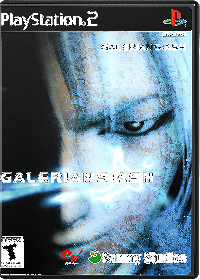
Press the RESET button. When the power indicator lights up, press the open button and the disc tray will open. Place the Galerians:Ash disc on the disc tray with the label side facing up. Press the open button again and the disc tray will close. Attach game controllers and other peripherals, as appropriate. Follow on-screen instructions and refer to this manual for information on using the software.
Before Beginning The Game
GALERIANS:ASH
New Game
Load Game
Option
Movie Viewer
1999,2002 ENTERBRAIN, INC. / POLYGON MAGIC, INC.
CHINFA KANG/SHO U TAJIMA
•
New Game: Start the game from the beginning.
•
Load Game: Continue a game from a saved point.
•
Option: To setup the various options.
•
Movie Viewer: To play movies that have been seen already. Special pictures that can be viewed after clearing the game are displayed here.
How To Do Battle
Lock on to foes by pressing the R2 button, and invoke the psychic powers by pressing the button. Psychic powers can be invoked without having to lock on to foes by pressing the button.
Locking On
When a green cursor that surrounds a foe is displayed, and the R2 button is pressed, then it will lock on to the foe and the cursor will change to the color red. When it locks on, then Rion scans the HP of the opponent. While locking on, Rion can slide sideways by using either the Left Analog Stick or the directional buttons. Try to get behind the opponent. If you can attack from behind, the damage will double. If the R2 button is pressed again, then the lock on will be cancelled.
Shields
A psychic wall will be created in front of Rion when the R1 button is pressed, blocking attacks from foes. When Rion becomes stronger, then a wall is also created behind him. Tumble
When the button is pressed, Rion will tumble. Use this to dodge attacks from enemies. Input the tumble direction for Rion by using either the left analog stick or the directional buttons. When locked onto an opponent, Rion will do a sideways tumble. Psychic Power Enhancement Chemicals (PPECs)
The screen will switch to the PPEC Screen when the START button is pressed. If PPECs aren't used, then Rion cannot utilize his psychic abilities. While trying not to overdose on PPECS, try to fight as good as possible. •
The amount of PPECs in stock
PPEC Items
•
RECOVERY CAPSULE: Recovers HP points to a fixed amount.
•
RECOVERY PLUS: Fully recovers HP points.
•
DELMETOR: Brings AP to 0.
•
APPOLINAR: Increases the maximum value of AP. (Rion will short) •
NALCON: Increases the Internal PPEC Remainder of NALCON to the maximum value.
•
RED: Increases the Internal PPEC Remainder of RED to the maximum value.
•
D-FELON: Increases the Internal PPEC Remainder of D-FELON to the maximum value.
•
BUSTANOR: Increases the Internal PPEC Remainder of BUSTANOR to the maximum value.
•
BREAKARON: Increases the Internal PPEC Remainder of BREAKARON to the maximum value.
Saving & Loading
Saving
By pressing the X button when Rion is standing in front of a Saving Machine in the game map, then the state of progress of up to that point will be saved. The PlayStation® 2 exclusive memory card (8MB) is needed to save the progress state data. Please insert a PlayStation® 2 exclusive memory card into either MEMORY CARD slot 1 or MEMORY CARD slot 2. At least 128KB of free space is needed to save data of this game.
Loading
When "Load Game" is selected in the Title Screen, then a list of saved data is displayed. When saved data has been selected, the game will start from where the data has been saved.
Options
The different types of setups can be done here. Use the direction buttons, up, down, left, and right, to select and press the X button to confirm.
•
Key Config: 5 types of controller setups to select from, A, B, C, D, and E.
•
Vibration: Turns the controller vibration function On/Off.
•
Map Rotation: Turns On/Off the rotation of the map displayed in the top left corner of the screen during movement.
•
BGM Volume: Controls the music volume.
•
SE Volume: Controls the sound effects volume.
Items
Select the item to be used by moving the directional buttons up or down, and press the x button to utilize.
Maps
Select the map to be displayed by moving the directional buttons up or down. Your position is displayed as a red triangle.
Files
Select the file to be displayed by moving