FIRE UP THE FUTURE OF RACING!
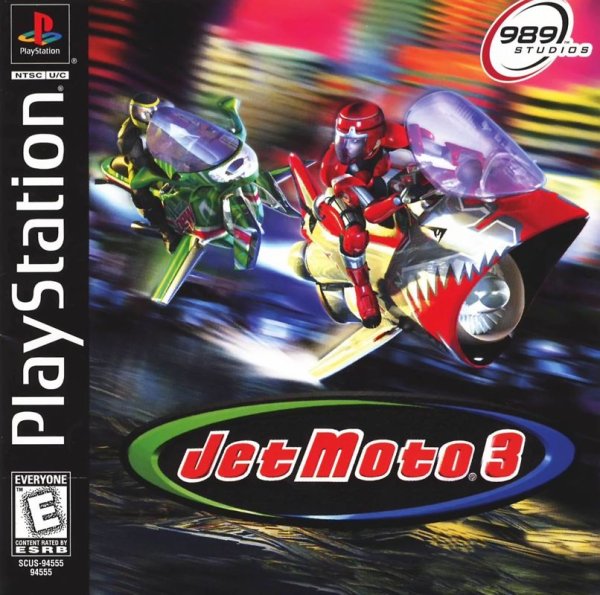
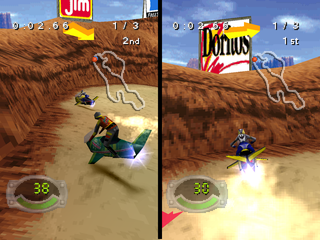
JET MOTO 3 puts you in control of a mean machine. Every bike is a marvel of extreme engineering and deranged disregard for driver safety.
•
Turbine engines direct thrust back and down. Your bike can hover and roar over any surface!
•
Direct thrust straight down to make your bike hop!
•
Turbo booster accelerates the bike from 0 mph to 100+ in seconds, and can propel it hundreds of feet through the air!
•
Magnetic grapples let you corner at unreal speeds!
Race 11 high performance bikes through competition at its fiercest. Sideswipes, broadsides, head-ons and flaming crashes greet the inexperienced or unlucky rider. Take a turn too fast and plunge 1,000 feet over a cliff.
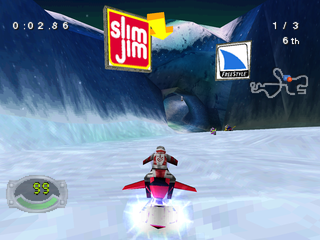
Battle it out on 19 tough courses through treacherous ancient ruins, open ocean dashes, suicidal mountain tracks and wreckage-filled urban race courses. Hungry for extreme stunt action? Your machine will show undreamed of speed and agile trickery. You could become a champ or just a stain on some boulder. The bikes are fueled up and ready to race. You won't win being careful. The Rush is Back!
SETTING UP
Set up your PlayStation game console according to the instructions in the Instruction Manual. Make sure the power is off before inserting or removing a compact disc. Insert the JET MOTO 3 disc and close the disc cover. Insert one or two game controllers and turn on the PlayStation game console. Follow the on-screen instructions to start a game. 2 PLAYER GAMES
To play 2 Player games, insert two controllers into your PlayStation game console. MEMORY CARDS
To save game settings and progress, and to resume saved games, insert a Memory Card into Memory Card slot 1 of the PlayStation game console before starting gameplay. (Memory Card slot 2 is not used.) GETTING STARTED
1. Select 1 Player or 2 Player at the Title Screen and press the button.
2. On the Racer screen, press the D-Pad left/right to select an available racer. •
To check out a bio on your selected racer, select BIO and press the button. Press the button or button to return to the Racer screen. All bikes have fixed handling, acceleration and top speed ratings. Each bike has different performance specs:
•
Light bikes have great acceleration and handling, but are unstable and have a lower top speed.
•
Heavy bikes are stable and have a high top speed, with slower handling response and acceleration.
Note: See the section "Bikes & Riders" for more details.
3. Press the button to confirm your racer choice and display the Race Mode screen. •
In a 2 Player game, both players must select a racer and press the button to advance to the Race Mode screen. 4. Press the D-Pad up/down to select the race mode you want and press the button to display the Track screen.
•
Season Mode has no track select.
5. Press the D-Pad left/right to select an available track and press the button.
SETTING OPTIONS
On the Title Screen, select OPTIONS and press the * button. Use the D-Pad to select an option and adjust the settings.
Audio
Adjust the Overall Sound F/X, Music levels and select Stereo or Mono Sound modes.
Controller
Reconfigure the button controls. Select a button configuration by pressing the D-Pad left/right. Press the button to confirm the selection.
Race
•
Number of Laps - Set the number of laps for each race from three to seven.
•
Al Difficulty - Select NOVICE, SEMI-PRO, PROFESSIONAL or BONUS. These settings change the skill level of your competition.
•
You can only select a skill level that is currently being played or has been completed.
•
Grapple - Turn Magnetic Grapples ON or OFF.
•
Turbo - Turn your bike's Turbo ON or OFF.
•
Radar - Turn Radar ON or OFF.
•
Speedometer - Turn Speedometer ON or OFF.
•
Arrow - Set this to display the Navigation Arrow all the time or only when you are going the wrong way.
•
Stunt Text - Turn this feature ON, and the game displays the name of any stunt you execute.
Vibration
Set the Controller vibration feature ON or OFF.
Credits
Meet the makers of JET MOTO 3.
SAVING A SEASON
You can save your progress after every race in Season Mode.
1. When the Season Results screen appears, use the D-pad to select Save.
2. Create a name for the saved game and press the button.
3. Press the button to exit the Save Game screen.
Note: You must have a Memory Card inserted in your PlayStation game console in order to save a game. LOADING A SAVED GAME
1. On the Title Screen, select LOAD GAME and press the button.
2. Select the saved season you want to play and press the button.
PLAYER MODES
SINGLE PLAYER RACING
Single Mode
Run one race on any available track.
Season Mode
Race a season of tracks. If you qualify in the Novice level, you can enter the Semi-Pro season and race new, more difficult tracks. Master Semi-Pro racing and become a Pro where you get a shot at even tougher courses. Get your Pro season dialed in and you're ready for Bonus level competition. •
Earn points toward your ranking in each race.
•
The racer with the most points