SETTING UP YOUR GAME
Set up your PlayStation® game console according to the instructions in its Instruction Manual. Make sure the power is off before inserting or removing a compact disc. Insert the Juggernaut disc and close the disc cover. Insert game controllers and turn on the PlayStation game console. Follow on-screen instructions to start a game. Console Top View
Front View
WELCOME TO THE WORLD OF JUGGERNAUT
The spirit of EVIL possesses your girlfriend. The exorcist tells you that the only way to save her is to enter her soul and terminate the EVIL.
Once inside her soul, you must find and enter the Mansion. The Mansion is a labyrinth that has doors to reach the Microcosms, the domain of the EVIL spirit and the world of horror and illusion. You can confront EVIL only if you exterminate the evil in each of the Microcosms.
GAME START
Press any button, and the MAIN MENU screen is displayed. Select NEW GAME or CONTINUE. You can skip the opening movie by pressing any button.
To turn off the controller vibration, select OPTION in the MAIN MENU and select vibration: Off. The default setting is on. To change the OPTION setting in the middle of a game, when the cursor appears on screen, press the SELECT button and change the setting.
JUGGERNAUT is comprised of three discs. A message appears on the screen when a disc should be changed. To change the disc, without switching off the Console, open the disc cover and insert Disc 1, Disc 2, or Disc 3, then close the disc cover.
GAME SYSTEM
DIRECTIONAL CURSOR
This cursor indicates the directions that a player can go. The directions correspond with the directional buttons.
MAP
Press the L1 button to see the MAP that displays the overview of the playable area and the current location. To close the MAP screen, press the L1 button or the ▲ button.
RESEARCH CURSOR
This cursor lets you collect items or gather information. It rotates at points of interest. Press the button to research.
ITEMS
Press the R1 button to display the item screen. Select an item and press the button. Then, execute one of the following Commands:
•
1) Examine: A command to display the information on an item.
•
2) Use: A command to use an item.
•
3) Combine: A command to combine items. (Not every item can be combined.)
To close ITEM screen, press the R1 button or the ▲ button.
MANSION
The MANSION is the ultimate labyrinth inside Sarah's soul. It contains five stories, three above ground, and two stories underground. You must discard your body to enter the Mansion.
The Mansion has three kinds of passages to move between the rooms: a hole admits only the Soul (shown as a red dot on the Map), a small door admits only the Juvenile Body (shown in yellow), and a large door admits only the Adult Body (shown in green).
•
Small Door - Juvenile Body
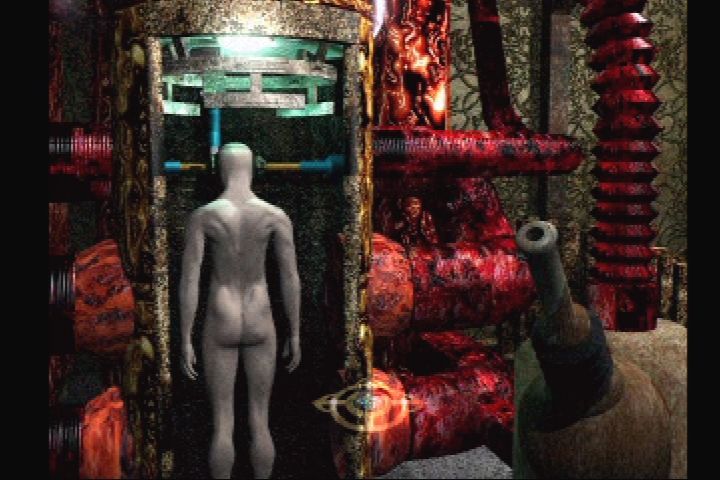
In order to change your existence, you must first find the appropriate BODY CONVERTER. Some switch your being between the Soul and the Adult Body, the others change between the Juvenile Body and the Adult Body.
The directional cursor changes according to your existence changes. The Adult Body displays a large cursor. When you are in the Juvenile Body, the cursor becomes small. When you are a Soul, the cursor is partially transparent.
•
Soul - Partially Transparent
 (Disc 1).png)



 [NTSC-U] [SLUS-00989].png)


.png)

.png)

.png)
.png)
_1.png)



 (Fr,De,Es).png)


_1.png)

.png)


_1.png)