Setting Up the Console
Set up your PlayStation game console according to its Instruction Manual. Ensure the PlayStation power is off before inserting or removing a compact disc. Insert the Lethal Enforcers I & II disc and close the Disc Cover. Insert game controllers and turn on the PlayStation game console. Follow on-screen instructions to start a game. Console Top View and Front View
Welcome to the Classics
Lethal Enforcers I & II have been huge hits in the arcades for years. Now you can enjoy all the excitement at home.
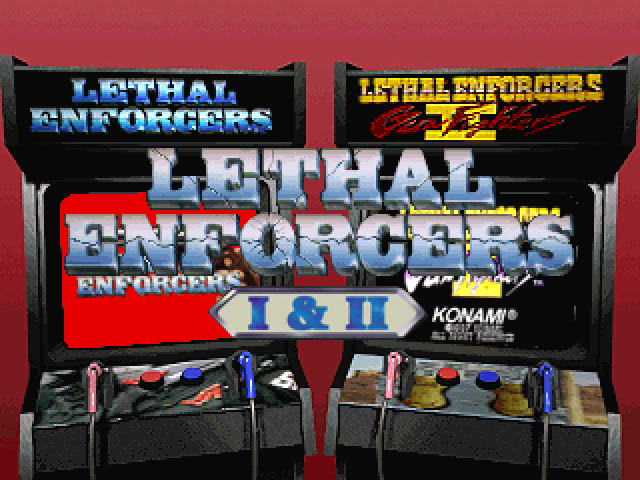
Boot up the game and get through the legal screens to the Game Select Screen. Point your Justifier at one of the arcade classics and shoot.
Shoot to Select
Options Menu
Game Mode
•
STREET: Allows you to select which stage you want to play.
•
Arcade: Play each stage one after the other. Some bonus stages can be accessed exclusively in this mode.
Difficulty
•
There are eight levels, ranging from EASIEST to HARDEST.
Blood Mode
Sound FX Volume
•
Lets you adjust the sound effects volume level.
Music Volume
•
Lets you adjust the music volume level.
Gun Calibration
Lets you "center" your gun's sights to get an accurate reading on your targets. To set, aim at the middle of the target and shoot.
If your gun is miscalibrated, aim off-screen, pull the trigger, and try again.
Control Configuration
Switches the buttons on the Controller.
Gameplay
A player can begin a new game by pressing the start button on the gun or controller.
Depending on the game mode selected in the options screen, a stage select screen will be presented (street mode), or a game will start with the first level (arcade mode).
Game Objectives
Fire the Justifier (or press the Fire button on the Controller) at enemies, and at any items they throw at you. Remember, you're the good guy—don't hit any innocent bystanders!
You begin the game with the rank of "Patrolman" (LEI) or "Posse" (LEII). Your rank goes up when you improve your Hit Rate—a percentage of enemies hit per shots fired, minus a penalty if you hit innocent bystanders.
•
The game ends when your "lives" run out. If you have Credits remaining, you can use CONTINUE to battle on.
•
Defeat the Boss at the end of each stage to clear that stage.
To select a stage, point and shoot the stage you want to play. If you are not using the Justifier, move the cursor over the desired stage and press the "fire" button.
In LE I, once a stage is completed (unless the game is in Arcade Mode) the game will automatically go back to the STAGE SELECT screen. An "x" will appear over the completed stage/s. To continue your game, choose one of the remaining stages. Once you have completed all of the stages the process is repeated.
A stage which has an "x" over it cannot be replayed until all of the stages are completed or you begin a new game.
Lethal Enforcers II Stages
The Bank Robbery
If you want to keep the peace, you've got to keep your edge.
The Stage Hold-Up
Stagecoaches are easy targets for bandits on horseback—but not in your jurisdiction.
The Saloon Showdown
After a hard day on the range, some cowboys like to let loose in the local saloon. Don't let it get out of hand.
The Train Robbery
The rail system is the backbone of the West, and you've got to keep it secure.
The Hideout
There's a treacherous gang on the outskirts of town—deal with it.
Bonus Stage 1
Bonus Stage 2
•
NOTE: Break the bottles to score points. Accuracy is critical!
Pause Menu
Press start to access Pause Menu. In Pause Menu you can re-calibrate gun, return to game, or quit game.
Handling the Justifier
•
THE JUSTIFIER CONTAINS PRECISION PARTS, SO DO NOT EXPOSE IT TO STRONG SHOCKS. DO NOT KNOCK IT AGAINST HARD SURFACES OR STAND ON IT.
•
DO NOT TOUCH THE TERMINAL OF THE GUN, OR BEND OR STRETCH THE CORD EXCESSIVELY.
•
DO NOT DAMAGE OR BLOCK THE MOUTH OF THE GUN, POINT IT TOWARDS THE SUN, OR EX


_1.png)
_2.png)
_3.png)



.png)


_1.png)

.png)







_1.png)