PLAYSTATION® SETUP
Set up your PlayStation game console according to the instructions in its Instruction Manual. Make sure the power is OFF before inserting or removing a compact disc. Insert the NBA ShootOut 2002 disc and close the Disc Cover. Insert game controllers and turn ON the PlayStation game console. Follow on-screen instructions to start a game. TOTAL CONTROL PASSING™
Total Control Passing allows you to pass the ball to any teammate. Hold L2 to bring up the passing icons and pass the ball by pressing the icon button that corresponds to that of a teammate.
ON-THE-FLY PLAY CALLING
On-The-Fly Play Calling allows you to make a play call during gameplay. Hold L1 to bring up the play calling screen. Press the icon button that corresponds to the play you want to run.
TOTAL CONTROL SWITCHING
Total Control Switching allows you to switch control to any player on your team. On offense, this can only be done if your player is not handling the ball. Press L2 to bring up the switching icons and switch to a different player by pressing the icon button that corresponds to that player.
CPU PLAYER CONTROL
During a multi-player game or when playing a game using the Player Lock function, when the ball is in the hands of a CPU controlled player, you can force that player to pass or shoot the ball.
•
Force the CPU player to shoot
•
Force the CPU player to pass
SELECT GAME
EXHIBITION
Use Exhibition games to play a game without worrying about Season standings, as their results are not recorded and cannot be saved to the MEMORY CARD. Play for fun or use these games for practice, getting to know each team and its players.
EXHIBITION TEAM MATCHUP
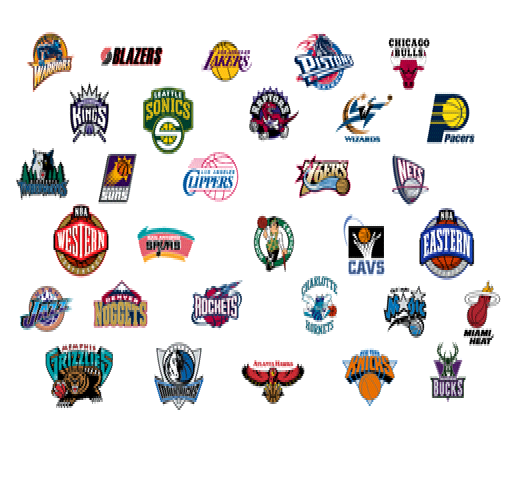
Here's where you choose the teams for your game. Choose from this year's NBA teams or Eastern and Western All-Star teams.
•
Scroll ⬆ / ⬇ through each team's league rankings to rate each team's strengths and help you with your team selection.
•
Press L1 / L2 and R1 / R2 to select teams.
ROSTERS
When choosing a roster, a Current Roster is one that has been changed by trading, releasing, signing or creating players. A 2001-2002 Roster is the original makeup of a team, before any roster changes have been made.
•
Press ⬅ / ➡ to choose a roster.
•
Press ☯ to move to the Controller screen.
CONTROLLER SETUP
Use this screen to assign your controller to a team, choose a Player Lock option and set User Logins.
PLAYER LOCK
Player Lock forces you to play the game at one position, using one player for the entire game. For example, if you lock your controller on Stephon Marbury, you would control him and only him for the entire contest.
After selecting a team for your controller:
•
Press to cycle through and choose a player position or choose the No Lock option.
USER LOGIN
User Login allows you to set a user name, that you have created, to your controller. See User Records on page 22 for more information.
•
After selecting a team for your controller, press to cycle through the user names and choose a User Login.
SEASON
A Season can be up to 82 games in length and includes an All-Star game. At the end of a Season, if your team gets in, it will enter the Playoffs and compete for the NBA Championship.
NEW SEASON
•
Select New Season to begin a new regular Season.
SEASON OPTIONS
Season Options give you a unique opportunity to adjust the attributes for the Season. Once a team is picked for the Season, this screen will no longer be accessible.
ROSTER
Select the type of roster you would like to use. An Original Roster is the makeup of a team before any roster changes. A Revised Roster is one that has been changed by trading, releasing, signing or creating players. See Rosters on page 14 for more information on how to trade or create players, sign free agents or hold a draft.
SEASON LENGTH
Set the number of games played during the Season to 28, 56 or 82.
PLAYOFF LENGTH
Set the format of the Playoffs to one using a 5-game series followed by three 7-game series (5-7-7-7) or by using a single elimination format.
TRADE DEADLINE
A Trade Deadline is a date by which all Season trades must be completed.
INJURIES
Player injuries are a part of the game. To keep injuries from taking place, set this option to OFF. Injuries will be recorded during simulated Seasons and Playoff games.
TRANSACTIONS
Trade offers are made from around the League during the course of the Season. Setting Transactions to ON allows you to consider those offers and make the trades.
SEASON SCHEDULE
This is where you choose your team for the Season.
•
Press L1 / L2 and R1 / R2 to find a team.
•
Press ✕ or ▢ to select your team.
•
To go to the Rosters Menu to make any last minute changes to your roster, press












.png)
.png)

.png)

.png)
.png)

