STARTING THE GAME
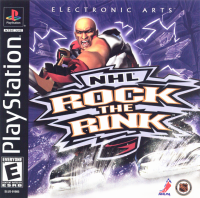
1. Set up your PlayStation game console according to the instructions in its Instruction Manual. Make sure the power is OFF before inserting or removing a compact disc. 2. Insert the NHL® Rock the Rink™ disc and close the Disc Cover.
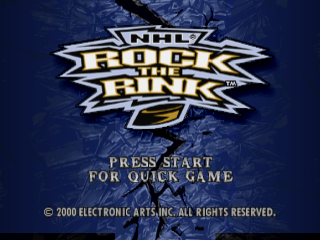
3. Insert game controllers and turn ON the PlayStation game console. 4. Press to bypass the intro video and advance to the Title Screen. Press START for a Quick Game, or wait a couple of seconds for the Main Menu to appear.
Game Features
•
Wrestling in the Rink: Hit 'em hard with the Clothesline, Cannonball, Power Slams and other Big Checks.
•
BONUS Play: Earn hot streaks and unlock new scoring, stick handling, and hitting moves.
•
Reap the REWARDS: Winning unlocks special skates, sticks, and other upgrades.
•
More Ways to Take the Ice: Game features include 3-on-3, First-to-five, and old-time hockey in over 10 run-down arenas.
•
NHL Teams or Fantasy Clubs: All 28 NHL teams and all-new NHL Rock the Rink teams.
SETTING UP THE GAME
After the NHL Rock the Rink intro video, you have the option to Quick Start a game.
QUICK START
If you want to skip all the pre-game activities, jump straight onto the ice with a Quick Start and get ready for the puck (and the gloves) to drop. The first to score five goals wins.
To begin a Quick Start game:
•
After the intro video, press START when the Quick Start screen appears. Your players appear on the ice at the face-off circle seconds before the puck is dropped.
During a Quick Start, you play as and against randomly selected teams in an Arcade style game. However, if you want to choose your own team and opponent, or if you want to play in one of the other featured game modes, wait a few seconds and the Main menu appears.
MAIN MENU
From the Main menu you can choose your game mode. From Arcade mode to NHL Challenge to King of the Rink, it really doesn't matter which mode you select. All three will leave you gasping for air when the final goal is scored.
•
Play in an Arcade style game.
•
See who's King of the Rink in this double-elimination tournament.
•
See the Rewards that you must unlock to get deeper into the game.
•
Take on your favorite NHL teams in an NHL Challenge.
•
Adjust the Game Options.
•
Select highlighted option
GETTING TO THE ICE
If you decide to skip a Quick Start, select a game mode from the Main menu and get ready to rock and roll. After you select a game mode from the Main menu, the Select Name screen appears.
SELECT A PROFILE
Before you take the ice, personalize your game by creating your own profile.
To create a profile:
1. Highlight NEW USER and press *.
2. Create a name and select DONE. The Choose Team screen appears.
If you decide that you don't want to create a profile, highlight JUST PLAY (in Arcade mode only), press *, and the Choose Team Screen appears. If you choose JUST PLAY, you will not be able to create your own team.
CHOOSE TEAM
Choose from one of the many fantasy teams in the league and be sure to check out the team rating before you make a final decision.
To choose a team, highlight the team name and press *. After a team is selected the game begins.
CREATE TEAM
Here's your chance to play General Manager.
To create a team of your own:
1. Highlight CREATE TEAM from the Choose Team menu.
2. Create your own team name and select DONE when you're satisfied. The Choose Logo screen appears.
3. Choose a team logo and then press *.
4. Choose the tactics for your two lines by pressing *. Your new team now appears in the Choose Team menu.
LINE CHANGES
Each team has two different lines that rotate in and out of the game. With each face-off, you have the option to change your lines.
To change your line-up, highlight Line One or Line Two and press to take the face-off.
BONUS!
During game-play, sweet shots, big hits, and goals increase your bonus meter. When your bonus meter fills up, you're in the Bonus, baby!
When the game announcer screams BONUS! and the music starts playing, all of your player ratings are bumped up and your team is that much better until the bonus—and the music—runs out.
During Bonus Play, you can do cool dekes and cool shots that your players normally wouldn't be able to do during regulation play. If the other team scores or beats you in a fight while you're in the Bonus, your Bonus will be cut short.
In Hard difficulty only, it's a race to the Bonus, so when one team makes it to the Bonus, both teams' Bonus Meters get reset.
FIGHTING
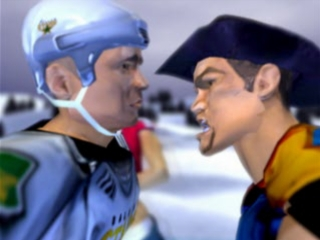
There is no love lost in NHL Rock the Rink. So be prepared to honor thyself and be prepared to do it often.
To fight, press R2 when the bell rings during gameplay.
FIGHTING - Type of Player