Main Menu
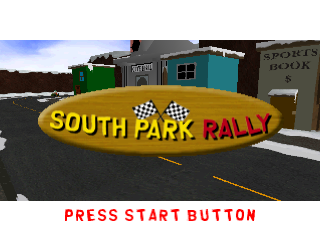
Press START at the title screen to access the Main Menu.
Game Modes
Story Mode (1 Player)
Choose this mode to experience five exciting SOUTH PARK episodes. These episodes feature characters like The Visitors, The Evil Clones, and the dastardly Turkeys, including the Mecha Turkey! The story begins on Friday the 13th, when a full moon, a solar eclipse, and the appearance of the "Bad Luck Comet" known as Colossal Shoo Bop Titan Behemoth 299 (after 666 years) coincide. Chef is filled with anxiety. You will discover what you need to do to avert chaos and destruction as the episodes unfold.
Start New Game
Begin a fresh assault on the enemies of SOUTH PARK.
Load Saved Game
If you saved a game to your Memory Card, you can load it from this screen and resume play where you left off.
When you load a saved game, you will also have access to any secret characters and features that you have unlocked in that saved file.
Return to the Main Title Screen
To return to the Main Menu screen anytime during gameplay, press the START BUTTON to Pause the game. Then, press the SELECT BUTTON to access the Pause Menu, and select the QUIT option.
Kid Selection
Before you enter gameplay, you need to choose your character. You can choose to play as CARTMAN, KENNY, KYLE, or STAN.
Press or on the DIRECTIONAL BUTTONS to highlight a character, then press the BUTTON to select. Once you've selected your character, play begins.
The first thing you'll want to do is find your friends. Once you've encountered a friend, you will have the ability to switch control to that character. For example, if you start off as CARTMAN, once you meet KENNY, KYLE, and STAN, you can switch control to any of them.
Press the or BUTTONS to toggle through the kids/gadget sets. Since some gadgets can only be used by certain kids, toggling through gadget sets effectively toggles through the available kids.
Note
Until you collect gadgets a particular kid uses, you won't be able to switch to him.
Energy
Each kid has a limited amount of energy. Once your energy is completely depleted, the game is over.
Tally Screen
At the end of each stage, you'll see the tally screen. This screen provides information on how many enemies you've destroyed, how many Tank Enemies got through to town, and any bonuses.
Bonuses are awarded for not allowing ANY tanks to reach town, for discovering secret areas, and for completing the stage in good time.
Saving Games
You must have a Memory Card in order to save your progress in SOUTH PARK. The one-player game is split into Episodes, each containing a varying number of "Stages" or "Levels."
At the end of an Episode "Stage," you will be given the chance to save your progress. Your saved game will contain your current progress, as well as any secret game features you have unlocked.
Saving to a Memory Card
If a Memory Card is detected, you will be prompted to save to it. You will need one free block on your Memory Card to save. You will be asked to select a slot to save to.
If all slots are full, you will be asked if you wish to overwrite (erase) a file to make room for a new save. Select YES to do so and confirm your choice, or select NO. Press the ✖ BUTTON.
Head to Head Mode
Challenge a friend to exciting Head to Head action set all over the wacky world of SOUTH PARK. Action Toys and homemade gadgets may be the only thing between you and a bad end.
•
CHOOSE THE GAME SETTINGS YOU LIKE, VIA THE HEAD TO HEAD OPTIONS.
Head to Head Options
In Head To Head mode, you have these options:
•
LEVEL: Select your desired Head To Head location.
•
TIME LIMIT: Sets whether you want to have the game end after the timer expires or not. Set ON for times between 1-30 minutes. OFF gives you Unlimited Time.
•
WIN LIMIT: This allows you to set whether or not the game ends when one of the players has reached a Win Limit. Set ON for between 1-99 Wins. OFF gives you Unlimited Wins.
•
CHARACTER SELECT: Takes you to the character select screen where you can choose to play as any of the currently unlocked characters available.
•
START GAME: Select this to begin Head to Head mayhem!
Primary and Secondary Fire
The PRIMARY is the standard version of a given gadget. The SECONDARY is a more powerful version of the same PRIMARY gadget.
Selecting the SECONDARY function of any given gadget will result in more damage to your enemies, but it will use more ammo or take more time to deploy.
Gadgets are listed in order of power, from lowest to highest. You will need to collect ammo for most of these gadgets.
Snowballs
This is your first line of defense. It doesn't do much damage, but you have an endless supply! Aim with the Directional Buttons.
•
PRIMARY: Throw a standard snowball.
•
SECONDARY: Throw a yellow snowball. "Gross!"
•
AMMO: N/A. The snowball is the standard gadget; your supply is unlimited.
Dodge Ball
This school yard favorite makes friends and foes
.png)

.png)



.png)


.png)