GETTING STARTED
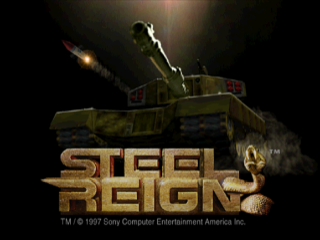
Once the game loads, you are presented with the Title Screen and the Main Menu. Use the Directional Buttons to highlight your choice and press the X button to select.
Main Menu Options
New Game One Player
Starts the single player arcade or quest game at the first level.
New Game Two Player
Starts the head-to-head 2 player game. You choose the level.
Load Game
Once a level is completed, it can be saved from the Mission Debriefing Screen. A saved game will be assigned a standard military alpha term, such as STEEL REIGN ALPHA, then bravo, charlie, delta, and so on.
Each saved game will be assigned the next available alpha term. For example, if Steel Reign Alpha is saved over and becomes Steel Reign Delta, Steel Reign Alpha is now available and will be used for the next saved game.
Game Options Menu
DIFFICULTY
This option allows the gamer to alter the difficulty of the game before it is started. The degree of difficulty is determined by variables such as the number of enemies, availability of weapons, and enemy intelligence.
GAME MODE
Choose between Arcade and Quest modes. Arcade mode allows players to change tanks between each level, plus the ability to gain access to new tanks by finding bonus tank power-ups on each level. In Quest mode, the player must play the entire game with the tank of their choice, carrying weapons and tank conditions across all levels.
CONTROLLER
Choose this option to select an alternate controller configuration.
SOUND VOLUME
This allows adjustment of the sound effects volume.
MUSIC VOLUME
This allows adjustment of the background music volume.
VIEW (in-game options menu only)
Allows the gamer to select the camera view used during gameplay. Options include first person (First), third person behind the tank (Above), or third person overhead (Turret). The Select Button toggles views during gameplay.
AUTO AIM (in-game options menu only)
Allows the player to set the degree of control for targeting and aiming. The Auto Aim feature comes in three settings:
•
Full Auto Aim: Enemy vehicles and equipment are targeted automatically for both the horizontal and vertical axis. The player need only drive and shoot.
•
Partial Auto Aim: Enemy vehicles and equipment are targeted automatically on the vertical axis while the player controls the horizontal aim.
•
Manual Aim: Enemy vehicles and equipment are targeted on the vertical axis only, but the player has the option of overriding and adjusting vertical aim. The player must control the horizontal aim as well.
PROTOTYPE SELECTION
During the pre-game segment, players are still within the hidden military base. Users need to choose a chassis type from the existing prototypes.
In Quest mode, this screen is available only at the beginning of the game, so the chassis must be chosen carefully as it cannot be altered during the game. Weapons and equipment can be depleted and replenished during gameplay.
During the chassis selection phase, the player will toggle through graphic representations of the various tanks, as well as textual descriptions of their attributes and storage capacities (which will be different for each prototype).
In Arcade mode, the player will be presented with this screen after the mission debriefing once a level is completed. The player will always be able to choose one of the available prototypes for the next mission. More tanks will be available if the last mission was completed thoroughly.
Prototype Selection Controls
The player can move through the selectable vehicles by using the left and right arrows on the Directional Buttons. Each vehicle will be displayed along with its name and vital statistics. The X Button selects the current vehicle.
Prototype Propulsion
Players can choose among hover tanks, armored cars, and tracked vehicles. The differences in propulsion also involve some differences in tank design and capabilities.
HOVER
These tanks are designed to hover, are forced to have a fixed main gun, and do not have the benefit of a rotating turret. However, they do have the ability to "slide" sideways, avoiding missiles and obstacles or running circles around opponents.
Beginners often start with hover tanks since they are much easier to control than turreted vehicles. Hover tanks can also strafe opponents and are, as a rule, faster than their treaded counterparts. Hover tanks are forced to be lighter, and therefore cannot carry the same load and have only a single shield generator.
ARMORED CARS
Armored cars are slightly less armored than treaded tanks but are generally faster. Armored cars also benefit from quad shield generators (for each side of the tank) and a rotating turret.
TRACKED VEHICLES
Tracked vehicles (tanks with treads) definitely have an advantage in a toe-to-toe fight. With stronger armor and quad shield generators (for each side of the tank), they can easily sustain more damage than a hover tank. A rotating turret also allows for more versatility in a confined space. Tracked vehicles are not as maneuverable or as quick as hover tanks.
A COMMENT ABOUT SHIELD GENERATORS
Each shield generator creates its own energy dampening field whose configuration is adapted to the vehicle. Because of weight issues, hover tanks have a single generator whose field encompasses the entire vehicle.
A disadvantage to this approach is that damage coming from a hit on any side of the vehicle is distributed across the entire shield; thus, once the shield generator is overwhelmed, the vehicle is left without any shielding.
Turreted vehicles usually have 4 generators providing coverage to the vehicle's front, rear, and sides. If one generator fails, the others
.png)

.png)