STARTING THE GAME
1. Set up your PlayStation game console according to the instructions in its Instruction Manual. Make sure the power is OFF before inserting or removing a compact disc. 2. Insert the Viewpoint disc and close the CD door.
3. Insert game controllers and turn ON the PlayStation game console. 4. The Electronic Arts introduction sequence begins. (If you don't see it, turn the power OFF and begin again at step 1.) Follow the on-screen instructions to start a game. TAKING CONTROL OF A BYUPO PROBE
This time, exile is not an option—Ralfrëdacç must be eliminated! As a Byupo probe pilot, your mission objective is clear: complete the six Viewpoint stages, thus paving the way for the vaporization of Ralfrëdacç without threat of retaliation.
OPTIONS MENU
From the OPTIONS menu, you can tailor the Viewpoint options and settings to the style of game you want to play. Default options are listed below in bold type.
•
D-Button to highlight an option
•
D-Button ↔ to cycle through choices
To exit the OPTIONS menu, highlight EXIT, then press any button.
OPTIONS
•
DIFFICULTY: EASY, Normal, Hard, Very Hard, or Too Hard.
1 PLAYER
•
SETTINGS: Go to the SETTINGS screen.
•
SOUND: MUSIC AND FX, Music Only, FX Only, or No Sound.
•
PASSWORD: Go to the Password screen.
CONTROLS
To move forward to the upper-right edge of the screen, D-Button in the forward direction.
To move backward to the lower-left edge of the screen, D-Button in the backward direction.
To move left to the upper-left edge of the screen, D-Button in the left direction.
To move right to the lower-right edge of the screen, D-Button in the right direction.
The Ralfrëdacçians are unyielding in their attack. If you're to have any chance at survival, you must maintain an active trigger finger, constantly pumping rounds of ammunition into your enemies.
•
To fire a single laser round, press the Fire button. •
For a rapid-fire barrage, press the Fire button repeatedly.
•
To fire a Power-wave shot, hold the Fire button until the wave builds (the longer you hold the button, the stronger the wave), then release.
•
To drop a bomb (with a bomb stored), press the Special Weapon button.
Bombs are dropped in the order they appear on the Bomb Indicator (left to right). When you have more than one bomb stored, you can press LI/RI to shuffle the order in which they're dropped.
POWER BUBBLE
The Power Bubble temporarily shields you against enemy fire, allowing you to absorb three blasts without damage. The bubble changes color with every hit on its way from blue to red; after the third hit the Power Bubble disappears leaving you vulnerable once again.
BONUS BYUPO
The Bonus Byupo appears as a yellow ball on the screen. Pick up the Bonus Byupo to increase your fleet of probes by one. An additional Byupo icon appears at the bottom of your screen.
SCORE GALORE
The Score Galore appears as a yellow star on the screen. This little goodie increases your score dramatically. If you're lucky, it will assist you in earning an extra probe or clearly define you as the high score leader.
WHAT TO EXPECT IN THE FIRST STAGE
Although we're sending you down in the probe without a co-pilot, we don't expect you to go blindly into battle. Here's a preview of the enemies you'll face in the first stage of Viewpoint along with some suggestions for taking them out.
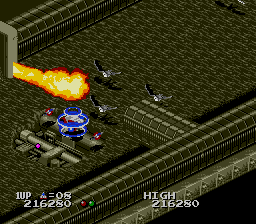
STAGE 1: TRENCH
Your enemies in Viewpoint have varying degrees of defense: Low, Intermediate, and High. The amount of fire-power you must use to destroy them increases along with their level of defense.
However, the "boss" you meet at the end of a stage is far more powerful than any of the dupes preceding it. The defense level of a "boss" is too great to be measured in degrees.
.png)

.png)