Getting Started
Illustration may not match all PlayStation 2 console types. For owners of SCPH-70000 series PlayStation 2 systems, refer to the setup instructions supplied with your system. Set up your PlayStation®2 computer entertainment system according to the instructions in its Instruction Manual. Make sure the MAIN POWER switch (located on the back of the console) is turned ON.
Press the RESET button. When the power indicator lights up, press the OPEN button and the disc tray will open. Place the CRASH 'N' BURN™ disc on the disc tray with the label side facing up. Press the OPEN button again and the disc tray will close.
Attach game controllers and other peripherals, as appropriate. Follow on-screen instructions and refer to this manual for information on using the software.
Memory Card (8MB) (for PlayStation®2)
To save your game data, insert a memory card (8MB)(for PlayStation®2) into MEMORY CARD slot 1 of your console. This game supports MEMORY CARD slot 1 only.
•
The memory card must have at least 120KB of free space in order to save game data.
•
This game uses an Autosave feature. Make sure a memory card is inserted at game startup. Inserting a memory card after startup may cause your data to be overwritten.
•
If the memory card already contains saved CRASH 'N' BURN game data at startup, the save will be loaded automatically.
Survival of the Fastest!
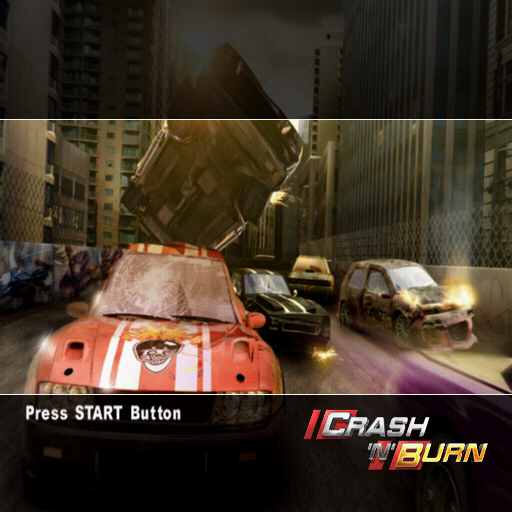
Quick reactions are essential in racing games. Flick the wheel, slide around the corner, tap the brakes and keep a tight hold on the best line. CRASH 'N' BURN has the same principles - but you'll need even faster reactions to dodge a barrage of explosions, oil slicks, fuel dumps and wreckage.
CRASH 'N' BURN is about racing. But it's also about staying alive in the face of adversity. About keeping a cool head when all around are losing theirs. About dodging debris, escaping explosions and sliding wide through slick, thick oil spills... Sound like fun? Thought so.
Getting Into the Game
Profiles
CRASH 'N' BURN requires you to set up a profile in order to play. This is where all your game info is stored, including your garage full of cars, game settings and online profiles.
You can have up to five profiles, each able to house up to 40 cars. Create a profile by selecting CREATE PROFILE, key in your name using the keypad provided, select DONE and boom - you're in the Home screen.
Saving
CRASH 'N' BURN's Autosave feature relieves you from the pain of forgetting to save that vital victory that clinched a championship. To save manually, select SAVE GAME on the Home screen.
Home
This is the main screen for all your in-game info. Want to enter a championship? Tweak your engine, polish your rims? Buy upgrades, parts and paintwork? It all starts here.
You'll also find access to replays of all the tire shredding crashes you've survived and records of all the blistering lap times you've been laying down.
You can also adjust game options, save game progress, sign in to play online and roll the credits of all those who worked on this game.
Race Events
The Race Events option offers you championship events and the option to create your own events with the levels and modes you've unlocked.
You can play through the preset championships in order to build experience and progress through the game, or you can create custom events and deepen your experience by competing online. There are loads of different modes to play, both arena based and track based.
Garage
Selecting GARAGE rolls back the metal shutter on the area where you can enhance your vehicles. When you begin the game, you'll find in the Garage a duo of shiny new cars, a compact and a pickup truck.
You won't be able to buy anything for your vehicles just yet, as you haven't dived into the game and bagged yourself cash to spend in the shop. But you can begin to personalize your cars by running them through the Paint Shop.
Click on a car and opt to change its appearance. Scroll down to PAINT SHOP and tinker with the color scheme. You can change the color of the whole car or pick a different color for each component.
At the start of the game you'll also find some choice components in the Garage that you can use to make your car that much sweeter.
Once you collect money you can buy components from the Shop and come to the Garage to fit them on. New hoods, fenders, rims, spoilers and much more are available. Selecting the component you want to change allows you to preview what it will look like on your machine. Like it? Keep it on there and let's go racing.
Assuming you've been to the Shop and purchased upgrades, the Garage is the place to go to install them. You can tweak the grip, top speed, acceleration and nitrous to ensure that your car is the most highly tuned ride on the circuit.
Build up enough experience points and you'll unlock faster cars. But keep saving cash, as you'll need even more funds to customize those rides to their most spectacular and outlandish incarnations.
Shop
The Shop is where you pick up all your car components, performance enhancers and paintwork to tune your car into your own rocking ride. Competing in events and building up
.png)

.png)
.png)
.png)

.png)
.png)
_1.png)
.png)

_1.jpg)


