GETTING STARTED
*Note: Illustration may not match all PlayStation®2 console types. For owners of SCPH-70000 series PlayStation®2 systems, refer to the setup instructions supplied with your system.*
Set up your PlayStation®2 computer entertainment system according to the instructions in its Instruction Manual. Make sure the MAIN POWER switch (located on the back of the console) is turned ON.
Press the RESET button. When the power indicator lights up, press the OPEN button and the display will open. Place the Peter Jackson's King Kong The Official Game of the Movie disc on the disc tray with the label side facing up. Press the OPEN button again and the disc tray will close. Attach game controllers and other peripherals, as appropriate. Follow on-screen instructions and refer to this manual for information on using the software.
MEMORY CARD (8MB)(FOR PLAYSTATION®2)
To save game settings and progress, insert a memory card (8MB) (for PlayStation®2) into MEMORY CARD slot 1 of your PlayStation®2 system.
You can load saved game data from the same memory card or any memory card (8MB) (for PlayStation®2) containing previously saved games.
GAME MENUS
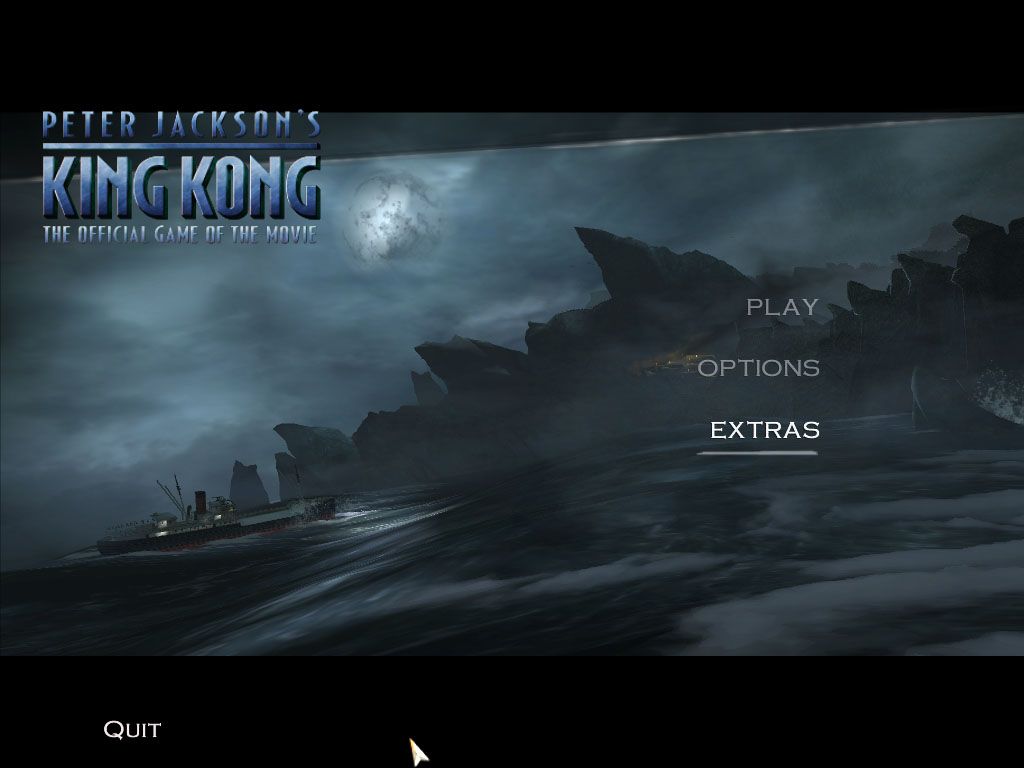
The title screen loads automatically at the start of the game.
PROFILE SELECTION MENU
When the game starts, the Profile Selection screen appears. A profile is a file containing your chosen name, progress within the levels, and overall score.
You have several choices on this screen:
•
Load an existing profile.
•
Play without saving (and therefore not load any profile). If you choose this option, your progress in the game will be lost as soon as you leave the game.
MAIN MENU
Use the left analog stick or the directional buttons to navigate in this menu. Use the SELECT button to select a submenu or modify an option. Press the BACK button to cancel and return to the previous screen.
•
Play: Starts the game. If it is your first game, the introduction to the game starts automatically. If you are restarting an existing game, the Chapter Selection screen appears.
•
Options: A menu giving all the game parameters (video, audio, etc.).
•
Extras: A menu giving all the bonuses included in the game.
OPTIONS MENU
You can modify the main parameters of the game on this screen.
•
Audio: In this submenu, you can modify the type of exit sound (stereo, mono, etc.) and the display of subtitles, as well as the master volume and the volume of the dialogue, music, and sound effects.
•
Video: In this submenu, you can choose the type of display (4/3, 16/9, 4/3 black stripes) and toggle special display effects on or off.
•
Controls: In this submenu, you can activate or deactivate the vibration of the DUALSHOCK®2 analog controller, display the aiming visor and the inventory, and toggle the vertical axis of the sight to normal or inversed.
EXTRAS MENU
This menu displays the bonuses included in the game. Use the left analog stick and the X button to choose a bonus.
Bonuses must be unlocked to be accessible. To unlock them you need to earn a set number of points when completing a level. If you have not earned enough points by the end of your game, you can always play the levels again to improve your score.
To do this, access the Play menu from the Main Menu and select the level that you want to play again. You can also see your score here. The score is based on the number of bullets fired, the number of enemies killed, etc.
CHAPTER SELECTION MENU
When you load an existing profile and select Play from the Main Menu, the Chapter Selection menu is displayed. This allows access to game chapters that have already been played.
You can choose to play any accessible chapter. Chapters that have not yet been played cannot be accessed. Once the entire game is completed, all the chapters can be accessed.
PAUSE MENU
Press the START button to pause the game and the Pause menu will appear. Here you will have several choices:
•
Save: When you save your game, the game is saved at the last checkpoint you crossed. It is not saved at the exact place where you find yourself.
•
Options: This is the same Options menu as the one accessed from the Main Menu.
•
Quit Game: Quit the game and go back to the Main Menu. You will be asked whether you want to save your game before quitting.
•
Resume: Return to the game in progress.
FOOD CHAIN
In the jungle, a dead body is not ignored for long. Predators are always waiting for easy prey. Jack can take advantage of this voracious appetite and either ambush an enemy, lure it into a trap, or divert it from his path using the food chain.
This means that you both are a target and can create targets, by killing creatures that then attract predators and free the way for you to proceed.
Most of the time, enemies in the game follow these two rules:
•
They are attracted to dead bodies.
•
Once dead, they attract nearby monsters and become priority targets.
The game is also strewn with inoffensive creatures that can be used
.png)





.png)













_1.png)
_1.png)
.png)