PREPARING FOR ACTION
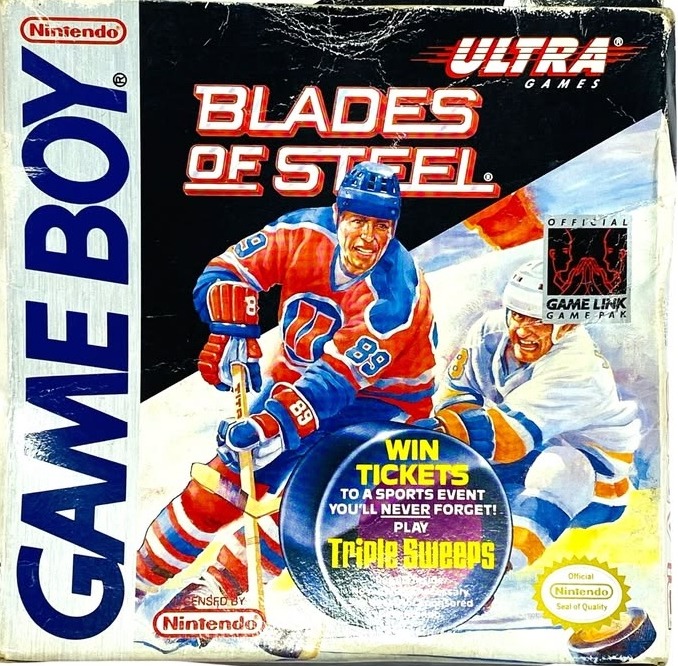
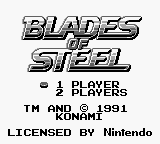
Blades Of Steel consists of three grueling periods of fast-paced action. After the title screen, use the Select button to choose either (1) or (2) player mode, then press the Start button.
ONE PLAYER MODE
If only one player takes the ice, then you'll face off against tough computer competition.
•
Press the Control Pad up or down to choose from "Practice," "Exhibition" or "Tournament" play.
•
Press the A button to lock on your choice.
•
Use the Control Pad again to select the level of play: "Junior" (easiest), "College" or "Pro" (toughest) levels.
PRACTICE MODE
If you elect to practice:
•
Press the Control Pad up or down to choose between "Fight" or "Penalty Shot".
•
Press the A button to lock in your choice.
•
Press the A button again to proceed to the action.
•
To go back to the Practice or Select Game screens, press the B button.
EXHIBITION AND TOURNAMENT MODES
In Exhibition mode, you play one game against a computer opponent.
•
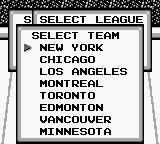
Use the Control Pad to move up and down the team list.
•
Press the A button to select your team first, then the computer's team.
•
To change your selection(s), press the B button.
In Tournament mode, you select your team and the computer pairs you up with an opponent. All eight teams are matched up, and your team can advance as long as you keep winning. If you win all three of your games, you take home the championship trophy!
TWO PLAYER MODE
If you're challenging a friend, you each pick a team using the Select button, locking on with the A button.
For Two player mode you will need:
•
Blades Of Steel cartridges (2)
Attach the Game Link to the two GAME BOYS, make sure the cartridges are properly inserted, then turn on the power. After the title screen flashes on both screens, either player may select the 2 players mode. Proceed through the selection screens to reach your desired level of competition.
RULES OF ENGAGEMENT
FACE-OFFS
At the beginning of each period, and after icing calls, the referee will line up teams for the traditional face-off. The first player to hit the B button when the puck is dropped will get the first chance to strike offensively.
ICING CALLS
Icing occurs when a player shoots from his or her own territory and the puck slides the length of the rink, past the opponent's goal, without being touched. When the opponent takes control of the puck from behind the net, the referee will whistle the icing call, and a face-off will occur.
SLASHING AND CHECKING
If a player gets too rough, a fight will break out or a penalty will be called. This usually happens when you repeatedly check an opponent.
THROW OFF THE GLOVES
If there is a fight, the screen will switch to the punching mode.
•
Press the A button to block punches.
•
Press the B button to unleash your jabs.
•
To aim your blows to the head, press the Control pad up.
•
To rock your opponent with body punches, press the Control pad down. (The same goes for blocking shots to the head and body.)
THE PENALTY AND OVERTIME SCENE
If the referee stops the action before the fists start flying, a penalty shot may be awarded. In addition, if regulation play ends in a tie, 5 overtime bonus shots are taken. In the event of a tie after 5 shots, play goes to a single shot Sudden Death.
When it is your turn to make the slap shot:
•
Use the Control pad to aim your puck at the net.
•
Press the A or B button to take the shot.
If you are defending the net:
•
Use the Control pad to aim at the position you think your opponent is shooting for.
•
Press the B button to attempt the block.
There are 8 positions which you can shoot at or defend. The numbers 1-8 on the diagram represent the positions on the Control pad and the screen.
.png)

.png)








_1.png)
.png)