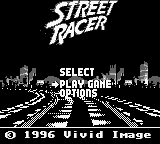
Options
Here you can change and set various options, such as the number of laps and difficulty.
Game Modes
Practice
This mode allows you to practice driving on all tracks, using all drivers. You can also practice using Rumble or Soccer modes. Head to Head
This is a challenge mode where 1 or 2 players can compete.
•
1 player mode: Human vs Computer car
•
2 player mode: Human vs Human (This option is only available in Race Modes and with two systems and a cable link)
Championship
In this mode, you can participate in a full season of races. Ranking points are awarded for finishing positions, and bonus points can also be obtained during races (see Bonus Points).
These are the default settings for various Championship Cups:
Championship Cups
•
Difficulty: Easy or higher
•
Difficulty: Medium or higher
•
Difficulty: Hard or higher
•
Options Settings: Up to 24
Options Settings
Once you have completed all the cups, you can override the above settings from the Options Menu. When you complete a championship successfully, you will get a password.
You can enter these passwords in the Options menu the next time you play the game after your machine has been switched off. If you correctly enter the password, you will hear a sound effect.
Rumble
This is a special fighting mode where all the players are in an open arena. Your objective is to eliminate all your opponents from the arena. The last survivor is the winner.
Soccer
This is a new type of soccer where you play in your car either on a field, on wood, or on ice.
You can select from 2 choices in the options menu:
•
GOAL MATCH: The game is over when all the predetermined goals are scored.
•
TIME MATCH: The game is over when the predetermined game time is up.
For the best players, there is also an additional bonus game to discover.
Character Descriptions
Choosing the Character
The characters and their characteristics appear on the screen. In 1 and 2 player modes, you can browse through the list of characters and characteristics by pressing the left and right keys of your control pad.
Choosing the Tracks
Each racing driver has his or her own home course. You can choose from 8 different course types with 3 different track layouts. •
Use left/right keys to choose your course.
•
Use up/down to select your track.
•
Press button B to view the selected track.
When you press the START button, you will play the selected track (the one with the arrow pointing to it).
Obstacles
•
MINES: They explode instantly on impact.
•
TIME BOMBS: These can be passed to an opponent by punching or colliding with them. If you don't get rid of them, they will explode, slowing down and damaging your car.
Bonus Points
In RACE mode, you can pick up different bonuses.
Turbo
Activated by pressing A + Down, it improves the car's top speed by 30% for 1 or 2 seconds. You automatically receive one each time you pass the finishing line, but you must pick up the others on the track by driving over the arrows. Your Turbo stock is displayed to the right at the top of the screen. .png)


_2.png)
.png)
.png)





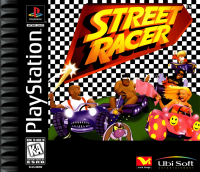

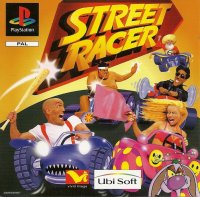
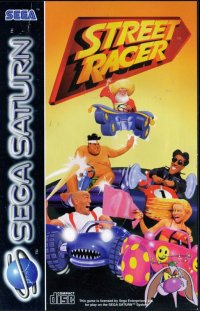




.png)

.png)


 (En,Fr,De).png)
 (Beta).png)