INTRODUCTION
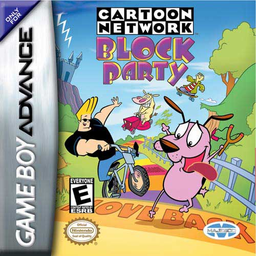
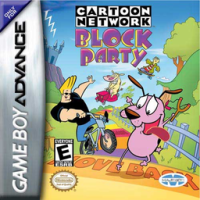
Are you ready to party? Six of your favorite Cartoon Network™ characters are! Play with up to three of your friends on themed Cartoon Network game boards full of mini-games, events and non-stop fun! MAIN MENU
After starting the game, the Main Menu Screen will appear. Choose from the following options:
•
START GAME: Select to start the game on the game board of your choice.
•
RESUME GAME: Choose to continue a previously played game.
•
OPTIONS: Preview the game's music and sound effects, and adjust the volume levels for each.
•
GAME ROOM: Choose to display the menu of mini-games you can play.
•
CREDITS: Select to see the team who brought you Cartoon Network Block Party. SETTING UP THE GAME
At the start of the game, you will need to choose the number of players, the character each player will portray, and the board to play.
On the Player Select Screen, you can choose how many human and computer opponents will be playing, and whom those players will portray. Up to four players can play, and four player positions are defined on the screen.
When the screen first appears, it defaults to one human player versus one computer player. For each player position, you can choose which character that player will be or whether he/she will be controlled by the computer. You can also eliminate that player from the game altogether.
CHOOSING A CHARACTER
Press the Control Pad Up and Down to display the available characters, then press the A Button to select one.
Each character can be chosen by only one player per game. For example, if player 1 chooses Cow, no other player can choose Cow.
CHOOSING PLAYERS
Once a character is chosen, the select highlight will automatically move to the next player position. Each player should continue the selection process until all players are done.
If fewer than four players are participating, you can eliminate additional players by choosing the “NONE” graphic for that player position.
CHOOSING COMPUTER OPPONENTS
To set a player to a computer opponent, simply choose the “CPU” graphic for that player. Upon exiting the screen, all computer opponents will automatically be assigned an available character.
GAME MODES
On the Mode Select Screen you can choose to play in Tournament Mode, or play any of the four game boards individually in Quick Play Mode.
Press the Control Pad Up or Down to highlight the desired option, then press the A Button to confirm your selection.
•
QUICK PLAY: Choose this option to play an individual game board.
•
TOURNAMENT MODE: Choose this option to play a tournament across all four game boards.
CHOOSING A GAME BOARD
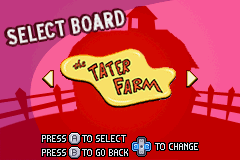
If you have chosen to play in Quick Play Mode, the Game Board Selection Screen will appear. Press the Control Pad Left or Right to view each game board, then press the A Button to confirm your selection.
MULTIPLAYER
When playing with more than one human player, each opponent takes his/her turn holding the Game Boy Advance System and rolling the dice to move on the game board. The game will prompt each player when it is his/her turn to play.
When participating in mini-games, each player will take turns competing in the same mini-game. The Mini-Game Summary Screen will appear after all human players have taken their turn. It displays each player's score and overall standing in the mini-game.
BOARD SPACE TYPES
•
Mini-Game Space: Landing on a Mini-Game Space will launch a mini-game you can play from any board.
•
Board Mini-Game Space: Landing on the Board Mini-Game Space will launch a mini-game that is specific to the current board.
•
Reward Space: Landing on the Reward Space will reward you with either cash, taters or spiderwebs!
•
Path Indicator: This icon appears whenever you come to a fork in your path. Press the Control Pad in the direction of the desired path and press the A Button to continue moving.
HOW TO PLAY
GOAL SQUARE AND GOAL TASK
To win each board, you must reach the Start Space (you do not have to land on it by exact count) after you have accomplished the Goal Task. The Goal Task for each board requires you to collect a variety of items specific to that board.
Any player who reaches the Start Space without first completing the Goal Task will have to go around the board again until he/she or another player wins the board.
PLAYER STATUS
Your player's current standing is shown in the player status area. This area displays the status for each player only when it is his/her turn.
Each player's score and the items each has collected will be displayed here.
ROLLING AND MOVING
A randomizer "rolls" to determine how many spaces you move. To start the indicator spinning, press the A Button and then press it again to slow it down so it stops on your desired number.
Your character will advance the indicated number of spaces.
MINI-GAMES
There are 14 mini-games in Cartoon Network Block Party. When you land on a Mini-Game Space, you can access all mini-games that aren't specific to the board you're currently playing. When you land on the Board Mini-Game Spaces, you can play any of the mini-games that are specific to that board. When playing mini-games, you will be awarded the money and items you earn only if you complete the mini-game successfully.
Zombeat the Clock
Tag all the zombies with a piece of garlic to turn them back into their “normal” form. But they won't