STARTING UP
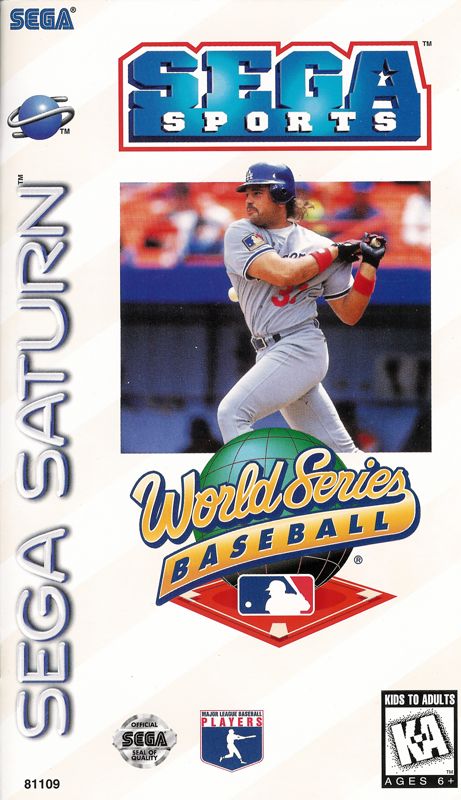
Set up your Sega Saturn system as described in its instruction manual. Plug in Control Pad 1. For multiple-player games, plug in Control Pad 2. Place the World Series™ Baseball disc, label side up, in the well of the CD tray and close the lid.
Turn on the TV or monitor and the Sega Saturn. The Sega Saturn logo appears on screen. If nothing appears, turn the system off and make sure it is set up correctly before turning it on again. If you wish to stop a game in progress or the game ends and you want to restart it, press the Reset Button on the Sega Saturn console to display the on-screen Control Panel. Important: Your Sega Saturn CD contains a security code that allows the disc to be read. Be sure to keep the disc clean and handle it carefully. If your Sega Saturn system has trouble reading the disc, remove the disc and wipe it carefully, starting from the center of the disc and wiping straight out toward the edge. CONTROLS
•
Left Shift Button: (Button L)
•
Right Shift Button: (Button R)
•
Directional Pad: (D-Pad)
GAME INTRODUCTION
After the Sega logo, the game intro appears, followed by the game demo. Press Start at any time to bring up the Title screen. Press Start again to bring up the Game Menu. GAME MENU
Will you change game features before beginning play, or get right into the action? Press the Confirm Button to select one of the following modes:
•
EXHIBITION: Battle with a friend or the computer in this one-game-takes-all mode.
•
PENNANT RACE: Play against all the other teams in your league. Choose a season length of 13, 26, or 162 games. If you can make the playoffs, you'll have a shot at getting into the World Series and going for the World Series championship! For one player.
•
PLAYOFFS: Up to four players can join! Keep winning to keep going. If you win the last game, the World Series is yours.
•
ALL-STAR GAME: Take control of the National League or American League all-stars. It's you versus a friend or the computer in one of sport's most popular events.
•
HOMERUN DERBY: Power and timing are needed in this slugfest. Select any player in the league and remember your goal: knock the ball over the wall more times than your opponent(s)!
•
DATA BASE: Review any player's stats from last year. Use the stats to help you put together a winning team.
•
OPTIONS: Change features of the game and play game sound tracks.
OPTIONS
Press the D-Pad UP or DOWN to highlight a feature, and LEFT or RIGHT to change the feature setting. Press Start to return to the Game MENU.
•
LEVEL (ROOKIE, VETERAN, ALL-STAR): Change the skill levels of computer-controlled teams.
•
ERROR (ON, OFF): When this option is enabled, there is a chance players will drop fly balls or miss grounders.
•
WIND (ON, OFF): You can select to have wind as a factor in your game.
•
DH (ON, OFF): Select to have a Designated Hitter (DH) replace the pitcher in the batting lineup, or allow the pitcher to bat.
•
INNINGS (1-9): Determine the length of the game. Choose from 1-9 innings.
AUDIO OPTIONS
Access the Sound Mode by pressing Button A or C.
•
AUDIO (STEREO, MONO): Select either STEREO or MONO.
•
ANNOUNCER MODE (ON, OFF): Choose to have the announcer make comments during game play.
•
MUSIC TEST: Play any of the background music tracks of World Series Baseball. Press the Confirm Button to play, and Button B to stop the track. •
SE TEST: Follow the instructions in MUSIC TEST to play any of the sound effects tracks of this game.
•
EXIT: Press the Confirm Button to return to the Options screen.
BACKUP UTILITY
Access the Backup Utility by pressing Button A or C.
When you select this feature, you can access a Pennant Race or Playoffs game stored on the internal RAM of the Sega Saturn. Refer to the Sega Saturn Instruction Manual for instructions on accessing your game data. Note: In addition to the internal RAM, you can save a Pennant Race or Playoffs game to a Sega Saturn Backup™ cartridge (sold separately). Refer to the Sega Saturn Backup™ Instruction Manual for instructions on accessing your game data. Press the Confirm Button to return to the Game Menu.
PENNANT RACE
In Pennant Race, select to continue a season in progress (CONTINUE) or start from opening day (NEW GAME).
When You Continue a Season...
The Pennant Race select screen appears.
From Opening Day...
If you have saved a Pennant Race game, a message appears asking whether you wish to start a new season (and thus erase the old season) or cancel your selection. Highlight YES to begin a new season, or NO to cancel. Press any button to make your selection.
Select the league and choose the team you will use for the season.
PENNANT MODE
From the
.png)

_2.png)
_3.png)
.PNG)
.png)
.png)
.png)






.png)
.png)






.jpg)


.png)









_1.jpg)