Getting Started
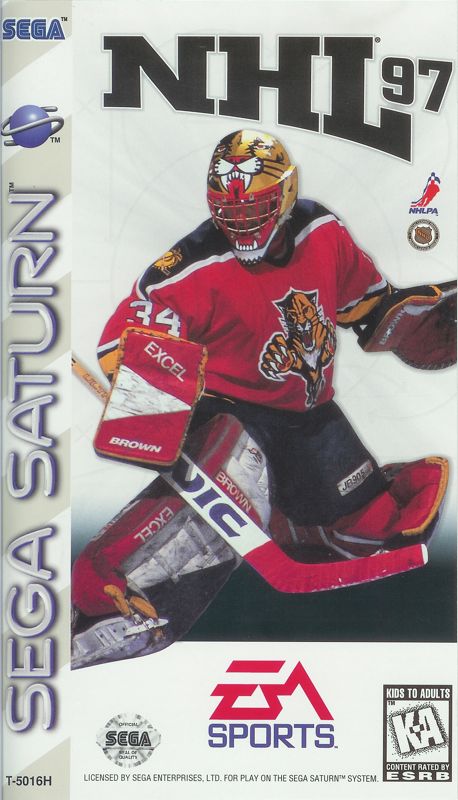
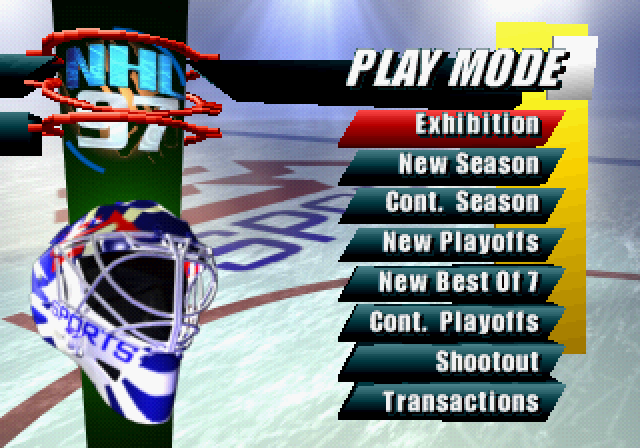
Turn ON the power switch on your Sega Saturn™ system. Make sure a control pad is plugged into the port labeled Control 1 on the Sega Saturn system. Open the disc tray and place the NHL® 97 disc inside. Press START to advance to the Play Mode menu. Introduction
The National Hockey League offers the greatest level of competition, drawing the finest Ice Hockey players in the world. NHL 97 brings the sights, sounds, and emotions of an NHL season to your Sega Saturn. From players blocking shots to the frustration of quick-stops, the game features authentic hockey mechanics. It is the only interactive hockey competition on ice.
Features
•
Exhibition, Season, Playoff, and Shootout game modes.
•
Signature moves by over 45 NHL stars.
•
Rookie, Pro, and All-Star levels of competition.
•
Real-time rendered polygon players based on motion captured from NHL players.
•
TV-style presentation with eight broadcast-quality camera angles.
•
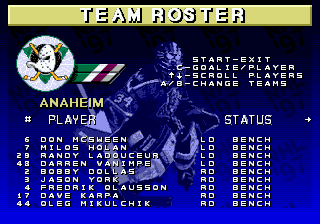
All 26 NHL teams with updated player ratings and rosters, including new logos for the Phoenix Coyotes.
•
1996 NHL Eastern and Western All-Star squads.
•
Over 700 NHLPA™ hockey players with over 600 player photographs.
•
Hundreds of player moves including give-and-go plays, one-timer shots, glove downs, wrist shots, and hip checks.
Play Mode Menu
To begin a Play Mode, use the D-Pad ↓ to highlight your choice, then press B to select.
•
Exhibition: Play a single game between any two teams.
•
New Season: Play an 82-game NHL Season, with Best-of-7 Playoffs and Stanley Cup® celebration.
•
Cont. Season: Continue a saved Season saved to Base RAM or a Back up RAM cartridge.
•
New Playoffs: Take your favorite team through a single-elimination tournament.
•
New Best Of 7: Sign up for a Best-of-7 Playoff series.
•
Cont. Playoffs: Continue a saved Playoff saved to Base RAM or a Back up RAM cartridge.
•
Shootout: Practice your penalty shot technique in a five-round contest.
•
Transactions: Create, trade, sign, and release players.
Playing NHL 97
To quickly begin an NHL 97 game, choose EXHIBITION as your Play Mode to access the Game Setup menu.
Game Setup Menu
To configure your game setup, use the D-Pad ↑↓ to highlight an option, ←→ to cycle choices, then press B to select. Default options appear in bold type.
Rosters
•
REGULAR: Team rosters are consistent with the 1995-96 NHL Season.
•
WITH TRADES: Team rosters reflect your NHL 97 transactions.
Period Length
•
5/10/20 MINUTES: Set the length of each period. The NHL plays 20-minute periods.
•
This option does not affect overtime periods. Exhibition and Season overtime is five minutes; overtime in the Playoffs is sudden death.
Goalies
•
AUTO CONTROL: The computer controls your goalie before the save. You take over when a save is made.
•
MANUAL CONTROL: You control your team's goalie.
User Records
•
ON: Keep an ongoing tally of your win/loss/tie record, win percentage, total goals, and saves.
•
OFF: Play a game without saving records or stats.
Penalties
•
ON, NO OFFSIDES: Refs whistle all penalties except offside violations.
•
ON: Refs call the game just as they would in an actual NHL game.
•
OFF: No penalties are called. Ideal for a fast-paced game with fewer faceoffs.
Line Changes
•
OFF: Your best line remains on the ice for the entire game. Players never tire.
•
AUTO: Lines change automatically before each faceoff. Players never show signs of fatigue.
•
ON: You must change your lines to keep your skaters fresh. Players left on the ice too long will fatigue and slow down.
Fighting
•
ON: Aggressive players may answer a big hit by squaring off against one another.
•
OFF: Players keep their gloves on at all times, no matter how physical the action.
Skill Level
•
PRO: Computer skaters play to their ability but never rise to a championship level.
•
ROOKIE: Computer-controlled players skate and react more slowly.
•
ALL-STAR: The skating is quick, the body checks are lethal, and the passes are precise.
Presentation
Access the Presentation menu to toggle various options.
•
VIDEOS: Toggle John Davidson's game commentary ON/OFF.
•
STARTING LINE-UPS: Toggle the Starting Line-up introductions ON/OFF.
•
ANNOUNCER: Toggle the rink announcer ON/OFF.
•
IN-GAME OVERLAYS: Toggle game statistics overlays ON/OFF.
•
PUCK HOLDER TEXT: Toggle player names and positions ON/OFF.
•
REFLECTIONS: Toggle player reflections ON/OFF.
•
CROWD SOUNDS: Toggle crowd sounds ON/OFF.
*
.png)


.png)







.png)

.jpg)
.png)










.png)