To Start a Game
Check that the Power switch is OFF. Insert the Game Pak as described in your Super Nintendo Entertainment System manual, and turn the Power ON. When the title screen appears:
•
1. Hit START... to begin.
•
2. NUMBER OF PLAYERS... The system will default to 2 players. You can play with from 2 (you and one computer opponent, or you and another human) to 8 players. Use the Control Pad to pick the number of players, then press the A Button to select the number.
•
3. IS THIS PLAYER HUMAN OR COMPUTER?... If Human, press A to select. If Computer, move to "Computer," then press A to select. If you picked any computer players, your rogues' gallery of possible opponents will appear. Use the Control Pad to move from portrait to portrait; hit the A Button to select each rival.
•
4. ENTER NAME... Use the Control Pad to move the yellow square cursor to the first letter of the player's name, then hit the A Button to select that letter. Continue until you have spelled out the player's name, then move to "OK," then hit the A Button to select. (Use the <- at the bottom to backspace and "erase" a letter to change the spelling; use the -> to add a space, as in Mary Lou.)
•
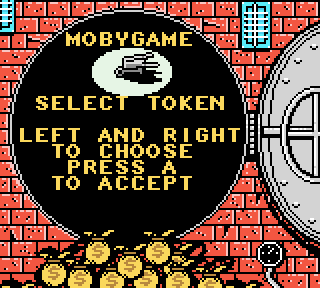
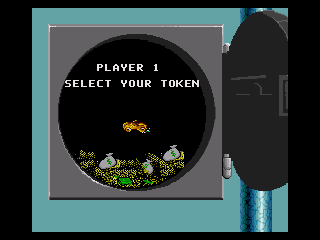
5. TOKEN... Use the Control Pad to scroll to the Token you want, then press A to select. (Computer opponents pick their own tokens immediately, so enter the human players first to get first choice.) There are 8 tokens to choose from: HAT, HORSE, IRON, THIMBLE, DOG, WHEELBARROW, CAR, SHOE.
•
6. Repeat... steps 3, 4 and 5 for all remaining players.
•
7. Press A... to start the game immediately. Your alternative is to press B for Options to reset the gameplay. The one option you may want to pick now is Short Game.
•
8. WHO GOES FIRST?... The system randomly picks who goes first and that player's name appears on the first screen. Note: Your cash on hand will always be displayed at the start of your turn along with your name.
•
9. ROLL THE DICE... Now it's time to play! The first player presses A to "roll" the dice; the token automatically moves the number of spaces indicated by the dice.
Illegal Moves
You can't get away with any shady dealings! Whenever you try to make a move that does not follow the official MONOPOLY rules, the system will let you know! The move will not be carried out, and play will resume at the point before the illegal move was attempted.
Buying and Auctioning Properties
•
TO BUY... When your token lands on an unowned piece of real estate—with a "For Sale" sign—press A to buy it immediately. If you need to raise money to buy it, see "Mortgage". To view all of that property's Title Deed card information, press Y.
•
TO AUCTION... If you don't want to buy the property, press B to send it to auction, where all players may participate if they wish. The auctioneer will run the auction and determine what the bids will be. To bid, use the Control Pad to move back and forth from player to player and to up the ante; the auctioneer sets each new bid. As soon as no one makes another bid, he will flash "Going, going, going..." If no one jumps in, it will be "SOLD!" to the highest bidder. Move the cursor to your name; press A to accept the auctioneer's bid.
Assets & Get Out of Jail Free
•
ASSETS... To find out everyones' status at any particular time, press X to bring up the Assets screen and see: Properties owned, Cash levels, and "Get Out of Jail Free" cards. Press any button to exit.
•
TO GET OUT OF JAIL... You may: 1) Press A to roll the dice and try for doubles, OR 2) Press Y to use a "Get Out of Jail Free" card if you have one, or 3) Press Y to pay $50 if you don't have a card.
Buying Houses & Hotels
The number of Houses and Hotels left in the Bank and available for sale appears on the main screen at the beginning of each player's turn. Watch for impending shortages!
Press A to buy Houses or Hotels; press B to sell them. Use the Control Pad to view the Title Deed cards for the properties you own: When you reach the one you want to build on, press A. On the next screen, use the Control Pad to enter the number of Houses (or Hotels) you want to buy. Press A to select.
If you purchased more than one House, the system will automatically put the first one on the property you're on, then distribute the others evenly among the properties in that color group.
At this point, other players may jump in and purchase Houses or Hotels for their own properties by pressing the B Button. This is very important if there is a potential building shortage. Each player indicates how many he/she wants. If there is a shortage, the system automatically starts an auction for each available building. The auction follows the usual procedure; the highest bidder wins.
Selling Houses & Hotels
Follow the "Buy" instructions above, and press B to sell. If you're selling a Hotel, it will first be "converted" back into four Houses; now select Sell Houses to continue to sell off
 (Rev 1).png)

.png)
.png)