Setting Up the Game
The introduction will acquaint you with the American Gladiators that you will be competing against. Press button X, Y, A or B to view the rest of the Gladiators. Press START at anytime to begin game play.
Choose the type of game you wish to play:
One To One Mode Setup
ONE TO ONE will allow you to play a quick game against a computer opponent. This option can be used as a practice round to help you get acquainted with the events before the big event — the TOURNAMENT.
•
To select this option move the cursor UP or DOWN using the Control Pad until the hand points to ONE TO ONE. Press BUTTON X, Y, A OR B to lock in your selection.
•
Now enter your gender (Female or Male). Make your selection by moving the cursor UP or DOWN using the Control Pad. Press BUTTON X, Y, A OR B to lock in your selection.
•
Enter your name by moving the cursor LEFT, RIGHT, UP or DOWN along the alphabet using the Control Pad. Press BUTTON X, Y, A OR B to lock in your selection.
•
To erase a letter, move the cursor over DEL and press BUTTON X, Y, A OR B until the desired letter(s) are deleted.
•
To enter your name, move the cursor over END and press BUTTON X, Y, A OR B.
•
You may also add a space by positioning the cursor over SPC. Lock in your choice by pressing Button X, Y, A or B.
•
Press BUTTON X, Y, A OR B to begin the 1st event.
Tournament Mode Setup
The TOURNAMENT section can be played alone against computer opponents or with up to sixteen human competitors. If fewer than sixteen human players are competing, the remaining spaces on the tournament ladder will be filled in with computer players.
•
To select this option, move the cursor to "Tournament" using the Control Pad. Lock in your selection by pressing BUTTON X, Y, A OR B.
•
Choose who will go first, second, etc.
•
Player #1 enter your gender. Make your selection by moving the cursor UP or DOWN using the Control Pad. Lock in your selection by pressing BUTTON X, Y, A OR B.
•
Player #1 enter your name using the same direction as listed in the ONE TO ONE section.
•
If there is more than one human player competing, then move the cursor using the Control Pad to select ANOTHER PLAYER. Lock in your selection by pressing BUTTON X, Y, A OR B.
•
Follow the instructions described above until all human players have been entered.
•
Once all players have been entered, move the cursor to GAME ON and press BUTTON X, Y, A OR B. (The computer will fill in any remaining positions.)
Game Mode Overview
Your American Gladiators Cartridge for the Super Nintendo Entertainment System can be played in two different modes: One To One or Tournament. One-To-One Mode Details
•
This is a one player game where you will be competing against a computer player. You will always be the BLUE Player.
•
In Joust, Human Cannonball and Assault, players take turns competing against the Gladiators. In order to keep the game moving you will not see the computer player compete, only their score will be shown.
•
In Powerball, Atlasphere, The Wall and The Eliminator, both you and the computer player will compete against the Gladiators on the same playing field at the same time.
•
While the event is in progress, the scores will be displayed on the top of the screen.
•
After each event, the overall score will be displayed.
•
Also on this screen, the next event will be displayed, as well as the name of the Gladiator(s) that you have drawn to compete against.
Tournament Mode Details
•
In the Tournament Mode, you can compete alone against the computer or with you and up to 15 friends. If less than sixteen human players are competing, then the remainder of the ladder will be filled with computer opponents.
•
The Tournament is divided into three rounds: quarter-finals, semi-finals and finals.
•
Two players will compete against each other at a time. They will compete in all seven events. The player with the highest score at the end of the seven events will advance to the next round.
•
The winner of the Final Round will have earned the honor of becoming an American Gladiator.
•
In some rounds you may be competing against a computer opponent. When playing against a computer opponent, only their scores will be shown for The Joust, The Assault and The Human Cannonball. (You will not see them compete.)
•
In The Eliminator, The Atlasphere, The Wall and The Powerball, you will be competing on the same playing field as your computer opponent.
Important Controller and Uniform Info
As you progress in the Tournament, you may change uniform colors due to your new placement on the ladder. Remember that if you are in the top position, your uniform will be BLUE. If you are in the bottom position, you will be wearing RED.
The BLUE player uses Controller #1 and the RED player uses Controller #2.
The Events
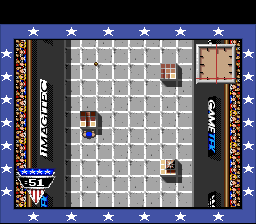
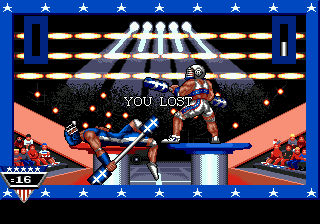
They're here, all the events for which you have been waiting. So try your hand at the JOUST. Or climb The WALL. Swing into action with HUMAN CANNONBALL. Stuff it and run in POWERBALL. Then, blast'em into oblivion with ASSAULT. Or smash and bash them in the ATLASPHERE. Finally, if you have the guts, encounter the greatest challenge of all: the ELIM .png)

.png)

.png)
.png)



.png)



.png)
.png)
.png)


.png)



.png)

.png)