Starting the Game
To start the game, follow these steps:
•
Make sure your Super Nintendo Entertainment System® (Super NES) is turned off. •
Put the Championship Pool Game Pak in your Super NES.
•
At the title screen, press Start to go to the main menu.
•
Use the Control Pad to select an option then press A.
Note: If you run across an unfamiliar billiard term, please see the Glossary.
Using Menus
In Championship Pool, you use menus to select game options and special features.
Main Menu
Use the main menu to select a game, as follows:
•
Press A to open the main menu.
•
Press ▼ and ▲ to select one of four options:
•
Freestyle: Play by your own rules! Use X to drag balls into pockets for a unique rack or to place balls anywhere for a trick shot.
•
Party: From 2 to 8 players can party down with fun games and special game features.
•
Tournament: Qualify in 8-Ball or 9-Ball and make it to the World Championship.
•
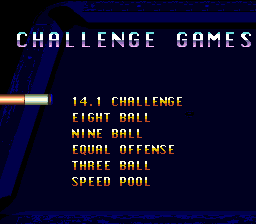
Challenge: A great way for one player to practice six games and to test skills, such as shooting, speed, accuracy, and touch.
•
Press A and the list of available games for that option appears.
•
Press ▼ and ▲ to select a game, then press A to play the game.
Note: As needed press ▼ or ▲ then A to choose Heads or Tails.
Freestyle
Freestyle is just like having your own pool table where you can invent games, make up rules, and practice trick shots.
•
Press X and use the cursor to rack balls or move them, then press X again to pocket or place balls. This way, you can set up unique opening racks or trick shots, such as four in a row.
From the Freestyle pool table view, you can press Start to open the Freestyle menu and choose these options:
•
Set Spin: Adjust the spin of your cue ball. See Special Features.
•
Help!!: Use the online help. Press the Control Pad to select a help topic, then press A. When you are done reading, press A again to return to the game.
•
Jukebox: Press the Control Pad to select a song or turn music off, then press A.
•
Undo: Cancel the last shot so you can retry it.
•
Instant Replay: View an instant replay of your last shot at full speed, in slow motion, or in reverse. See Special Features.
•
Spot Balls: Press the Control Pad to select a spotting option, then press A.
•
Rack Em: Use the Control Pad to select from a list of standard racks, then press A.
•
Back to Freestyle: Return to the game in progress.
•
Exit Freestyle: Return to the main menu and choose another play option.
Game Control Menu
From the Party, Tournament, or Challenge Game Menu, press Start to open the Game Control menu where you can choose these options:
•
Scoreboard: Check your score or all scores for the current game.
•
Special Actions: Depending on the game you are playing, you can call up to seven game actions, such as a Push Shot or Reject and Break. For definitions of the special actions, see the Glossary.
•
Instant Win: Grant yourself a win (in Party only).
•
Stalemate: Call it a tie (in Party or Challenge only).
•
Abandon Game/Give Up: Return to the main menu and choose another game option.
•
Never Mind: Return to the game in progress.
Table Layout
The game features a standard layout of a pool table with the pockets numbered for reference. For definitions of the parts of a pool table, see the Glossary.
Note: The strings are imaginary lines that do not appear on your Super NES screen.
Overhead View
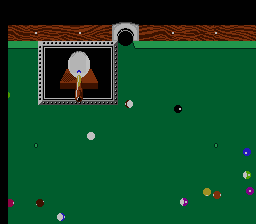
This view shows the overhead perspective of the pool table. In Party, Tournament, and Challenge overhead views you can see numbers in the balls. Press Start to open the Game Menu and choose Numbers.
Closeup View
Before you start shooting, press Y to see an overhead closeup view of the pool table.
Fouls
Although the penalty for fouls differs between games, the following rules apply to all fouls:
•
The current player's inning ends.
•
If on a stroke, that stroke becomes invalid and pocketed balls don't count.
•
Balls are only respotted as called for in the rules for that particular game.
Possible fouls include:
•
Pocketing the cue ball (scratch).
•
Failure to pocket an object ball.
•
Failure to strike a rail with the cue ball or an object ball after contact.
•
The first ball hit is not the correct object ball.
Three Ball
•
Game Description: Played with the cue ball and three object balls.
•
Object: The player who gets the lowest score wins.
•
The first player breaks any three object balls racked on the foot spot.
•
Players do not have to call shots.
•
If you scratch, your score increases and you must spot all balls pocketed on the scratch shot and shoot again.
•
If you miss, your score increases and you must shoot again.
Eight Ball
•
Game Description: Eight Ball is played with the cue ball and 15 object balls. The 8-ball is the game ball. One player must pocket all the
.png)


.png)
